Watch on a Windows device
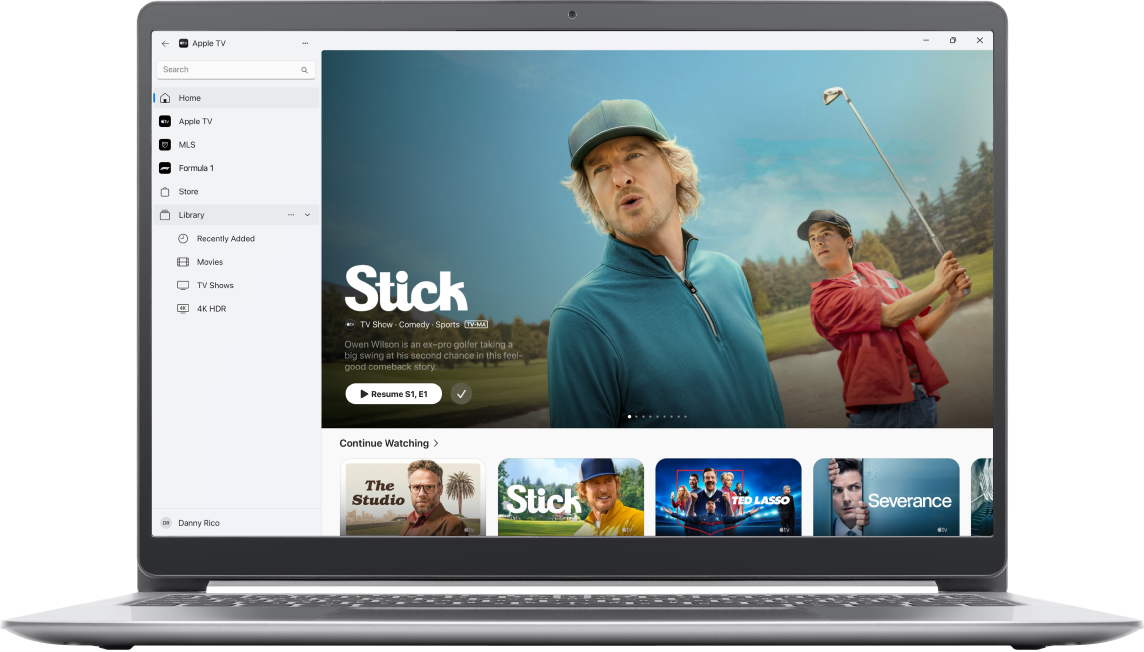
Use the Apple TV app to watch Apple TV (which in some countries and regions includes Friday Night Baseball, MLS, and Formula 1) on your Windows device. All your TV shows, movies, subscribed sports events, and more are all in one place.
How to watch on a Windows device
You can find and download the Apple TV app from the Microsoft Store.
On your Windows device, go to the Microsoft Store, then search for “Apple TV.”
Note: Information about device and software requirements can be found on the Apple TV app page in the Microsoft Store.
Select the Apple TV app from the search results, then select Get.
Open the Apple TV app
 on your Windows device.
Select any of the following items or categories from the sidebar:
Search: Find TV shows and movies by title, cast, or crew.
Home: Start watching movies, TV shows, and sports in one place. Use the Continue Watching row to find items you’ve added or content you’ve started watching but haven’t finished.
Apple TV: Browse and watch Apple TV, a subscription streaming service featuring Apple Originals—award-winning films, series, compelling dramas, groundbreaking documentaries, kids’ entertainment, comedies, and more. In some countries and regions, Friday Night Baseball is included with your Apple TV subscription.
MLS: When you have an Apple TV subscription, watch every match of the Major League Soccer season, Audi MLS Cup Playoffs, and Leagues Cup all in one place, with consistent match times and no blackouts.
Formula 1 (U.S. only): When you have an Apple TV subscription, watch Formula 1 with your choice of multiple live feeds. Catch all practice, qualifying, Sprint, and Grand Prix races.
Store: Use this all-in-one destination to browse, buy, and rent the world’s best movies and TV shows.
Channels: Select a channel you’ve recently subscribed to.
Library: Find your purchases and rentals, organized by category.
Sign in to your Apple Account if prompted.
Note: If you don’t already have an Apple Account, you can create one on the Apple Account website. You need only one Apple Account to use Apple TV app services. For more information, see the Apple Account FAQ.
For more information, see the Apple TV App User Guide for Windows.