Apple Vision Pro User Guide
- Welcome
-
- Change notification settings and device sounds
- Set the date, time, language, and region
- Change your device name
- Change the appearance of text and windows
- Unlock your iPhone with Apple Vision Pro
- See your keyboard, game controller, or iPhone while immersed
- See people around you while immersed
- Use Apple Vision Pro in Travel Mode
- Refresh apps in the background
- Set content restrictions in Screen Time
- Let others use your Apple Vision Pro
-
- Apple Music Classical
- Books
- Calendar
- Capture
- Clock
- Encounter Dinosaurs
- Home
- Maps
- Mindfulness
- News
- Numbers
- Pages
- Podcasts
- Reminders
- Shazam
- Shortcuts
- Spatial Gallery
- Stocks
- Tips
- Voice Memos
-
- Get started with Apple Intelligence
- Create original images with Image Playground
- Create your own emoji with Genmoji
- Use Image Wand
- Use Writing Tools to write, improve, and summarize content
- Use ChatGPT with Apple Intelligence
- Summarize notifications and reduce interruptions
- Apple Intelligence and privacy
- Turn off and restrict access to Apple Intelligence features
-
- Get started with accessibility features
- Turn on features with the Accessibility Shortcut
- Change Siri accessibility features
-
- Use AssistiveTouch
- Perform actions with sounds
- Perform actions with your eyes
- Perform actions with your voice
- Perform actions with face gestures
- Use Look to Drive
- Adjust settings for the Digital Crown
- Look up to open Control Center
- Use a pointer to navigate
- Control your device with an external keyboard
- Adjust AirPods settings
- Use Guided Access
- Copyright and trademarks
Get started with Calendar on Apple Vision Pro
The Calendar app  is an iPad app that works with Apple Vision Pro. In Calendar, you can keep track of all your events in one calendar, or create additional calendars to keep different types of events separate—like family and work.
To learn more about using the Calendar app on your Apple Vision Pro, see the iPad User Guide.
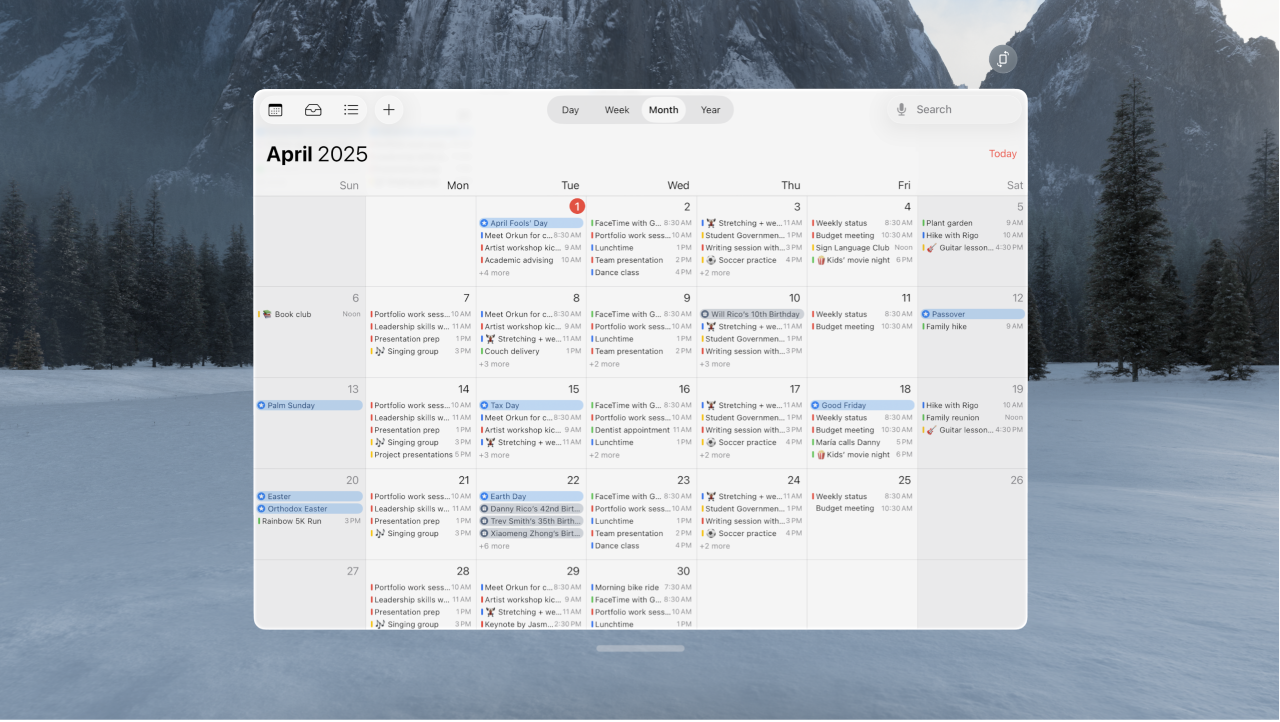
Tips and tricks for Calendar on Apple Vision Pro
Create an iCloud calendar: Tap
 , tap Add Calendar, enter a name for the calendar, then choose a color for it.
Subscribe to an external read-only calendar: Tap
, tap Add Subscription Calendar, enter the URL of the .ics file you want to subscribe to (and any other required server information), then tap Add.Add a Holiday calendar: Tap
, tap Add Holiday Calendar, tap the holiday calendar you want to subscribe to, then tap Add.
Thanks for your feedback.