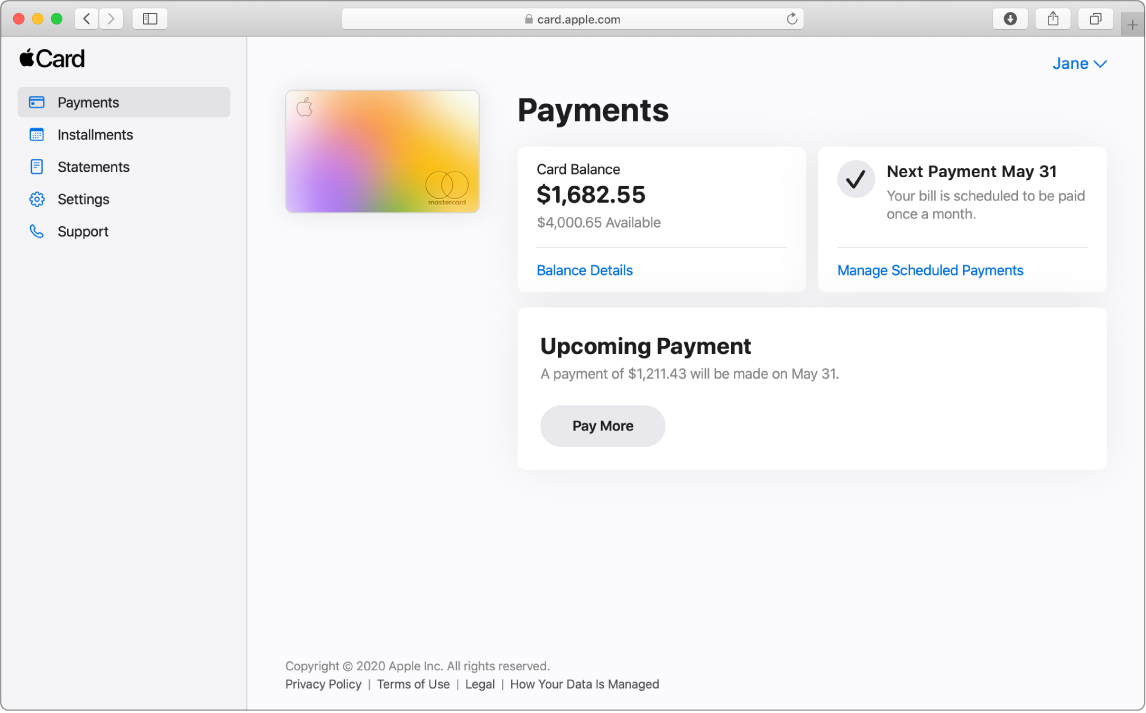
The Payments page in a Safari window. There are three sections, showing the following: the card balance, the monthly recurring scheduled payment, and an upcoming payment.

Pay your balance online

Use a web browser to set up recurring scheduled payments or make a one-time payment.

Learn how to make a payment

To explore the Apple Card User Guide, click Table of Contents at the top of the page, or enter a word or phrase in the search field.

If you need more help, visit the Apple Card Support website.
To access and use all Apple Card features and products available only to Apple Card users, you must add Apple Card to Wallet on an iPhone or iPad that supports and has the latest version of iOS or iPadOS. Apple Card is subject to credit approval, available only for qualifying applicants in the United States, and issued by Goldman Sachs Bank USA, Salt Lake City Branch. Apple Payments Services LLC, a subsidiary of Apple Inc., is a service provider of Goldman Sachs Bank USA for Apple Card and Savings accounts. Neither Apple Inc. nor Apple Payments Services LLC is a bank. All communications from Apple and Goldman Sachs Bank USA about Apple Card (including transactional and marketing communications) and customer service support are available in English. Certain communications about Apple Card can be viewed in another language depending on your device language settings. If you reside in the U.S. Virgin Islands, American Samoa, Guam, Northern Mariana Islands, or U.S. Minor Outlying Islands, please call Goldman Sachs at 877-255-5923 with questions about Apple Card.
Užitečné?
Limit počtu znaků: 250
Limit maximálního počtu znaků je 250.
Děkujeme za zpětnou vazbu.