Final Cut Pro X User Guide
- Welcome
-
- What’s new in Final Cut Pro 10.4.7
- What’s new in Final Cut Pro 10.4.6
- What’s new in Final Cut Pro 10.4.4
- What’s new in Final Cut Pro 10.4.1
- What’s new in Final Cut Pro 10.4
- What’s new in Final Cut Pro 10.3
- What’s new in Final Cut Pro 10.2
- What’s new in Final Cut Pro 10.1.2
- What’s new in Final Cut Pro 10.1
- What’s new in Final Cut Pro 10.0.6
- What’s new in Final Cut Pro 10.0.3
- What’s new in Final Cut Pro 10.0.1
-
- Intro to effects
-
- Intro to transitions
- How transitions are created
- Set the default transition
- Add transitions
- Delete transitions
- Adjust transitions in the timeline
- Adjust transitions in the inspector and viewer
- Merge jump cuts with the Flow transition
- Adjust transitions with multiple images
- Modify transitions in Motion
-
- Add storylines
- Use the precision editor
- Conform frame sizes and rates
- Use XML to transfer projects
-
- Glossary
- Copyright
sidebar
The sidebar appears to the left of the browser and contains three panes for selecting different types of media: the Libraries sidebar, the Photos and Audio sidebar, and the Titles and Generators sidebar. When you select an item in a sidebar pane (such as an event containing clips, or a category of sound effects or 3D titles), the item’s contents are displayed in the browser. You can show or hide any of the sidebars.
Show or hide the Libraries sidebar: Click the Libraries button in the top-left corner of the Final Cut Pro window.
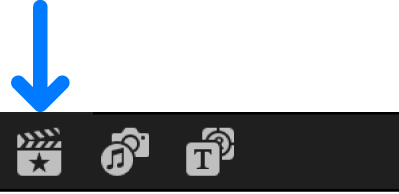
When another sidebar is open, you can switch to the Libraries sidebar by choosing Window > Go To > Libraries (or pressing Command-1).
Show or hide the Photos and Audio sidebar: Click the Photos and Audio button in the top-left corner of the Final Cut Pro window.
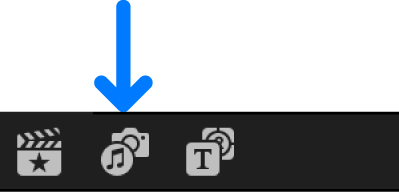
When another sidebar is open, you can switch to the Photos and Audio sidebar by choosing Window > Go To > Photos and Audio (or pressing Shift-Command-1).
Show or hide the Titles and Generators sidebar: Click the Titles and Generators button in the top-left corner of the Final Cut Pro window.
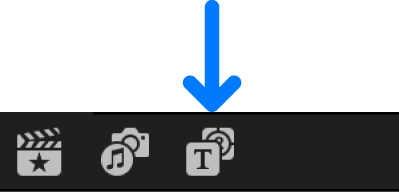
When another sidebar is open, you can switch to the Titles and Generators sidebar by choosing Window > Go To > Titles and Generators (or pressing Option-Command-1).