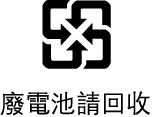
Apple TV 4K disposal and recycling information
Disposal and recycling information

The symbol above means that according to local laws and regulations your product and/or its battery shall be disposed of separately from household waste. When this product reaches its end of life, take it to a collection point designated by local authorities. The separate collection and recycling of your product and/or its battery at the time of disposal will help conserve natural resources and ensure that it is recycled in a manner that protects human health and the environment. For information about Apple’s recycling program, recycling collection points, restricted substances, and other environmental initiatives, go to apple.com/environment.
Brasil – Informações sobre descarte e reciclagem
O símbolo acima indica que este produto e/ou sua bateria não devem ser descartados no lixo doméstico. Quando decidir descartar este produto e/ou sua bateria, faça-o de acordo com as leis e diretrizes ambientais locais. Para informações sobre substâncias de uso restrito, o programa de reciclagem da Apple, pontos de coleta e telefone de informações, visite apple.com/br/environment.
Información sobre eliminación de residuos y reciclaje
El símbolo de arriba indica que este producto y/o su batería no debe desecharse con los residuos domésticos. Cuando decida desechar este producto y/o su batería, hágalo de conformidad con las leyes y directrices ambientales locales. Para obtener información sobre el programa de reciclaje de Apple, puntos de recolección para reciclaje, sustancias restringidas y otras iniciativas ambientales, visite apple.com/mx/environment o apple.com/la/environment.
Battery service
Don’t attempt to replace the Siri Remote or Apple TV Remote battery yourself—you may damage the battery, which could cause overheating, fire, and injury. The lithium-ion battery in the Siri Remote or Apple TV Remote should be serviced by Apple or an authorized service provider.
Batteries should be recycled or disposed of separately from household waste and according to local environmental laws and guidelines. For information about Apple lithium-ion batteries, go to apple.com/batteries.
Turkey environmental information
Türkiye Cumhuriyeti: AEEE Yönetmeliğine Uygundur.