
Get started with Numbers on iPad
Numbers makes it easy to create organized, professional-looking spreadsheets. Here’s how to get started.
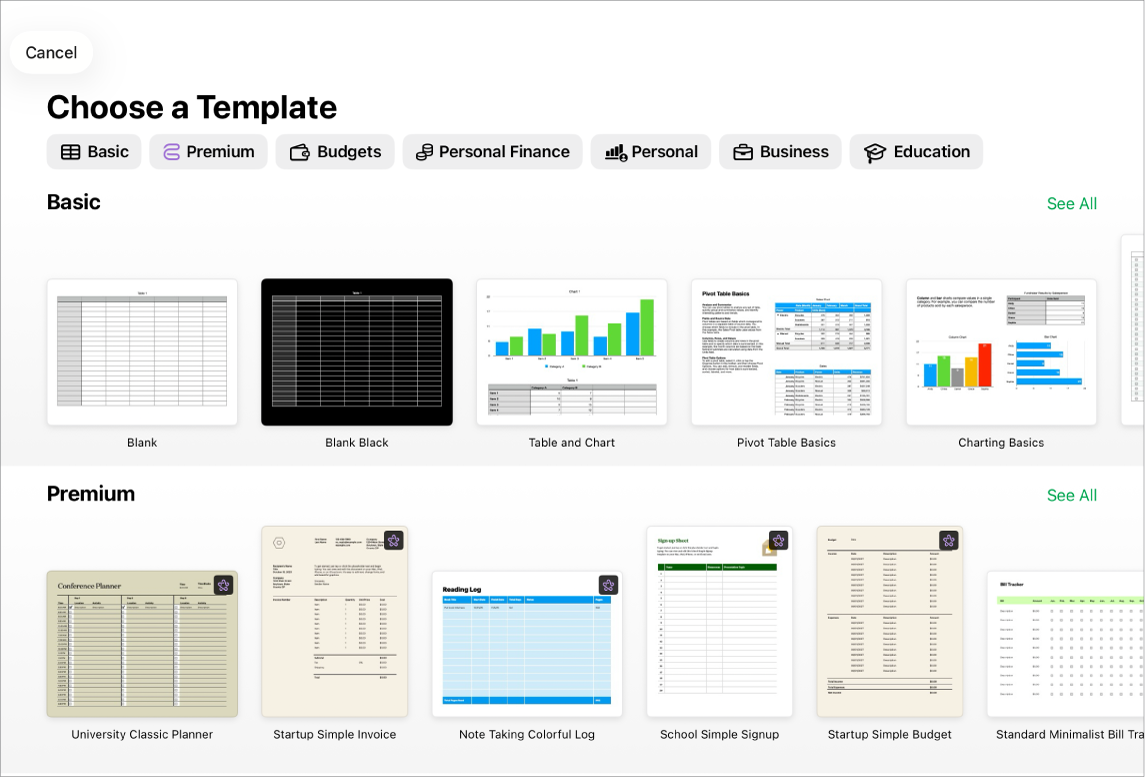
Begin with a template
Creating a budget? Tracking your savings? Drafting an invoice? Numbers has templates outfitted with tables, charts, and formulas to help you get started. Go to the Numbers app  on your iPad, tap Choose a Template (or
  ), then tap a template.
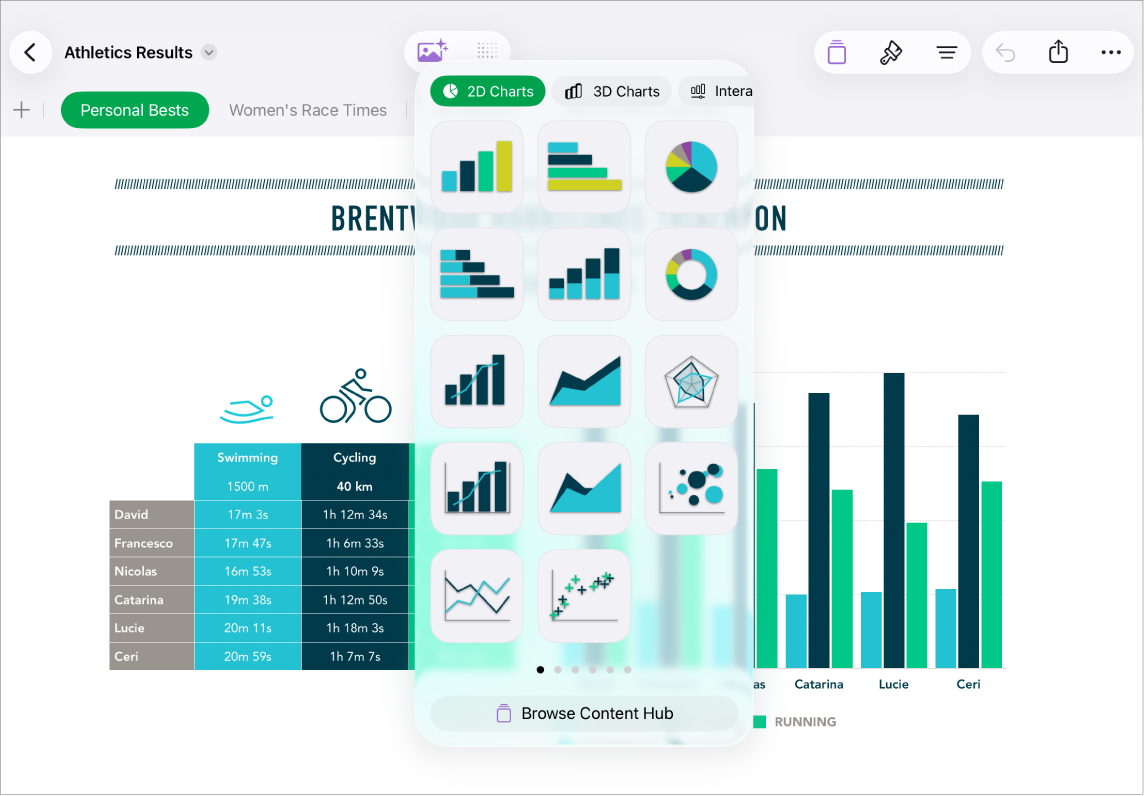
Add tables, charts, and more
You can add objects such as text boxes, photos, and charts to your spreadsheet. To add an object, tap one of the object buttons in the middle of the toolbar at the top of your screen, then select an object from the menu. You can also tap  to add objects from the Content Hub.
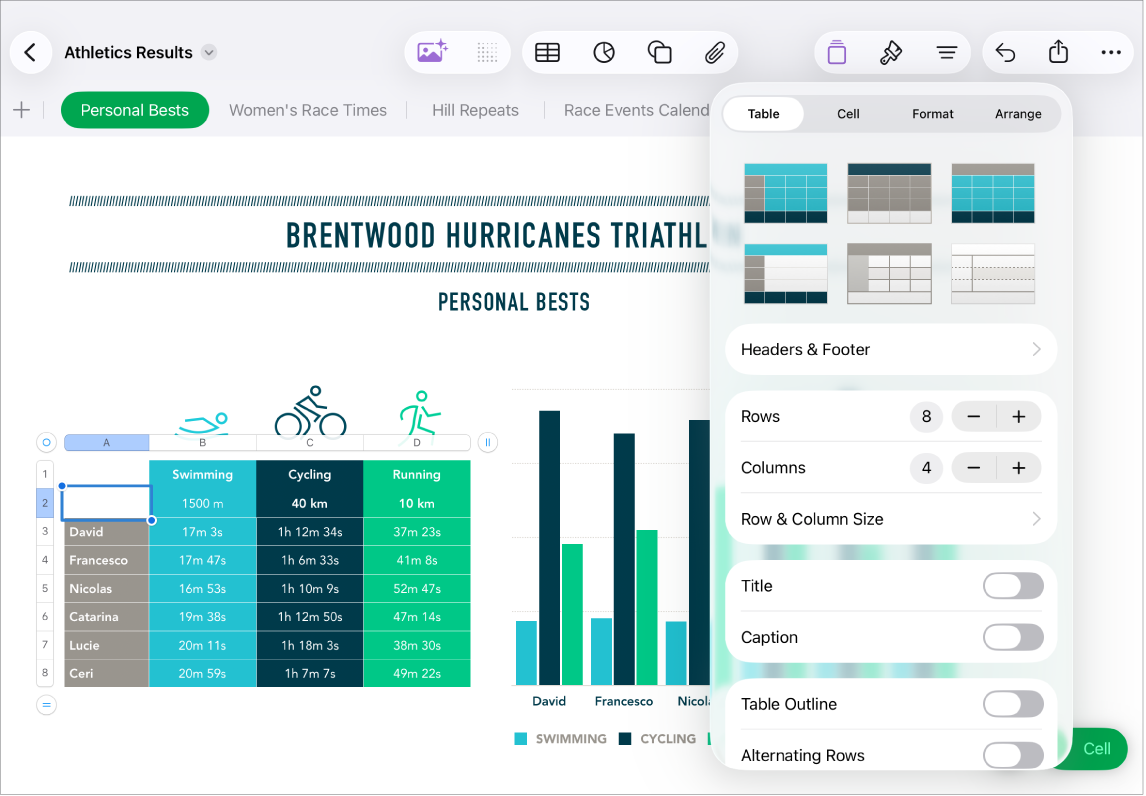
Change the look of your sheet
You can change the look of an object—like its fill color, border, shadow, and more. Tap an object to select it, then tap  to open the formatting controls. Each object has its own formatting options; when you select an image, for example, you see only controls for formatting images.
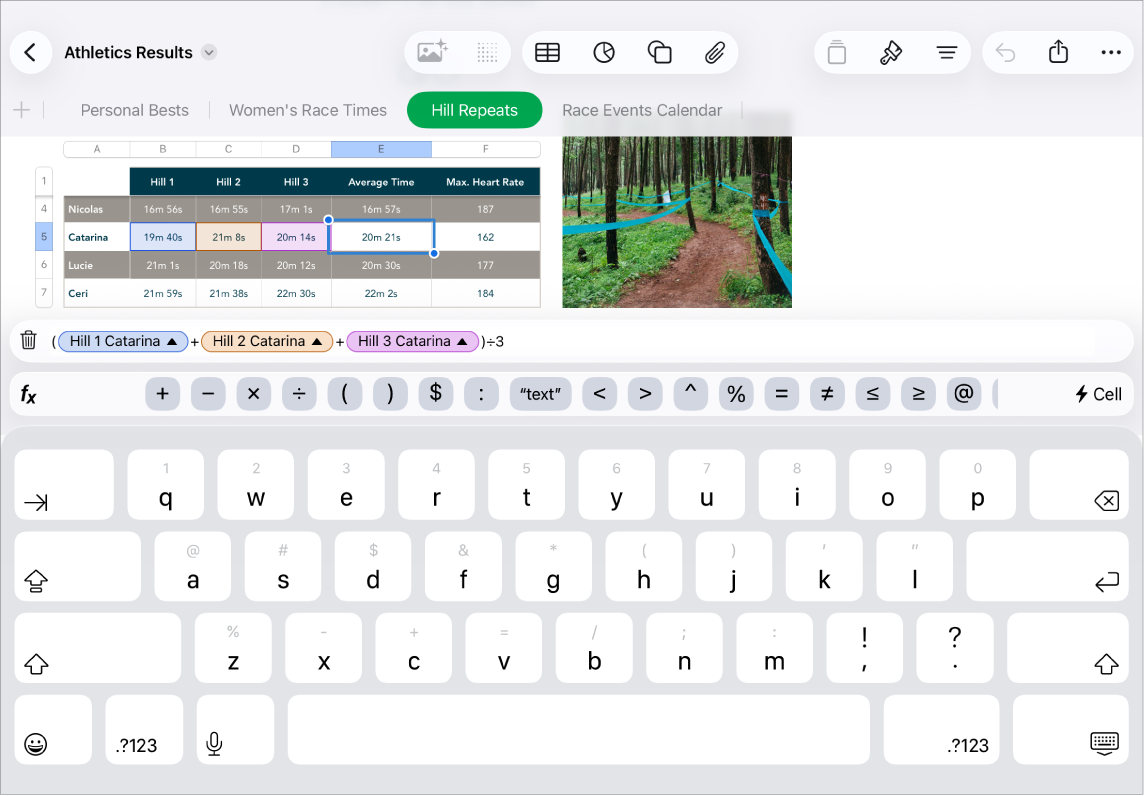
Work with formulas and functions
You can create simple or complex arithmetic formulas to perform calculations on the values in your tables. To open the formula keyboard, tap a cell, tap  at the bottom of the screen, then tap
  above the keyboard on the right.
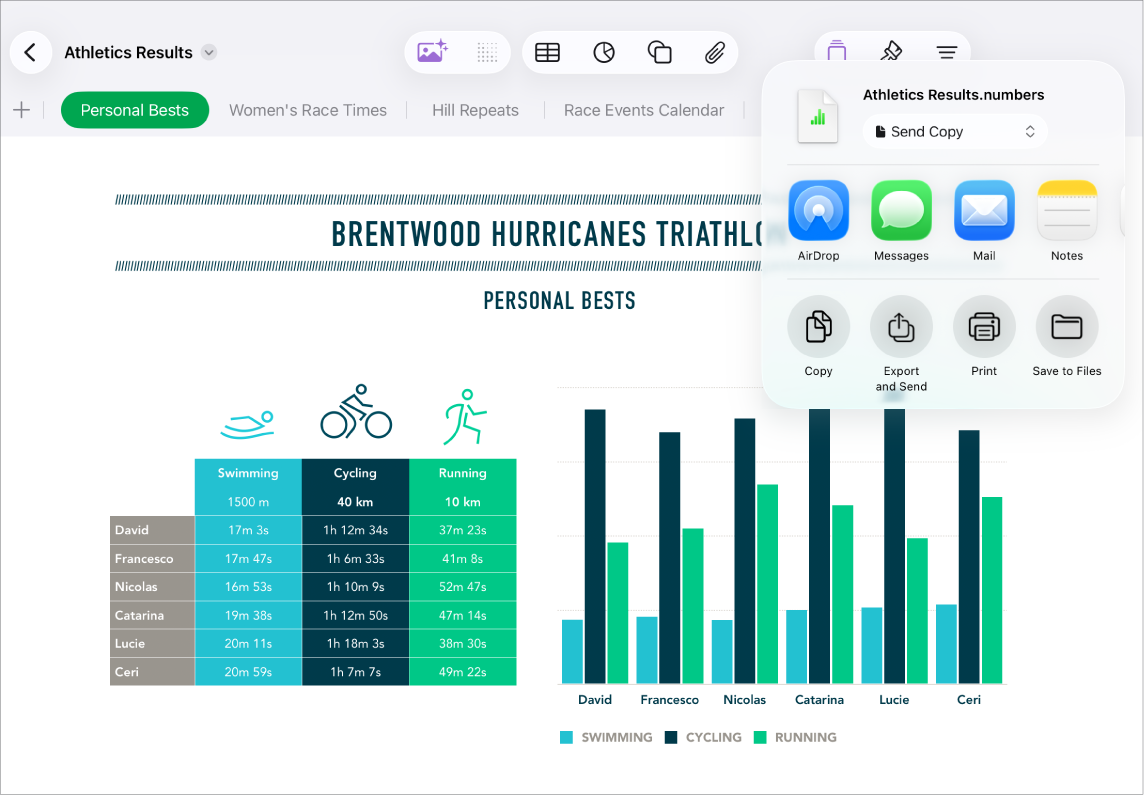
Export your spreadsheet
You can send a copy of your spreadsheet as a Numbers file or in another format, such as PDF, Excel, or CSV. Tap  in the toolbar, then tap Send Copy or Export and Send, which sends your spreadsheet in a format other than a Numbers file.
Want to learn more?
This guide helps you get started using Numbers 15.1 on your iPad. (To see which version of Numbers you have, go to Settings  > Apps > Numbers.)
To explore the Numbers User Guide, tap the Table of Contents button at the top of the page, or enter a word or phrase in the search field.
Numbers 15.1 for iPad requires iPadOS 18 or later. Numbers is available in the App Store and requires an Apple Account to download. Features are subject to change, and some may require internet access. Additional fees and terms may apply.