GarageBand User Guide
- Welcome
-
- Play a lesson
- Choose the input source for your guitar
- Customise the lesson window
- See how well you played a lesson
- Measure your progress over time
- Slow down a lesson
- Change the mix of a lesson
- View full-page music notation
- View glossary topics
- Practise guitar chords
- Tune your guitar in a lesson
- Open lessons in the GarageBand window
- Get additional Learn to Play lessons
- If your lesson doesn’t finish downloading
- Touch Bar shortcuts
- Glossary
- Copyright

Use AirDrop to share songs from GarageBand on Mac
AirDrop lets you quickly send songs to anyone near you — wirelessly.
Share a song to another Apple device nearby
Make sure Wi-Fi and Bluetooth® are enabled on your Mac and on the device you’re sharing to.
In GarageBand on Mac, choose Share > AirDrop.
In the AirDrop dialogue, select one of the following:
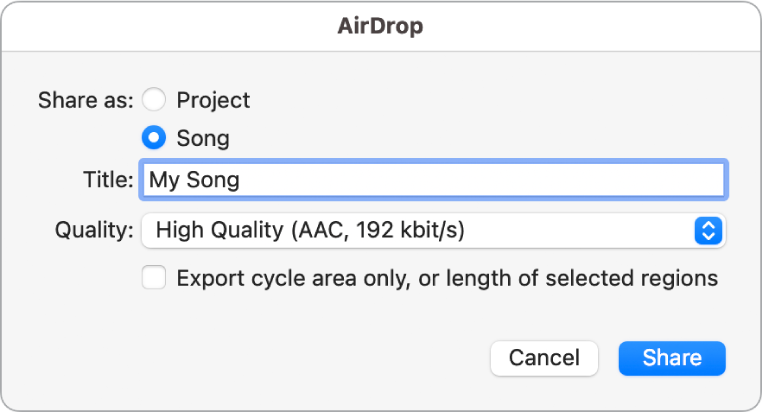
Project: Shares a project that recipients can open and edit in GarageBand on another Mac.
Song: Shares an audio file mixdown that recipients can open and play in the Music app, or in any app that supports .m4a files in the AAC format.
Enter a song name in the Title field.
Click the Quality pop-up menu, then choose an audio format.
Deselect “Export cycle area only, or length of selected regions” if you want to bounce the entire project.
Click Share.
Select a nearby AirDrop recipient in the dialogue.
After the recipient accepts the file transfer, the project or song is transferred to their Downloads folder.