Modifying this control will update this page automatically
Apple TV 4K user guide
- Welcome
- What’s new in tvOS 27
-
-
- Stream audio and video to Apple TV 4K
- Use HomePod or AirPlay-enabled speakers with Apple TV 4K
- Use AirPods or Beats with Apple TV 4K
- Connect Bluetooth Devices
- Use your iPhone, iPad or Apple Watch as a remote
- Manage incoming iPhone calls
- Use Your iPhone or iPad as a Keyboard
- Use your iPhone or iPad as a camera
- Use Siri on Other Devices to Control Apple TV 4K
-
- Sing
-
- Fitness app at a glance
- Connect Your Apple Watch or iPhone
- Subscribe to Apple Fitness+
- Start Working Out in the For You Screen
- View Workout Details and Control Playback
- Browse or Search for Workouts
- Save Workouts for Later
- Combine Workouts with Stacks
- View and manage Fitness+ plans
- Work out Together Using SharePlay
- App Store
- Search
- Copyright and trademarks
Switch Between Apps on Apple TV 4K
You can quickly switch between apps on Apple TV 4K without having to return to the Home Screen. App-switching on Apple TV 4K is very similar to app-switching on iPhone or iPad.
On the remote, press
 twice quickly.
 Windows representing each of the open apps appear in a row on the screen.
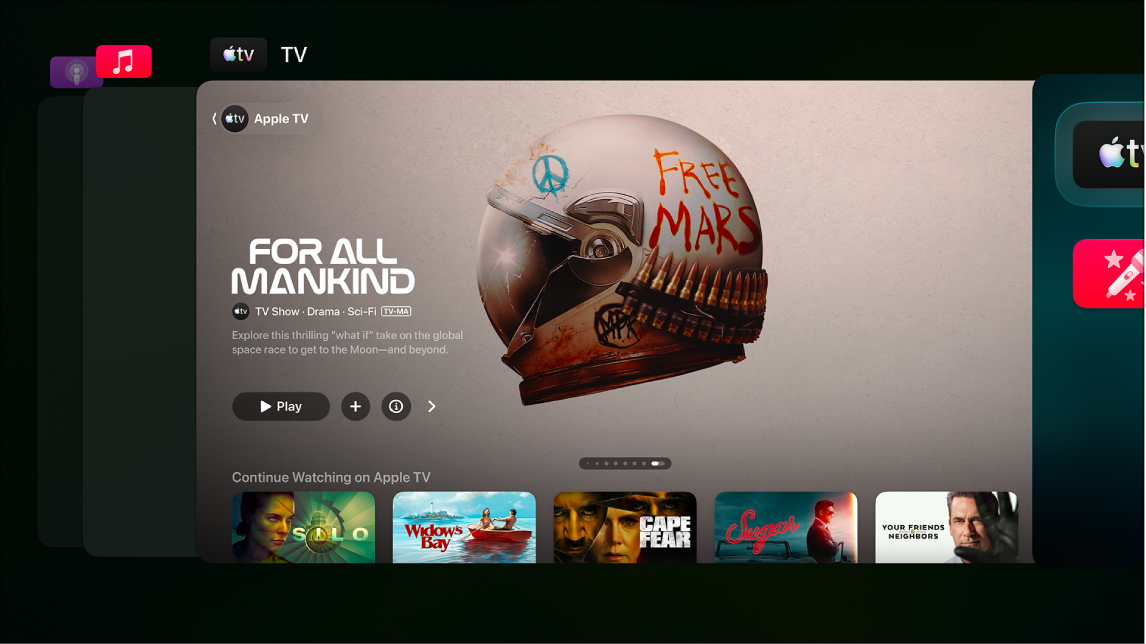
Stream For All Mankind on the Apple TV app with a subscription Navigate to a different app, and then select the one you want to switch to.
To leave app-switching view without changing apps, press
 or
or  on your remote.
Thanks for your feedback.