Apple TV 4K user guide
- Welcome
- What’s new in tvOS 27
-
-
- Stream audio and video to Apple TV 4K
- Use HomePod or AirPlay-enabled speakers with Apple TV 4K
- Use AirPods or Beats with Apple TV 4K
- Connect Bluetooth Devices
- Use your iPhone, iPad or Apple Watch as a remote
- Manage incoming iPhone calls
- Use Your iPhone or iPad as a Keyboard
- Use your iPhone or iPad as a camera
- Use Siri on Other Devices to Control Apple TV 4K
-
- Sing
-
- Fitness app at a glance
- Connect Your Apple Watch or iPhone
- Subscribe to Apple Fitness+
- Start Working Out in the For You Screen
- View Workout Details and Control Playback
- Browse or Search for Workouts
- Save Workouts for Later
- Combine Workouts with Stacks
- View and manage Fitness+ plans
- Work out Together Using SharePlay
- App Store
- Search
- Copyright and trademarks
Status Icons in Apple TV 4K Control Centre
Status indicators appear in the upper-right corner of the Home Screen when Control Centre isn’t active.
Status icon | Description | ||||||||||
|---|---|---|---|---|---|---|---|---|---|---|---|
 | Shows the current profile. If you have a custom profile image, the profile icon is replaced by it. | ||||||||||
 | A connected camera or microphone is active. | ||||||||||
 | A connected camera or microphone is not active. | ||||||||||
 | Do Not Disturb is active. | ||||||||||
 | Content restrictions are active. | ||||||||||
 | The sleep timer is active. | ||||||||||
 | The battery in the remote needs to be recharged. | ||||||||||
 | A Continuity Camera is connected. | ||||||||||
 | A FaceTime video call is active. | ||||||||||
 | A FaceTime audio call is active. | ||||||||||
 | SharePlay is active. | ||||||||||
 | Audio is currently playing. | ||||||||||
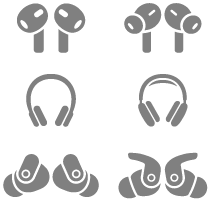 | Bluetooth® earbuds, headphones or AirPods are connected. | ||||||||||
 | A game controller is connected. | ||||||||||
 | A keyboard is connected. | ||||||||||
 | Apple TV 4K is connected to a virtual private network. | ||||||||||
 | Apple TV 4K has no Internet connection. | ||||||||||