修改此控制項目會使頁面自動更新
Final Cut Pro User Guide for Mac
- Welcome
- What’s new
-
- Intro to effects
-
- Intro to transitions
- How transitions are created
- Add transitions and fades
- Quickly add a transition with a keyboard shortcut
- Set the default duration for transitions
- Delete transitions
- Adjust transitions in the timeline
- Adjust transitions in the inspector and viewer
- Merge jump cuts with the Flow transition
- Adjust transitions with multiple images
- Modify transitions in Motion
-
- Add storylines
- Use the precision editor
- Conform frame sizes and rates
- Use XML to transfer projects
- Glossary
- Copyright
timeline index
You can view a text-based, chronological list of the clips, keywords, and markers in a project using the timeline index. When you select an item in the timeline index, the playhead jumps to that item in the timeline. You can control the arrangement of the timeline with the Roles pane of the timeline index.
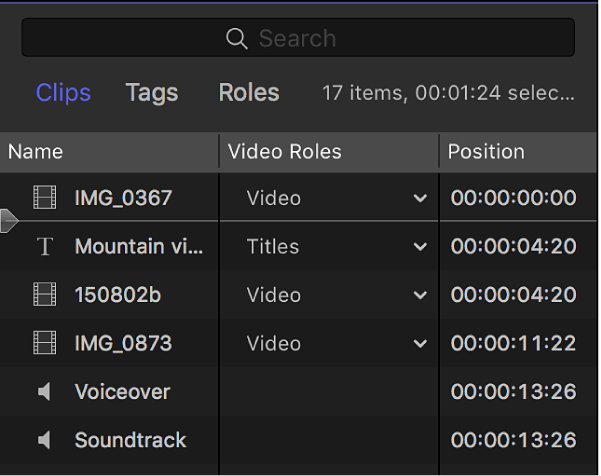
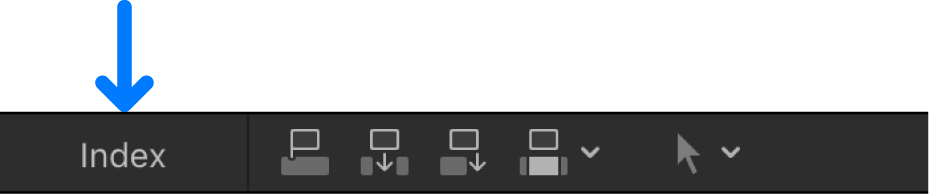
To view the timeline index, click Index in the top-left corner of the timeline.
感謝您提供意見。