Sửa đổi điều khiển này sẽ tải lại trang này

Chinese Input Method User Guide

for macOS Mojave

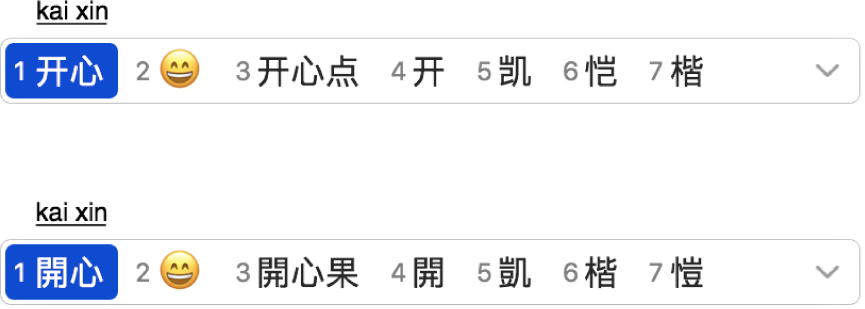
After you type kaixin (happy), the Candidate window displays possible matching characters in Simplified or Traditional Chinese.

Get suggestions from the Candidate window

As you type text, the Candidate window shows all the possible characters for the text, including emoji for certain languages.
How to use the Candidate window

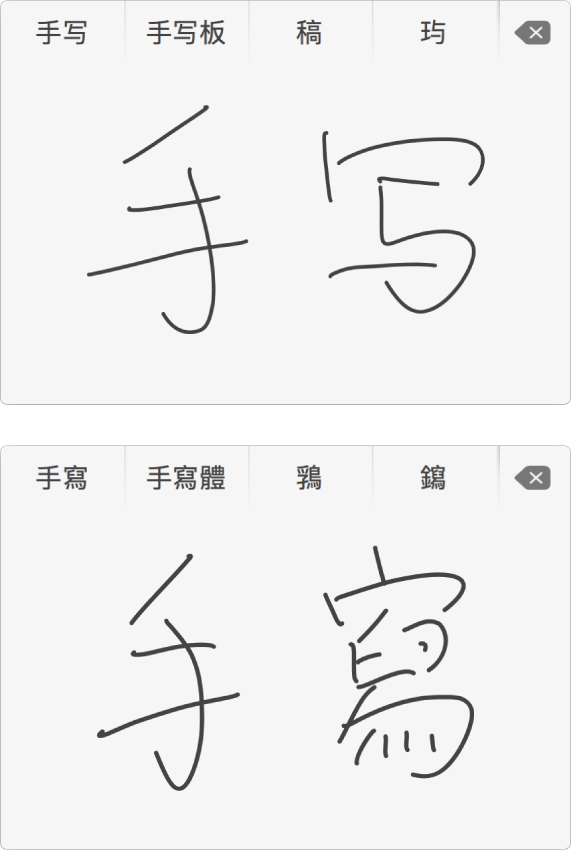
After you write Beijing, the Trackpad Handwriting window shows possible matching characters and symbols in Simplified or Traditional Chinese.

Write it yourself

If you have a trackpad, you can use Trackpad Handwriting to write Simplified and Traditional Chinese characters with your finger.

How to use Trackpad Handwriting to write Chinese

To browse the Chinese Input Method User Guide, click Table of Contents at the top of the page.

Có ích?
Giới hạn ký tự: 250
Giới hạn tối đa là 250 ký tự.
Cảm ơn phản hồi của bạn.