If you see battery “Service Recommended” on your Mac laptop
“Service Recommended” in Battery settings means that your battery’s ability to hold charge is less than when it was new, or it isn’t functioning normally. You can continue to use your Mac, and if the lowered charging capacity is affecting your experience, you can get a service.
Check Battery Health
From the Apple menu , choose System Settings (or System Preferences).
Click Battery.
Find the information shown for Battery Health:
Normal: the battery is functioning normally.
Service Recommended: the battery’s ability to hold charge is less than when it was new, or the battery isn’t functioning normally. You can safely continue to use your Mac, and if the lowered charging capacity is affecting your experience, you can get a service for your Mac.
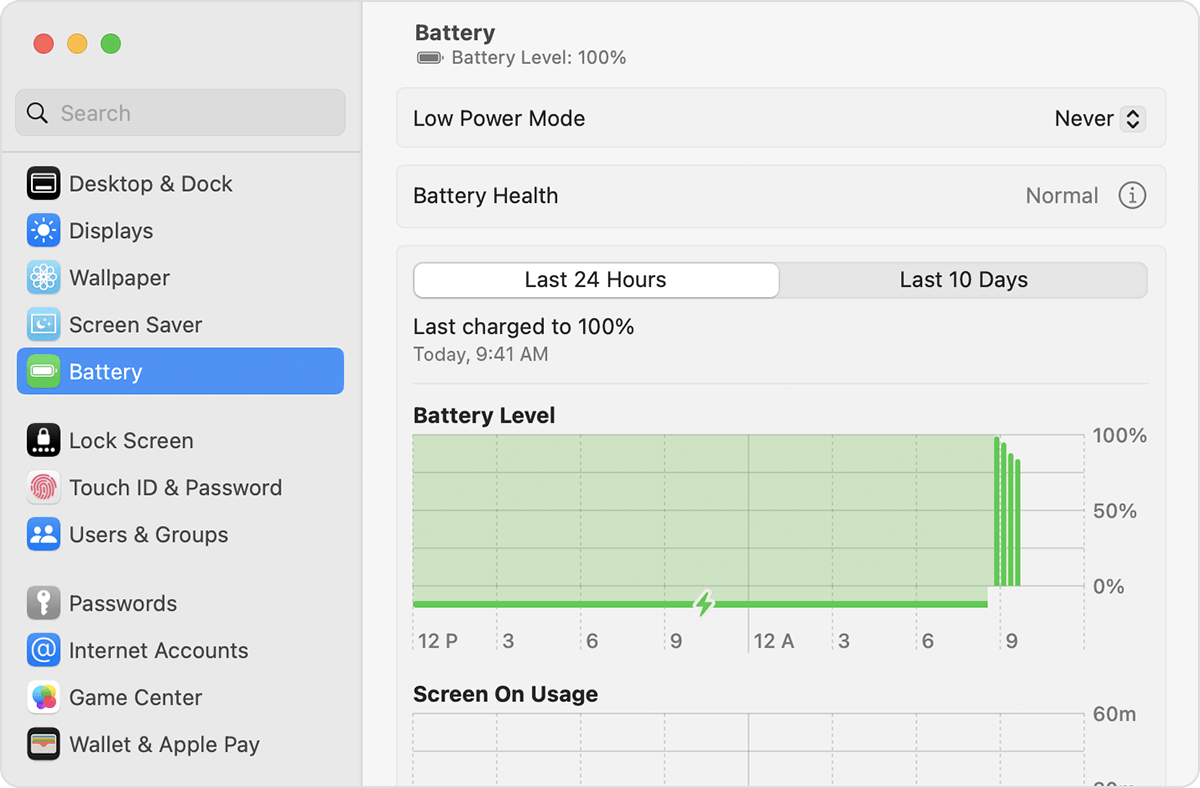
If you can’t see Battery Health, you’re using an older Mac or macOS that doesn’t have this feature. Press and hold the Option key while clicking the battery status menu in the menu bar, which may report battery health status as Replace Soon, Replace Now or Service Battery.
Third-party apps that report battery health conditions may not be accurate or conclusively indicate diminished system runtime. It’s best to rely on the battery-health information reported by macOS.
If the battery isn’t charging
If the battery charges, but the battery status menu
in the menu bar shows that charging is paused or on hold, find out about optimised battery charging, a feature that helps prolong the overall life of the battery. Make sure you’re using the correct power adapter, and find out what to do if your USB-C power adapter isn’t charging or MagSafe power adapter isn’t charging. If the adapter isn’t rated for at least the wattage that your Mac requires, it may charge your Mac slowly or unreliably.
Shut down your Mac, close its lid for 30 seconds, then try to charge it again.
If you're using an Intel-based Mac, it may help to reset the SMC.
Use Apple Diagnostics to test for battery issues.
Receive a service for your battery
Your Apple One-Year Limited Warranty includes replacement coverage for a defective battery. If you purchased an AppleCare Protection Plan for your Mac laptop and your battery retains less than 80 per cent of its original capacity, Apple will replace the battery at no charge. If you don’t have coverage, you can have the battery replaced for a fee. Get a service.
Mac laptops with built-in batteries should have their batteries replaced only by an Apple Authorised Service Provider or Apple Store, or by an Independent Repair Provider that uses genuine Apple parts.1 Repairs performed by untrained individuals or using non-genuine Apple parts could damage your equipment, and such damage is not covered by warranty. Genuine Apple parts are also available for out-of-warranty repairs through Self Service Repair.2
Some older Mac laptops have removable batteries that you can replace yourself. Contact an Apple Authorised Service Provider or Apple Store for help with servicing a removable battery.
Learn more
Find out more about the batteries used in Apple products, including how to maximise battery life and lifespan.
Find out about Battery settings that can help conserve energy.
1. Independent Repair Providers have access to genuine Apple parts, tools, training, service guides, diagnostics and resources. Repairs by Independent Repair Providers are not covered by Apple’s warranty or AppleCare plans but may be covered by the provider’s own repair warranty.
2. Self Service Repair provides access to genuine Apple parts, tools and repair manuals so that customers who are experienced with the complexities of repairing electronic devices can perform their own out-of-warranty repairs. Self Service Repair is currently available in certain countries or regions for specific models of Mac computers introduced in 2020 or later. To view repair manuals and order parts for eligible models, visit the Self Service Repair page.