Control playback in the Apple TV app on Android
Once you start watching in the Apple TV app, you can play or pause, skip forward or back, turn on subtitles, turn on Picture in Picture viewing, and more.
Use the playback controls
Go to the Apple TV app
 on your Android device.
During playback, tap the screen to show the controls, then tap any of the controls listed below:
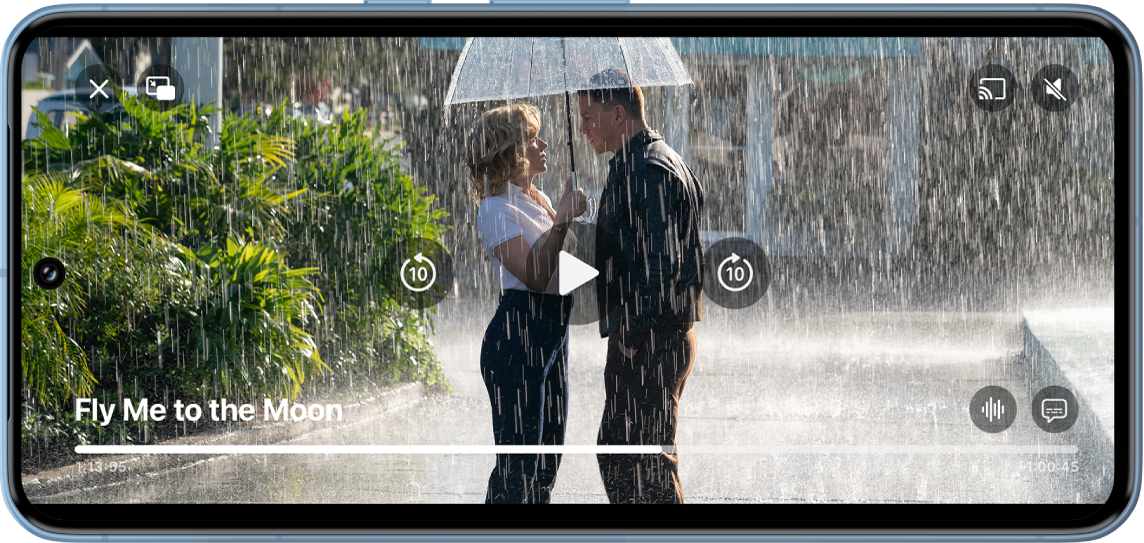
Stream Fly Me to the Moon on the Apple TV app with a subscription Control
Description

Start playback.

Pause playback.

Skip backward 10 seconds.

Skip forward 10 seconds.

Change the audio track.

Display subtitles and closed captions.

Adjust or mute the volume.


Stop playback.
Turn on subtitles and closed captioning
You can turn on subtitles or closed captioning (if available) in the Apple TV app, or turn them on temporarily if you happen to miss a moment of dialogue.
During playback in the Apple TV app on your Android device, do any of the following:
Turn on subtitles or closed captioning: Tap the screen to show playback controls, then tap
 and choose the option you prefer.
Change subtitles or caption styles: Tap the screen to show playback controls, tap
, tap Style, then choose caption preferences.Turn subtitles on for the previous 10–30 seconds: Tap
 for each 10-second increment, up to three times for 30 seconds.
Turn subtitles on while audio is muted: Tap
 .
.
Turn on Picture in Picture viewing
You can continue to watch Apple TV movies and TV shows while you use another app.
During playback in the Apple TV app
on your Android device, tap the screen to show playback controls.Tap
 in the upper-left corner of the viewer.
The item collapses into a small viewer.
Do any of the following:
Play or pause: Tap the viewer, then tap
 or
or  .
.Skip backward or forward 10 seconds: Tap the viewer, then tap
or  .
.Restore the smaller picture to full screen: Tap the viewer, then tap
 .
.Close the smaller picture: Tap the viewer, then tap
 .
.
Stream video from the Apple TV app to another device
Go to the Apple TV app
on your Android device.Tap
, then choose a device below Cast To.To stop streaming, tap
 , then choose Stop Casting.