Modifying this control will update this page automatically
Final Cut Pro User Guide for Mac
- Welcome
- What’s new
-
- Intro to importing media
- If it’s your first import
- Organize files during import
-
- Import from Image Playground
- Import from iMovie for macOS
- Import from iMovie for iOS or iPadOS
- Import from Final Cut Pro for iPad
- Import from Final Cut Camera
- Import from Photos
- Import from Music
- Import from Apple TV
- Import from Motion
- Import from GarageBand and Logic Pro
- Import using workflow extensions
- Record into Final Cut Pro
- Memory cards and cables
- Supported media formats
- Import third-party formats with media extensions
- Adjust ProRes RAW camera settings
- Import REDCODE RAW files
- Import Canon Cinema RAW Light files
-
- Intro to effects
-
- Intro to transitions
- How transitions are created
- Add transitions and fades
- Quickly add a transition with a keyboard shortcut
- Set the default duration for transitions
- Delete transitions
- Adjust transitions in the timeline
- Adjust transitions in the inspector and viewer
- Merge jump cuts with the Flow transition
- Adjust transitions with multiple images
- Modify transitions in Motion
- Add adjustment clips
-
- Add storylines
- Use the precision editor
- Conform frame sizes and rates
- Use XML to transfer projects
- Glossary
- Copyright and trademarks
Color inspector
You use the Color inspector to perform manual color corrections using the five color correction effects: Color Board, Color Wheels, Color Curves, Hue/Saturation Curves, and Color Adjustments.
To open the Color inspector, follow these steps.
Select a clip in the timeline.
Do one of the following:
Choose Window > Go To > Color Inspector (or press Command-6).
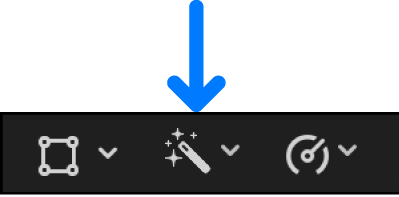
Click the Enhancements pop-up menu below the viewer and choose Show Color Inspector.
In the Video inspector, click the Color Inspector button
 next to a color correction effect.
Tip: To switch the inspector between full-height view and half-height view, double-click the top bar of the inspector. You can also choose View > Toggle Inspector Height (or press Control-Command-4).
Thanks for your feedback.