Subscribe to Apple Fitness+
You can subscribe to Apple Fitness+ in the Fitness app on your iPhone, iPad, or Apple TV 4K. You can choose to bundle your Apple Fitness+ subscription with other Apple services by subscribing to Apple One Premier. See the Apple Support article Bundle Apple subscriptions with Apple One.
Note: Apple Fitness+ and Apple One Premier arenʼt available in all countries or regions. See the Apple Support article Availability of Apple Media Services.
Subscribe to Apple Fitness+ on iPhone or iPad
Go to the Fitness app
 on iPhone or iPad, then (on iPhone) tap Fitness+.
Follow the onscreen instructions to sign in to your Apple Account and confirm your subscription.
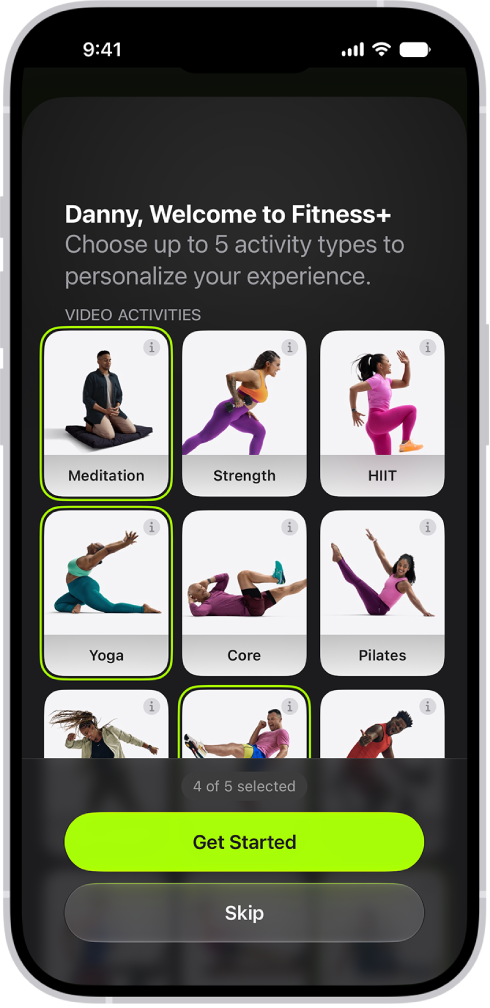
Select up to five activities that you’re interested in, then tap Get Started (or tap Skip).
To learn more about an activity, tap
 .
.
Subscribe to Apple Fitness+ on Apple TV 4K
Go to the Fitness app
 on Apple TV 4K.
Select the subscription button, then follow the onscreen instructions to sign in to your Apple Account and confirm your subscription.
Cancel your Apple Fitness+ subscription
Do one of the following:
On iPhone: Go to the Fitness app, tap Summary, tap your profile picture in the top-right corner, tap [account name], then tap Apple Fitness+.
On iPad: Go to the Fitness app, tap your profile picture in the top-right corner, tap [account name], then tap Apple Fitness+.
On Apple TV 4K: Go to the Settings app, select Profiles and Accounts, select [user profile], select Subscriptions, then select a subscription.
Follow the onscreen instructions to change or cancel your subscription.
If you subscribe to Apple Fitness+ as part of an Apple One Premier subscription and want to cancel your subscription, see the Apple Support article If you want to cancel a subscription from Apple.
Share your Apple Fitness+ subscription with Family Sharing
When you subscribe to Apple Fitness+ or Apple One Premier, you can use Family Sharing to share your subscription with up to five other family members. Apple Fitness+ is automatically available to them the first time they go to the Fitness app after your subscription begins. Everyone gets their own Apple Fitness+ experience.
If you join a family group that subscribes to Apple Fitness+ or Apple One Premier, and you already subscribe, your subscription isn’t renewed on your next billing date; instead, you use the group’s subscription. If you join a family group that doesn’t subscribe, the group uses your subscription.
Note: To stop sharing your Apple Fitness+ subscription with a family group, you can remove a member from a Family Sharing group. See Leave or remove a member from a Family Sharing group in the iPhone User Guide.