iTunes U User Guide for web

Email a student from the grade book in iTunes U for web
As a course instructor or contributor, you can use the grade book to see how a student is progressing with assignments in your private course. You can see when a student has viewed an assignment, when the student’s work is complete, and when it’s time to reach out to a student with a reminder.
Email a student from the grade book
In iTunes U
for web, click the course name in the dashboard for the course you want.Click Admin
 , then click Grades.
Click the student name in the student lit, then click “Send email”.
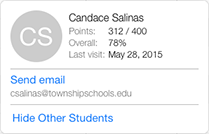
iTunes U opens your default email client and displays a new email message using the address of the student in the address field (if an email is associated with the account).
Thanks for your feedback.