Find workouts and meditations in Apple Fitness+
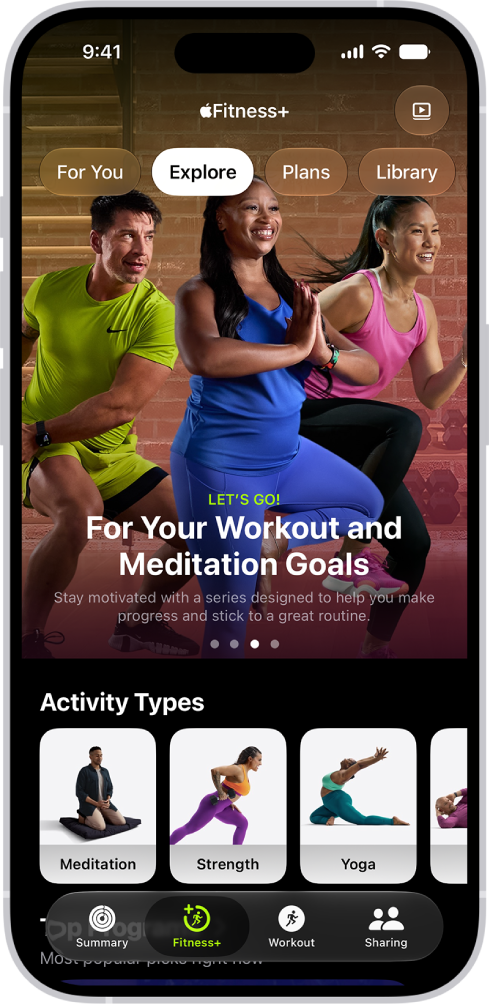
Apple Fitness+ can help you find a workout, meditation, or routine that works for you. The Explore tab features a catalog of workouts, meditations, programs, collections, trainer tips, and more.
Browse workouts and meditations
Go to the Fitness app
 on iPhone, iPad, or Apple TV 4K, then (on iPhone) tap Fitness+.
Do one of the following:
On iPhone or iPad: Tap Explore.
On Apple TV 4K: Open the sidebar, then select Explore.
Do any of the following:
Browse featured activities: Navigate left or right at the top of the screen to browse featured workouts, meditations, programs, and collections.
Browse by activity type: Navigate down to the Activity Types row, then navigate left or right.
Browse new workouts and meditations: Navigate down to the Workouts or Meditations row.
Try something new: Navigate down to categories like Artist Spotlight or Music Spotlight.
Browse trainer tips: Navigate down to the Trainer Tips row. Trainer tips are short videos that feature helpful hints for staying active and mindful, demos for improving technique, and advice to keep you moving toward your goals.
Note: Trainer tips aren’t available in all countries or regions.
Browse by trainer: Navigate down to Fitness+ Trainers, then select a trainer to see their workouts and filter workouts by type, duration, and music genre.
Tip: When browsing by activity type or trainer, you can tap Filter on iPhone or iPad to arrange your options by type, trainer, time, or music.
When you’re browsing, activities you’ve already done have a checkmark  on the thumbnail.
Use filters to select a workout or meditation
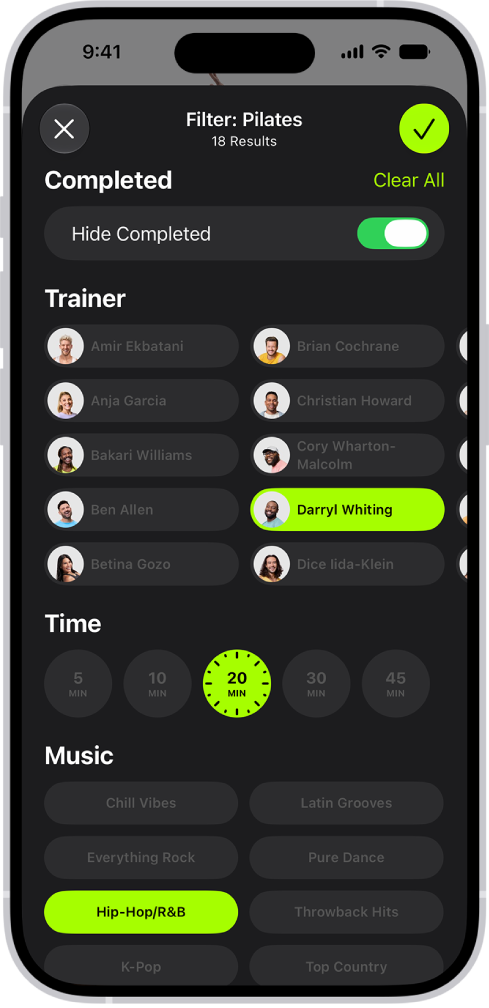
You can use filters to find your next workout or meditation by narrowing down episodes by trainer, duration, music genre, and more.
Go to the Fitness app
on iPhone, iPad, or Apple TV 4K, then (on iPhone) tap Fitness+.Do one of the following:
On iPhone or iPad: Tap Explore.
On Apple TV 4K: Open the sidebar, then select Explore.
In the Activity Types row, select an activity type, then do one of the following:
On iPhone or iPad: Tap Filter, select any filter you want to apply, then tap
 .
.On Apple TV 4K: Navigate to a category (like All Durations or All Music), then select an option.
Tip: You can turn on Hide Completed to filter out workouts and meditations you’ve already completed.
To clear all filters, select Clear All.
Note: If you can’t select a filter, it’s not applicable to that activity.
Try workout or meditation programs
You can explore workout and meditation programs that help you get started with fitness, get stronger, or prepare for popular sports.
Note: Workout and meditation programs are not available in all languages or regions.
Go to the Fitness app
on iPhone, iPad, or Apple TV 4K, then (on iPhone) tap Fitness+.Do any of the following:
On iPhone or iPad: Tap Explore.
On Apple TV 4K: Open the sidebar, then select Explore.
Do one of the following:
Navigate to Top Programs, then navigate left or right to see all options.
Navigate to Browse Programs to see categories of programs organized by activity type or goal (like “Pilates and Yoga,” or “For Runners”). Tap a category to see all options.
Select a program.
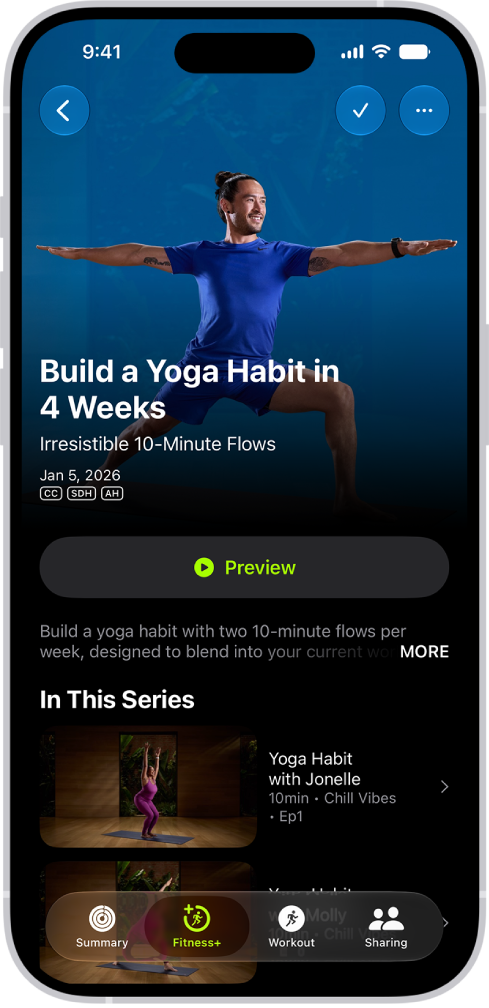
Each program shows the workout types and number of episodes.
Do any of the following:
Preview a program: Select Preview to watch a video about the goals of the program and the kind of workouts you’ll do. You can also read the program description to learn more.
Start an episode from the program: Select an episode from the list, then select Let’s Go to start the workout, or Let’s Begin to start the meditation.
To help you keep your place after completing an episode in a program, the next episode is automatically displayed below Next Workout, but you can choose any episode at any time.
Explore collections of workouts or meditations
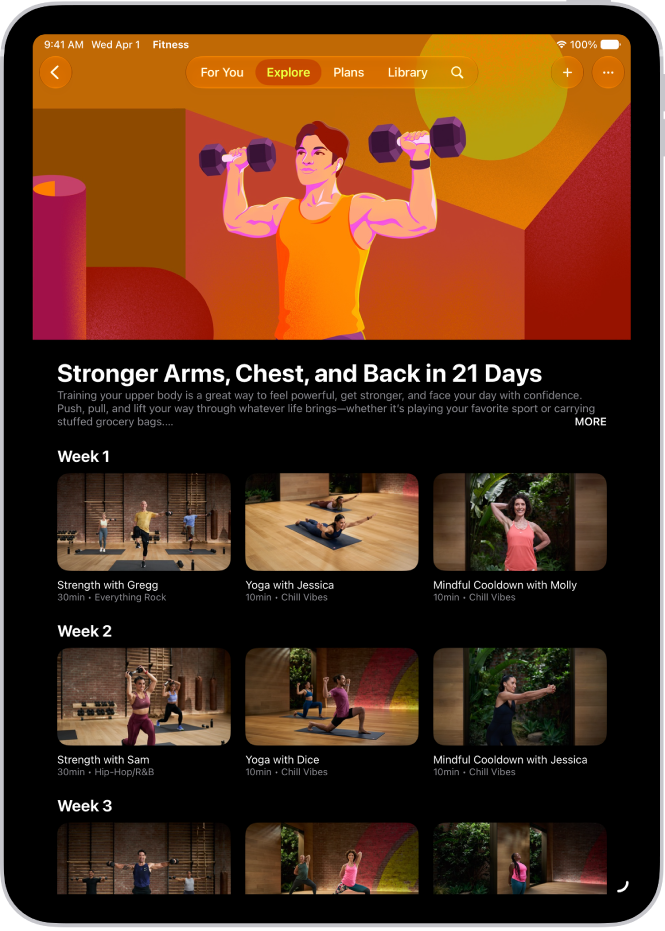
You can try collections of workouts or meditations to help you towards a goal, like improving your balance with strength and core workouts.
Go to the Fitness app
on iPhone, iPad, or Apple TV 4K, then (on iPhone) tap Fitness+.Do any of the following:
On iPhone or iPad: Tap Explore.
On Apple TV 4K: Open the sidebar, then select Explore.
Navigate to Collections, then select a collection.
Select an episode from the collection, then select Let’s Go to start the workout, or Let’s Begin to start the meditation.