About standard, log, and RAW video
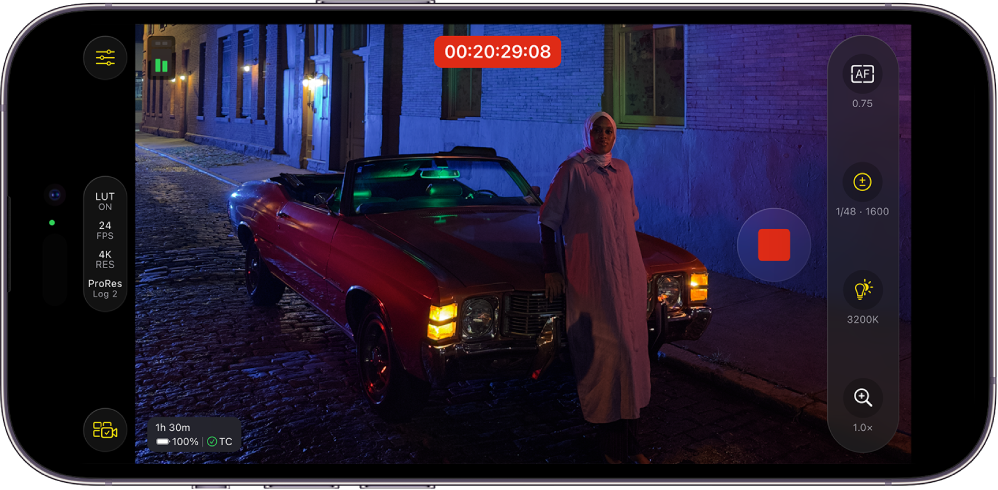
Choosing between standard, log, and RAW video formats depends on your project requirements, your workflow, and the output quality you want. Below is an overview of each format and when to use it.
Standard video
Standard video is processed in camera and delivered as a viewable file with color, contrast, and other image settings already applied. This category can include both SDR (Rec. 709) and HDR (Rec. 2020, HLG, or PQ) video.
SDR (standard dynamic range)
Pros: SDR video offers the fastest workflow because no color grading is needed. SDR video also typically produces smaller, more manageable file sizes than log or RAW formats and is compatible with most displays and platforms.
Cons: SDR video has limited dynamic range, with fewer options for fixing mistakes in post-production.
When to use it: Use SDR video for projects with tight deadlines like coverage of live events, news reporting, or run-and-gun shoots. SDR video also works well for social media or internal corporate videos with minimal post-production needs. For example, you might choose SDR video for a same-day wedding edit.
HDR (high dynamic range)
Pros: HDR video provides greater dynamic range than SDR video, allowing brighter highlights and more detailed shadows, and delivers ready-to-view content without extensive color grading.
Cons: HDR video requires HDR-capable displays for proper viewing and offers less post-production flexibility than log or RAW formats.
When to use it: Use HDR video for content intended for HDR platforms such as Apple TV or YouTube, or for high-end corporate and commercial projects. For example, HDR video is perfect for a travel film showcasing vivid landscapes on HDR-capable displays.
Log video
Log footage is captured using a logarithmic curve to preserve a greater dynamic range than standard video, resulting in a flat, desaturated image intended for color grading.
In Final Cut Camera, you can turn on log recording for HEVC (H.265) and Apple ProRes. Log recording requires iPhone 15 Pro or later.
Pros: Log video achieves a balance between image quality and file size. Because log video preserves detail in highlights and shadows, it allows for creative color grading.
Cons: Log video requires color grading because the unprocessed image appears muted or “washed out.” Log video also offers less post-production flexibility than RAW video.
When to use it: Use log video for corporate, documentary, or independent film projects seeking a cinematic look with smaller data requirements than RAW video. Log video is ideal for fast-moving shoots with varying lighting conditions where you still want color grading options. For example, log video is a good choice for shooting a branded documentary when turnaround time matters, but you still want a polished, cinematic look.
RAW video
RAW video retains all the image information from the camera sensor for maximum flexibility in post-production.
Pros: RAW video provides maximum flexibility in adjusting white balance, exposure, and color in post-production. RAW video also delivers the highest image quality, detail, and dynamic range and is ideal for high-end cinematic workflows with many visual effects or compositing needs.
Cons: RAW video creates very large file sizes that require significant storage capacity. External storage is required for recording Apple ProRes RAW with Final Cut Camera. See Record video directly to an external storage device.
When to use it: Use RAW video for feature films, commercials, or any productions involving extensive post-production or visual effects, as well as in situations where you might need to “rescue” highlights or shadows. For example, use RAW video for feature films shot with high-contrast lighting where you want total control in color grading.