Watch Formula 1 in the Apple TV app on Android
The Formula 1 tab in the Apple TV app gives you access to Formula 1 events when you subscribe to Apple TV (U.S. only).
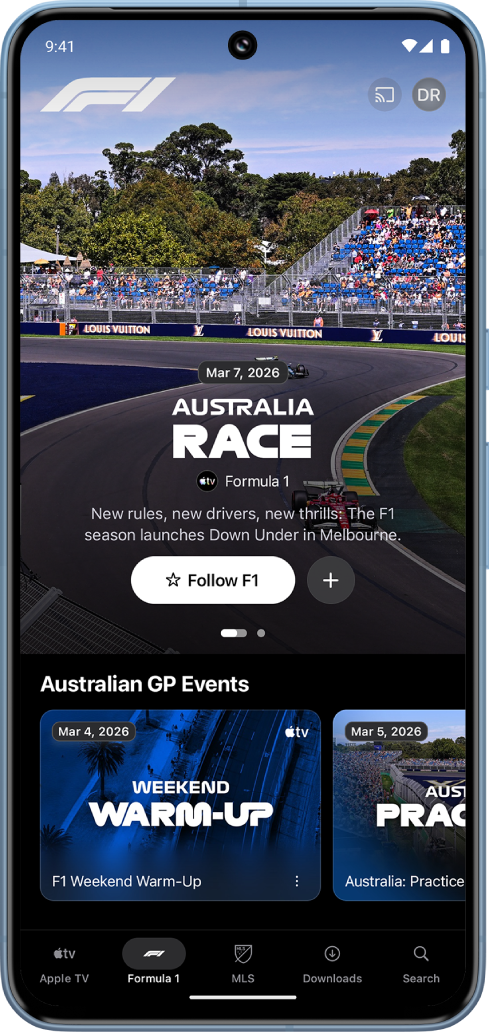
In addition to pre- and post-race programming, you can choose from multiple video feeds during live events, including all 22 onboard driver cameras, live data, a driver tracker, and more.
Note: Some Formula 1 events may be available to watch on a promotional basis, but full access to all events, shows, and features requires a subscription.
Watch Formula 1
Go to the Apple TV app
 on your Android device.
Tap Formula 1 at the bottom of the screen, then do any of the following:
Explore featured events, schedules, highlights, and more: Scroll down to a category row, then scroll left or right to view available options.
Follow Formula 1: Tap Follow F1. See Follow your favorite clubs.
Tap an event or program you want to watch. For an event, do any of the following:
Start watching the live broadcast: Tap Watch Live.
Watch from the beginning: Tap Start Over.
Choose a commentary language: Tap your preferred language. All events are available with both English and Spanish commentary.
Note: To turn off live scores, see Change settings.