Apple Business User Guide
- Welcome
- Configure organizational units
-
-
- Set up email
- Add iCloud storage
-
- Intro to AppleCare+ for Business plans
- Manage AppleCare+ for Business plans
- Remove users or devices from a plan
- How to cancel an AppleCare+ for Business plan
- Support for AppleCare+ for Business
- Service for AppleCare+ for Business
- Use the Apple Business app
- Get the Apple Support app
- How AppleCare credits work
-
-
- Apply Blueprints
- Intro to Configurations
-
- AirDrop configuration
- AirPlay configuration
- AirPrint configuration
- App Access configuration
- Apple Intelligence & Siri configuration
- Application Layer Firewall configuration
- Certificate configuration
- Content Caching configuration
- Custom configuration
- Data Management configuration
- Energy Saver configuration
- FileVault configuration
- Gatekeeper configuration
- iCloud configuration
- Lock Screen configuration
- Password and Screen Unlock configuration
- Software Update configuration
- VPN configuration
- Web Clip configuration
- Web Filter configuration
- Wi-Fi configuration
- Edit a configuration
- Use the Asset Gallery
- Glossary
- Document revision history
- Copyright and trademarks

Manage verified domains in Apple Business
Overview
After a domain has been verified, Apple checks to see if any Managed Apple Accounts were previously created using that domain. If a different organization has Managed Apple Accounts with a domain an organization wants to use, Apple can investigate who owns the domain and notifies them when the investigation is complete. If more than one organization has a valid claim to the domain, no single organization can verify it.
For example, another organization registered melardclothing.com and created Managed Apple Accounts using that domain.
Important: If this occurs, Apple Business displays a Domain already claimed alert after the domain is verified. To initiate an investigation, you need to select Contact Apple Support.
If there are no conflicts
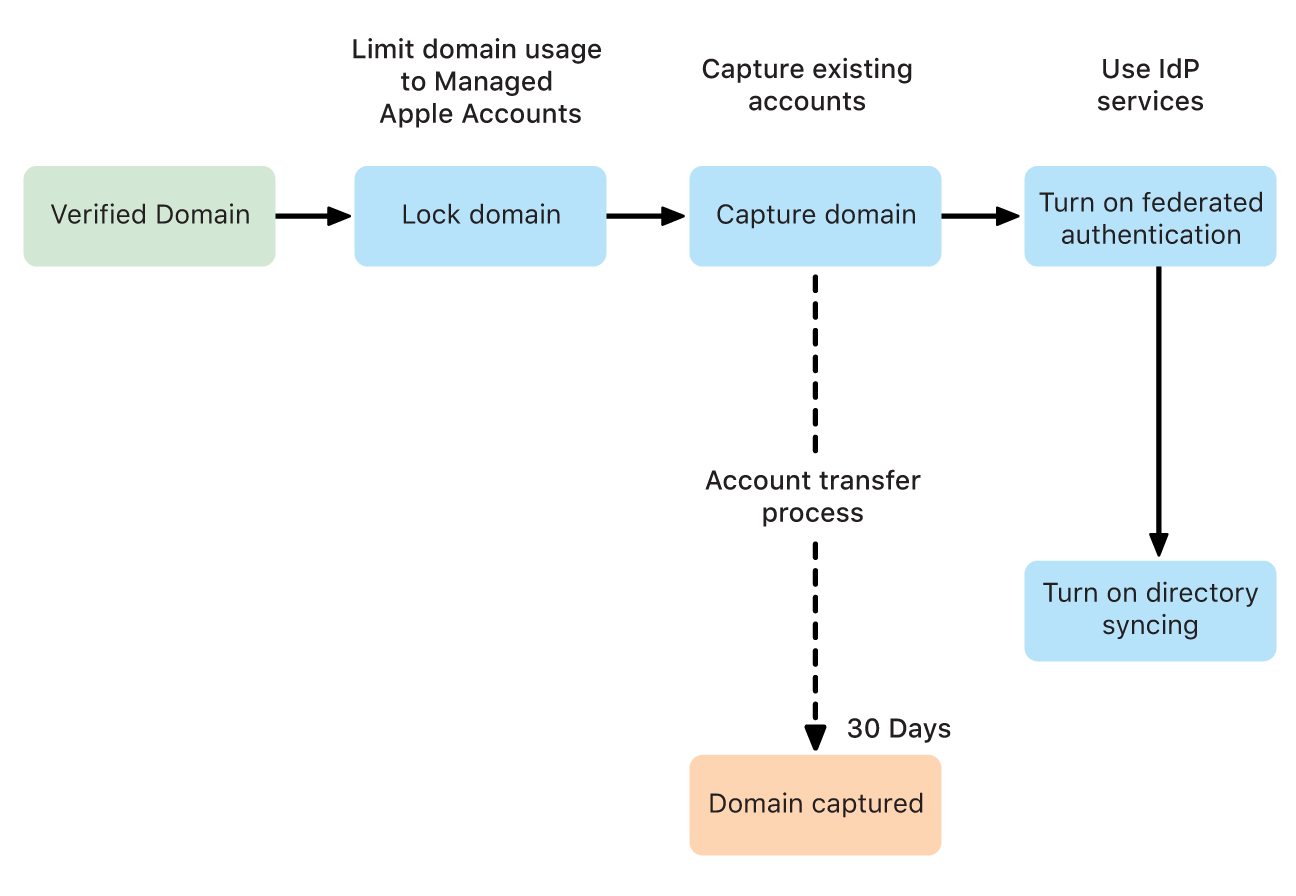
After a domain has been verified and no Managed Apple Accounts from another organization use the domain, you can decide how you want to use the domain with Managed Apple Accounts.
If your goal is to stop any new unmanaged (personal) Apple Accounts from being created using your domain, you need to lock the domain. See Lock a domain.
If your goal is to ensure any account using your domain is a Managed Apple Account, you need to use Domain Capture, which also automatically locks the domain. See Capture a domain.
If your goal is to use federated authentication (and, optionally, directory syncing), you need to first lock the domain and then begin the domain capture process. See Intro to federated authentication and Intro to directory syncing.