Share and transfer videos in Final Cut Camera
You can share the videos that you record with Final Cut Camera, save them to your photo library, or wirelessly transfer them to Final Cut Pro on your iPad.
Go to the Final Cut Camera app
 on your iPhone or iPad.
Tap the thumbnail image at the bottom of the camera screen.
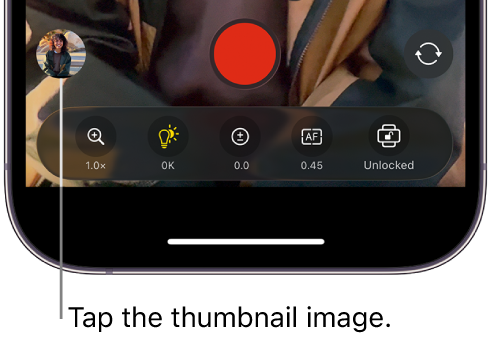
Do any of the following:
Share a video: Tap a video thumbnail at the bottom of the screen to select it, tap
 , then tap a sharing option.
Note: Sharing a video to Photos or iMovie duplicates your media (and increases the storage space you use). See Where your recorded videos are stored.
Wirelessly transfer a video to Final Cut Pro for iPad: Tap a video thumbnail at the bottom of the screen to select it, then tap
 . To set up a wireless connection, see Connect Live Multicam recording devices in the Final Cut Pro User Guide for iPad.
Transfer videos to a Mac using a cable: Connect your iPhone to your Mac using a USB cable. In the Finder on your Mac, click your iPhone in the sidebar, click Files, then click the disclosure arrow next to Final Cut Camera. Select the files you want to transfer, then drag them to a location on your Mac.