
Find recipes and food stories in Apple News+ on Mac
If you subscribe to Apple News+, you can find personalized food content, including a large catalog of recipes with features like adjustable recipe yields, nutrition facts, customizable units, and easy-to-start timers.
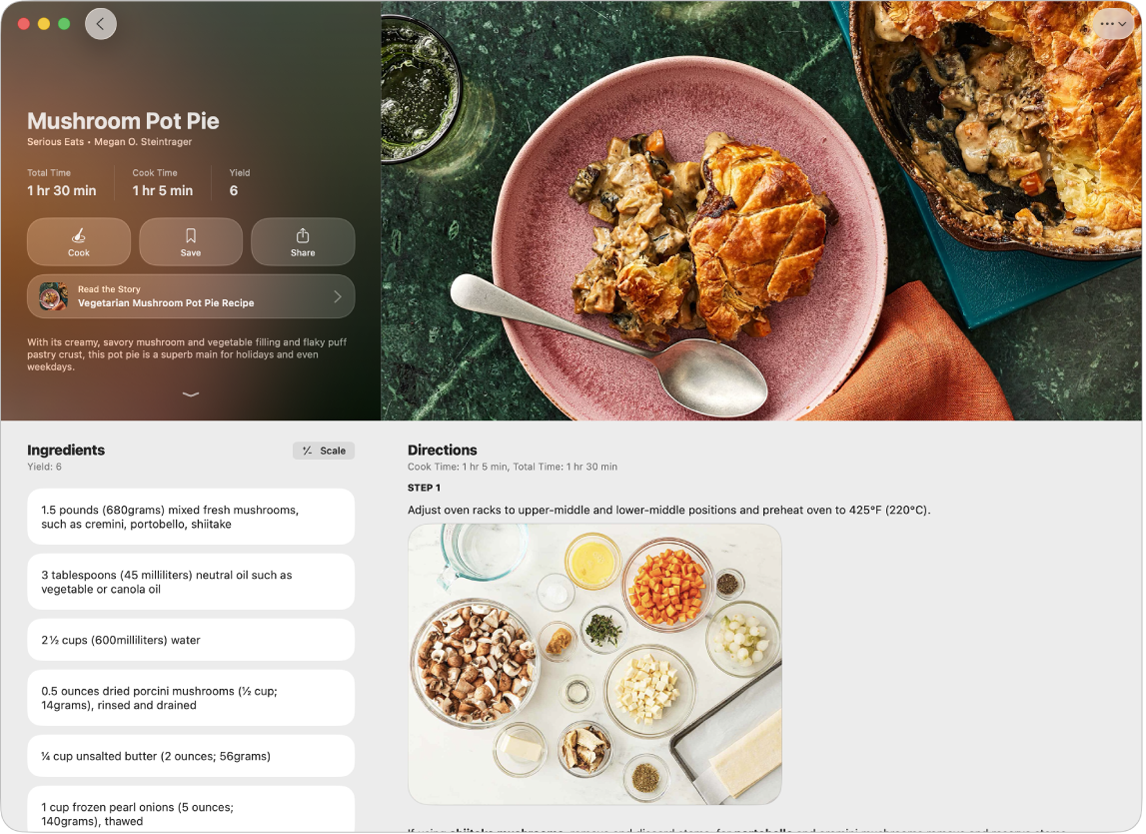
Note: Apple News, Apple News+, and food features aren’t available in all countries or regions.
Browse stories and recipes
Go to the News app
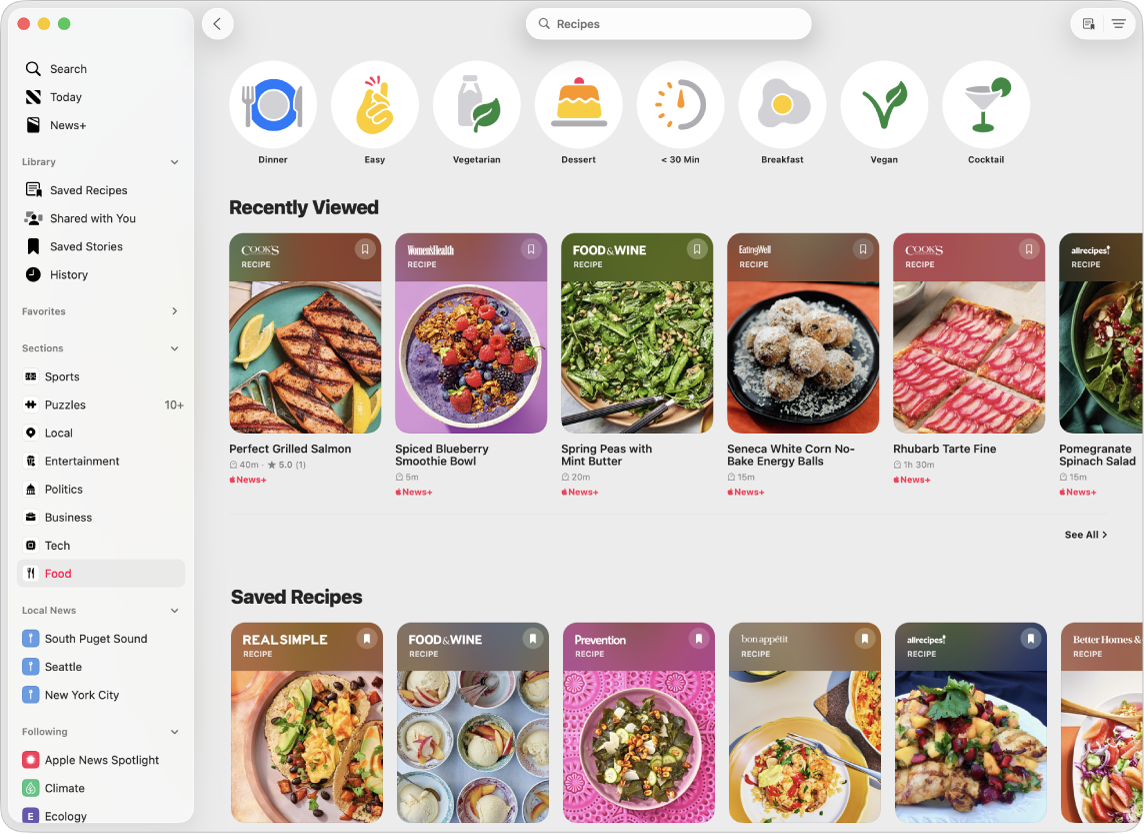
on your Mac.Click Food in the sidebar, then scroll down to see stories and recipes.
The more food content and recipes you read, the more personalized your recommendations become.
Tip: To look at other recipes or stories while you’re reading one, swipe left or right with two fingers on the trackpad or mouse.
Search for and filter recipes
Go to the News app
on your Mac.Click Food in the sidebar, then click Recipe Catalog at the top of the feed or
 in the top-right corner.
Do any of the following:
Search by recipe title, ingredient, or keyword: Click the search field, then enter a term.
Filter by category: Click a category, such as Vegetarian.
Add and combine filters: Click
 , select a filter, then click OK.
Remove a filter: Click
 next to a filter below the search field.
Save a recipe
Go to the News app
on your Mac.Click Food in the sidebar, then scroll down to browse recipes. Or search for and filter recipes, as above.
Do one of the following:
While browsing or viewing search results: Click
 .
.While a recipe is open: Click Save.
To revisit saved recipes, do one of the following:
Click Saved Recipes in the sidebar.
Click
 in the Recipe Catalog.
To remove a recipe from your saved recipes, click Saved Recipes in the sidebar, then click  .
.
Prepare a recipe
Go to the News app
on your Mac.Click Food in the sidebar, then scroll down to browse recipes, or search for and filter recipes, as above.
To open a recipe, do one of the following:
Click a recipe in the search results.
While reading a food story, click
 . If the story has multiple recipes, click , then click the recipe you want to prepare.
Scroll to see the recipe’s ingredients, directions, nutrition facts, and ratings.
To focus on the directions, select Cook.
Steps appear in a larger font and the display stays on while you’re preparing the recipe.
While viewing directions, do any of the following:
Use a cooking timer: When a timer appears in a step, click
 , click the up or down arrow or type to adjust the timer duration, then click Set Timer.
View ingredient quantities: When an ingredient in a step appears in bold, click the ingredient to view how much is used in the recipe without going back to the ingredients list.
Keep track of which ingredients you already prepared or used: Click an ingredient.
Tip: You can keep track of recipes you prepared: When viewing a recipe, click  , then select Mark as Cooked.
If you notice that a recipe is miscategorized, has incorrect ingredients or directions, or doesn’t display properly, click , click Report a Concern, then follow the onscreen instructions.
Customize the units used in recipes
You can convert the units used in all Apple News+ recipes from US to Metric and from Fahrenheit to Celsius. You can also show ingredient measurements in weight when preparing baking recipes.
Go to the News app
on your Mac.Open a recipe, as above.
Click
, then select Customize Units.
Adjust a recipe’s yield
Go to the News app
on your Mac.Open a recipe, as above.
Click
, then select Scale Recipe.To adjust the recipe yield, click
 or
or  or type the scale factor.
To reset the ingredients to their original quantity, click
 .
.
Note: Scaling a recipe doesn’t affect cook times, temperature, equipment, or cookware size.
Add notes to a recipe
You can add notes to a recipe to record your results, substitute ingredients or steps, or keep track of how long it took to complete a step on your stove or oven.
Go to the News app
on your Mac.Open a recipe, as above.
Click
then do either of the following:Add a note: Click Add Notes.
Edit a note: Click Edit Notes.
Enter your observations, then tap
 .
.
Rate a recipe
Go to the News app
on your Mac.Click Food in the sidebar, then scroll down to browse recipes, or search for and filter recipes, as above.
Open a recipe, scroll down to Ratings, then click a star to select a rating.