Find the serial number of your AirPods
You can find the serial number of your AirPods in the settings of the paired iPhone, iPad, or Mac and on your AirPods.
Find the AirPods serial number on iPhone or iPad
Go to Settings, then tap Bluetooth.1
Tap the name of your AirPods. If your AirPods aren't displayed, pair them to your device.
To display the serial number, tap the More Info button
 next to your AirPods.2

Find the AirPods serial number on Mac
Choose Apple menu , then click System Settings.
Click Bluetooth.
Click the name of your AirPods. If your AirPods aren't displayed, pair them to your device.
Click the More Info button
 next to your AirPods to view the serial number.

Find the serial number printed on your AirPods
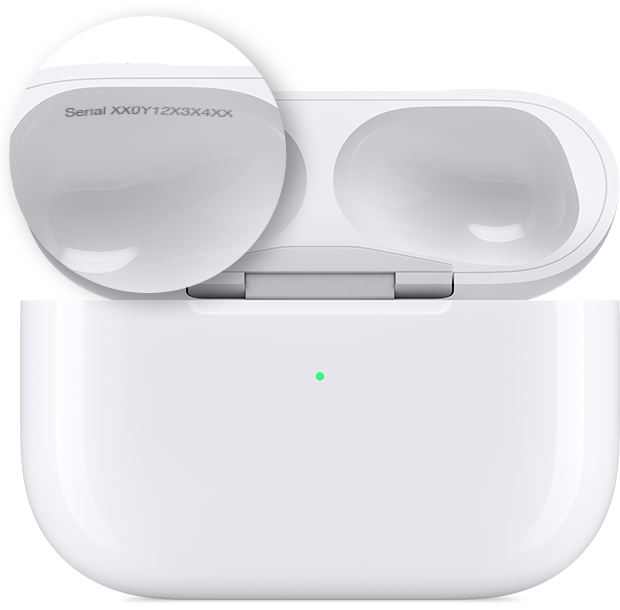
You can find the serial number printed on your AirPods or charging case.
AirPods or AirPods Pro
If you have AirPods or AirPods Pro, your AirPods and your charging case share a serial number. You can find the serial number on the underside of the lid of your charging case.
AirPods Max
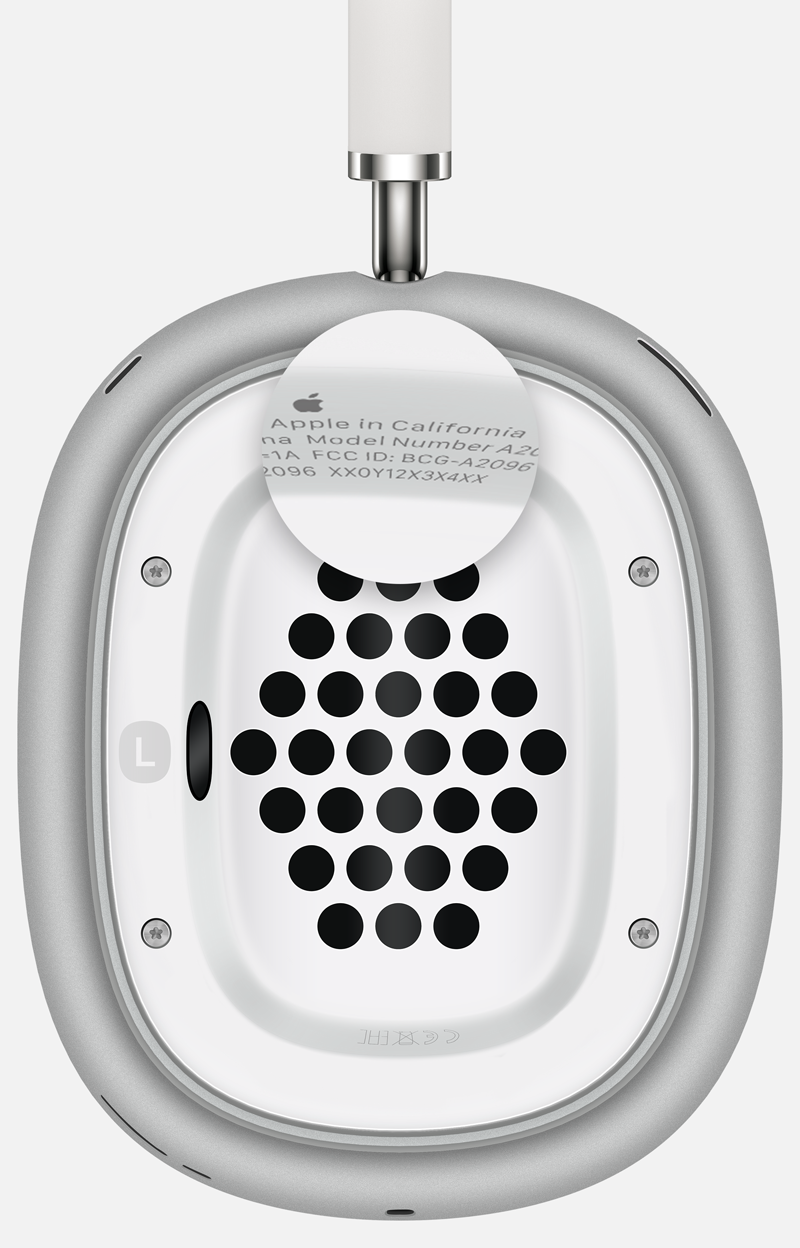
If you have AirPods Max, you can detach the left magnetic ear cushion to view the serial number.
Find it on the original packaging
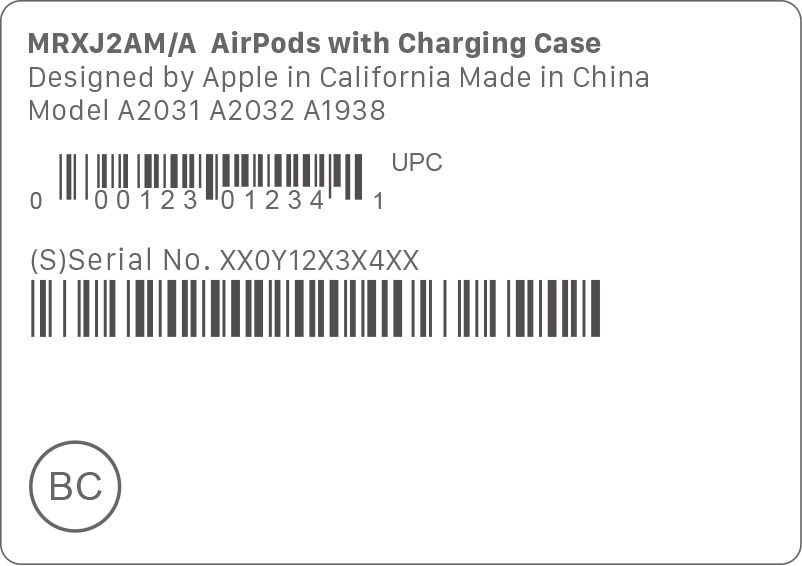
If you have the original packaging, you can find the serial number next to the barcode. You can also find the serial number on the original product receipt or invoice.
1. In iOS 13 or iPadOS 13 or earlier, go to Settings, then tap General. Tap About and scroll down until the name of your AirPods appears, then tap the name.
2. With AirPods 2 and later, and with AirPods Pro 1 and 2, each AirPod also has its own serial number printed on the AirPod itself. If you need to send in your AirPods or charging case for service, refer to the primary serial number, printed on the case lid. You don't need the serial numbers on the AirPods.
