
Migrate content tokens to Apple Business
In Apps and Books, there are two types of tokens associated with app and book licenses.
Legacy tokens
If you have a legacy user-based token, you can do only the following:
Download the legacy token and upload it into their device management service.
Assign and reassign apps they bought to users and devices using their device management service.
Assign books they bought to users using their device management service.
Note: Some Apple Books content isn’t available in certain countries or regions. To learn whether certain Apple Books content is available in your country or region, see the Apple Support article Availability of Apple programs and payment methods for education and business.
Content tokens for each organizational unit
Users whose role has permissions to get licenses for apps and books can download a content token for organizational units where they also have permissions, and they can upload that token to their device management service to assign books, and to assign and reassign apps. Make sure your organization uploads organizational unit tokens for all organizational units where you made purchases or transfers in Apps and Books.
Before you start managing content tokens, check with your device management service developer to learn which solution they support:
A single user-based content token
A single organizational unit-based content token
Multiple organizational unit-based content tokens
Migration planning
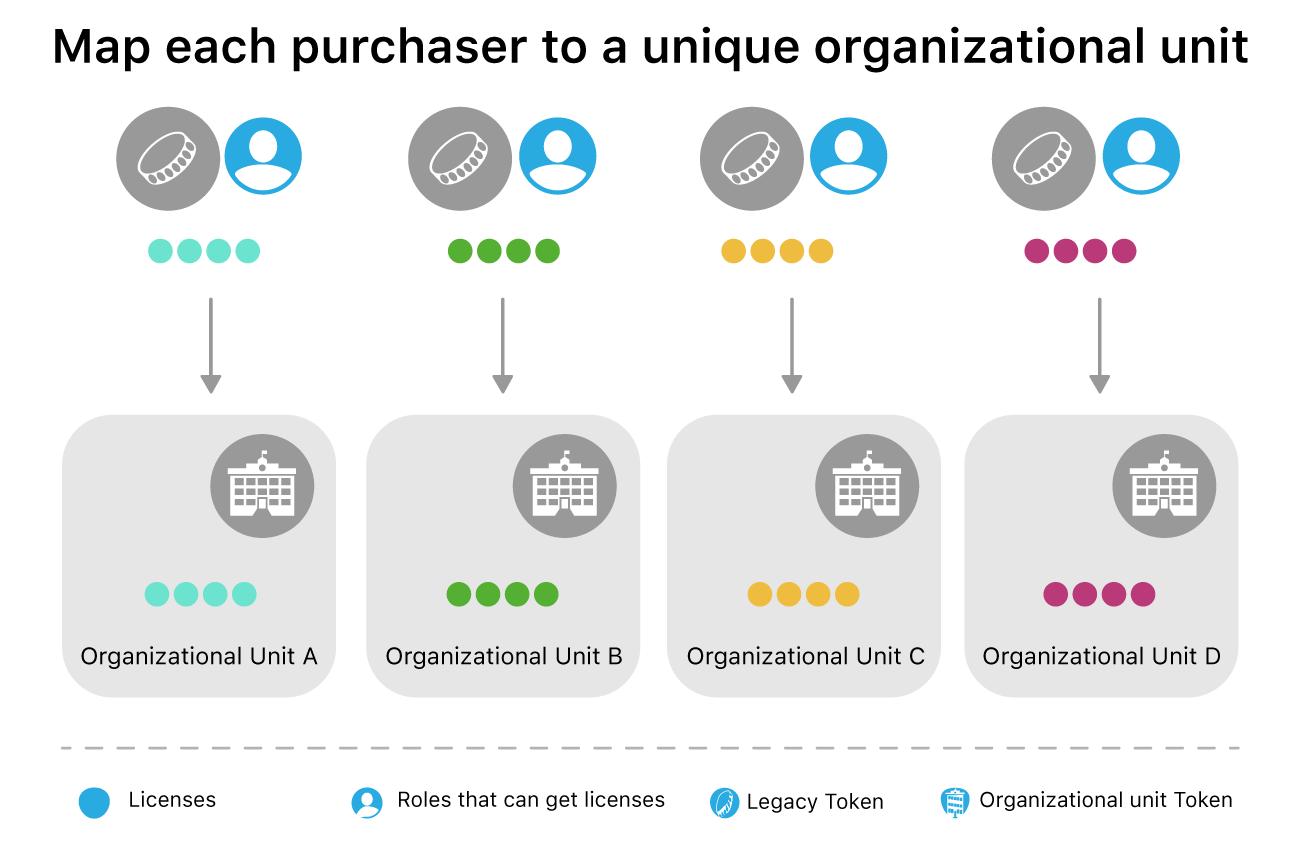
To get started migrating, users whose role has permissions to get licenses for apps and books with personal token libraries need to migrate their licenses to an organizational unit. For the best migration experience, organizations need to ensure that during the initial migration to Apps and Books, those users are mapped to a unique organizational unit that hasn’t yet been used. This allows all content to migrate properly. It’s recommended that you move all of those users at the same time. This can be done by each user, or by any user with the role of Organization Administrator with access to all accounts.
Note: If a user whose role has permissions to get licenses for apps and books has VPP Credit associated with it, the credit remains associated with that user. VPP Credit isn’t transferred to the chosen organizational unit. See Purchase VPP Credit.
Assigned licenses versus unassigned licenses
After migration, licenses are associated with the organizational unit they migrated to rather than with the purchaser’s legacy token. If a user whose role has permissions to get licenses for apps and books migrates to an organizational unit that already has licenses in it, only their unassigned licenses are moved to the organizational unit during initial migration. (This process avoids any disruption to license assignments in device management.) Assigned licenses remain associated with the purchaser’s legacy token. After these licenses are unassigned in device management, they can be moved to another organizational unit.