Find the serial number of your Apple display
Find out how to locate the serial number of your Apple Studio Display XDR, Apple Studio Display or Apple Pro Display XDR.
Check here first
There are several ways to find the serial number of your Apple display:
On your Mac when your display is connected: From the Apple menu , choose About this Mac, click System Report, then click Graphics/Displays.
On the original product packaging.
You can also find your serial number in other locations, such as the display or stand itself, as described below.
Apple Studio Display XDR and Apple Studio Display
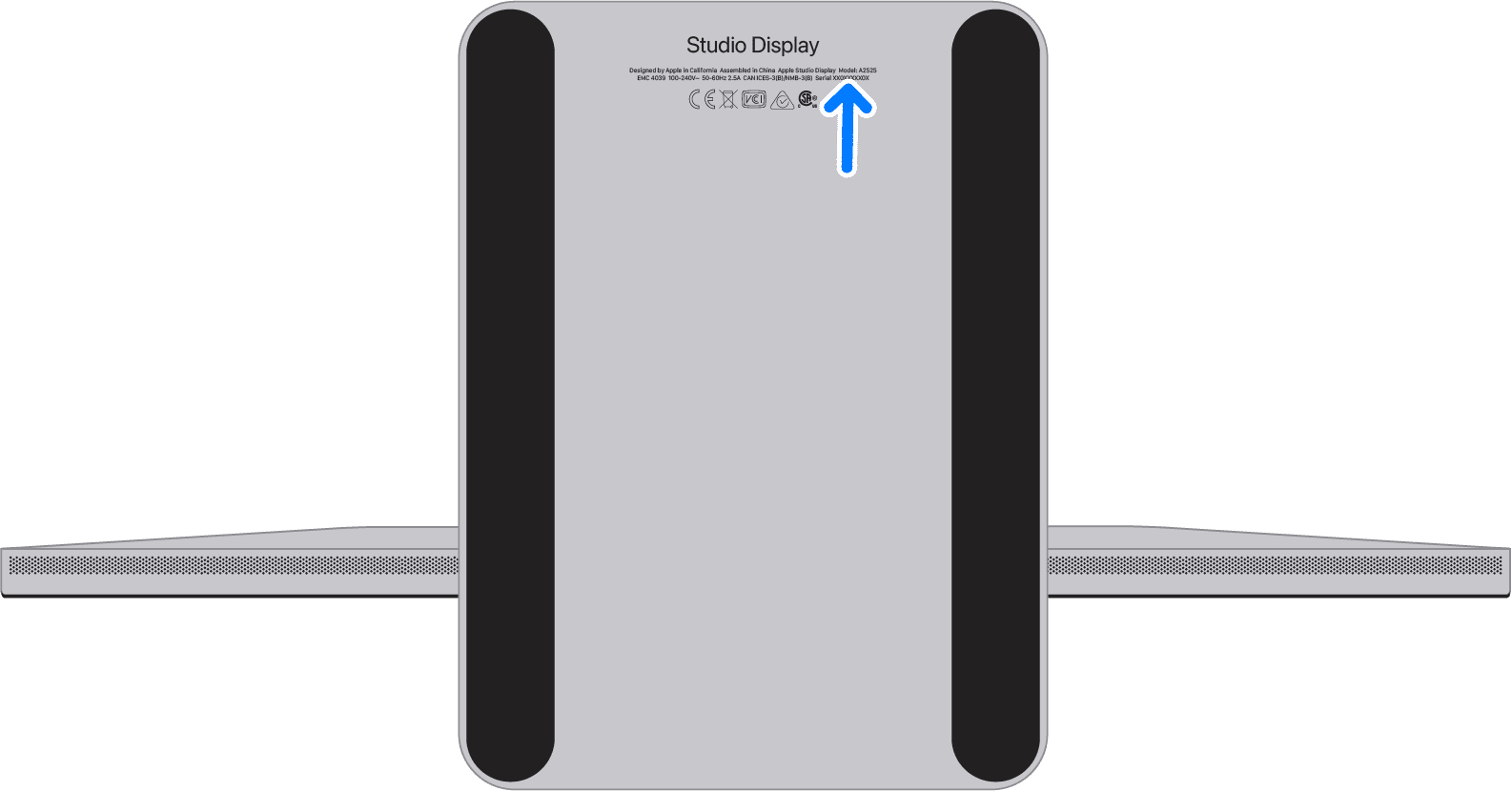
You can find the serial number of your Studio Display XDR and Studio Display in these locations:
On the bottom of the stand: To view the serial number, hold the sides of the display and gently lie the display face down on a soft, clean towel or cloth.
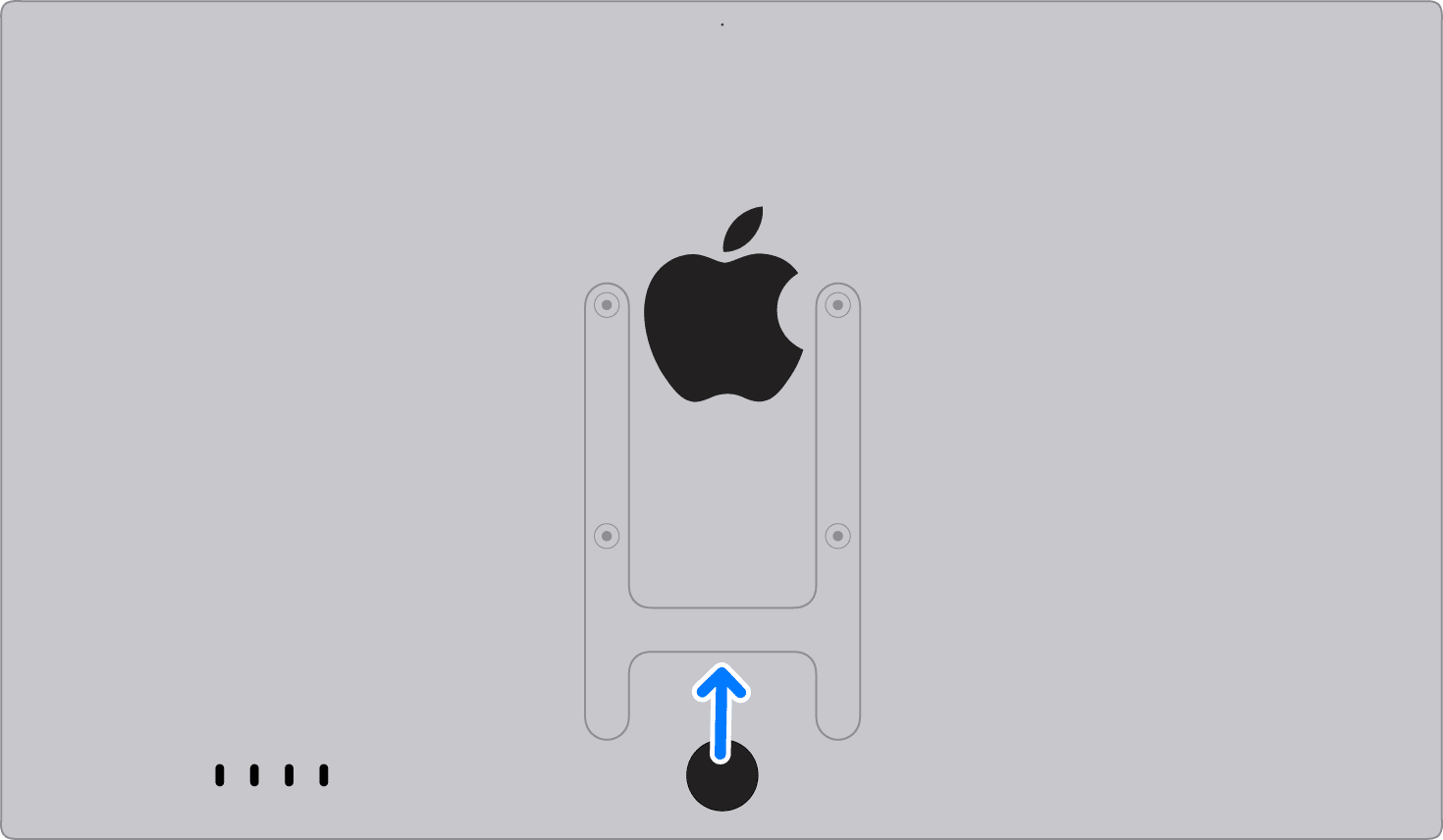
On the bottom of the VESA mount adapter:
Apple Pro Display XDR
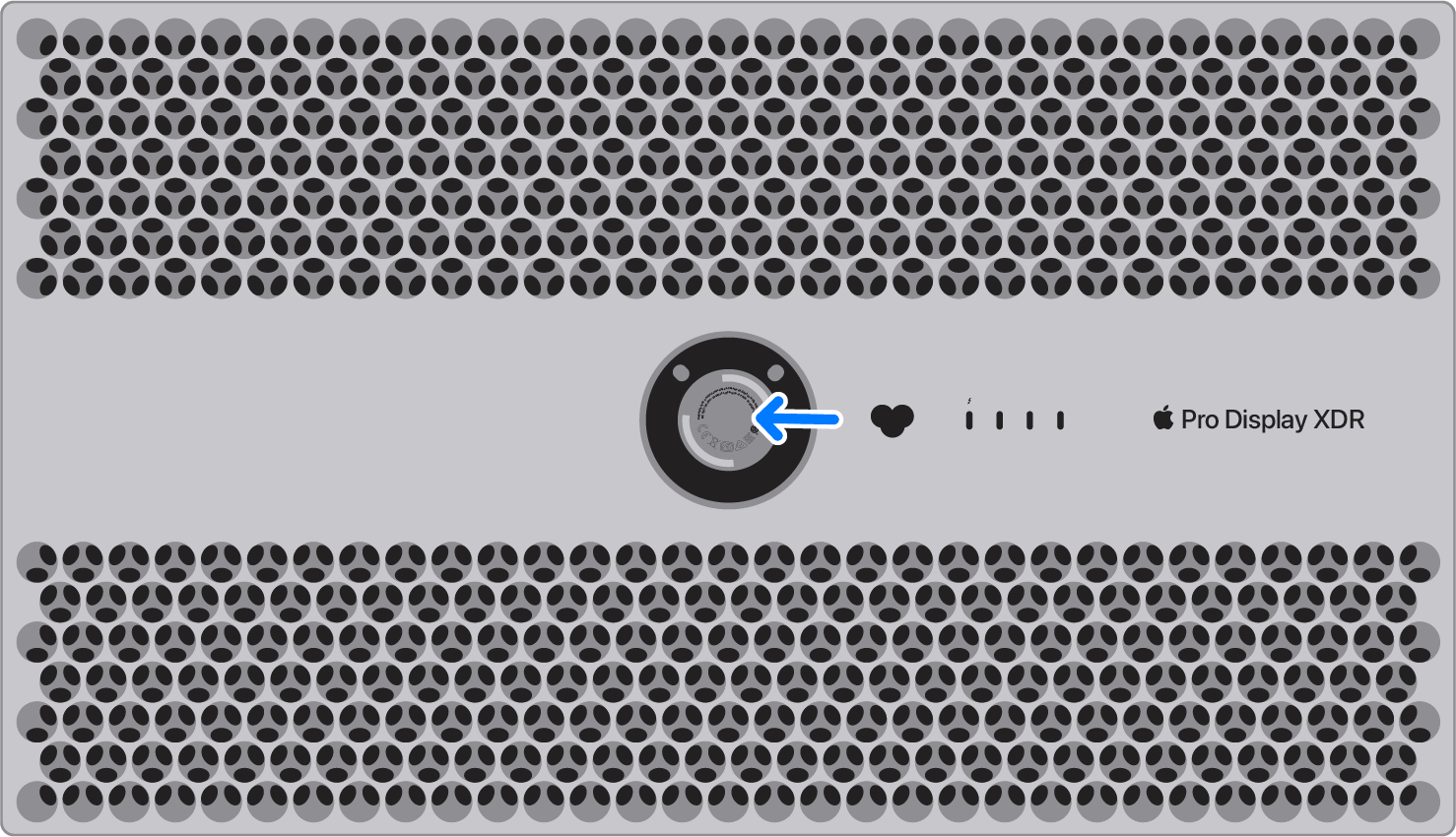
You can find the serial number of your Pro Display XDR on the display inset on the back of your display. Find out how to detach Pro Display XDR from the Pro Stand or the VESA Mount Adapter.
Learn more
Find out how to locate the serial number of other Apple products.