If your iPod won't turn on or seems frozen
Use this article for help with your iPod classic, iPod nano, and iPod shuffle.
Need help with an iPod touch instead?
Force restart your iPod
If your iPod doesn't respond, use the following instructions to force restart it. Find out which model of iPod you have.
iPod nano (7th generation)
Press and hold both the Sleep/Wake button and Home button until the screen turns off.
Wait for your device to restart.
Still need help? Plug into power, then try again.
iPod shuffle
Unplug your device from everything.
Turn off your iPod with its power switch. (If you see green by the switch, your iPod is on.)
Wait for 10 seconds, and turn on your iPod again.
iPod classic
Move the Hold switch firmly to the off position so that you don't see orange by the switch.
Press and hold the Menu button and Center (or Select) button for 8 seconds, or until you see the Apple logo.
Other iPod models
Learn how to force restart earlier models of iPod.
Charge your device
If your iPod still won't respond, it might have low battery. Charge your iPod for at least 30 minutes:
Connect your iPod to the charging cable that came with your device.
Plug the other end of the cable into power: Use a USB adapter plugged into a wall outlet or a USB 2.0 or 3.0 port on a computer (not a keyboard) that's on and not in sleep mode. Or you can use a USB hub, docking station, or other Apple-certified power accessory.
Wait a few minutes until a charging screen appears or until the status light on your iPod shuffle turns orange.
Don't see the charging screen or orange light after 30 minutes? Here's what to do:
Check that you have firm cable connections. Remove any debris from all ports.
Try a different charging cable, power adapter, and power source. Don't use an adapter or cable that shows any sign of damage.
If your device still doesn't turn on, it might need repair. Contact Apple Support.
If your iPod turns on but gets stuck during startup
If your iPod still won't respond, gets stuck during startup, or persistently displays an Apple logo or red X , here's what to do:
If you're using a Mac with macOS Mojave or earlier or a PC, make sure that your computer has the latest version of iTunes.
If you have an iPod nano or iPod classic, put your iPod in Disk Mode.
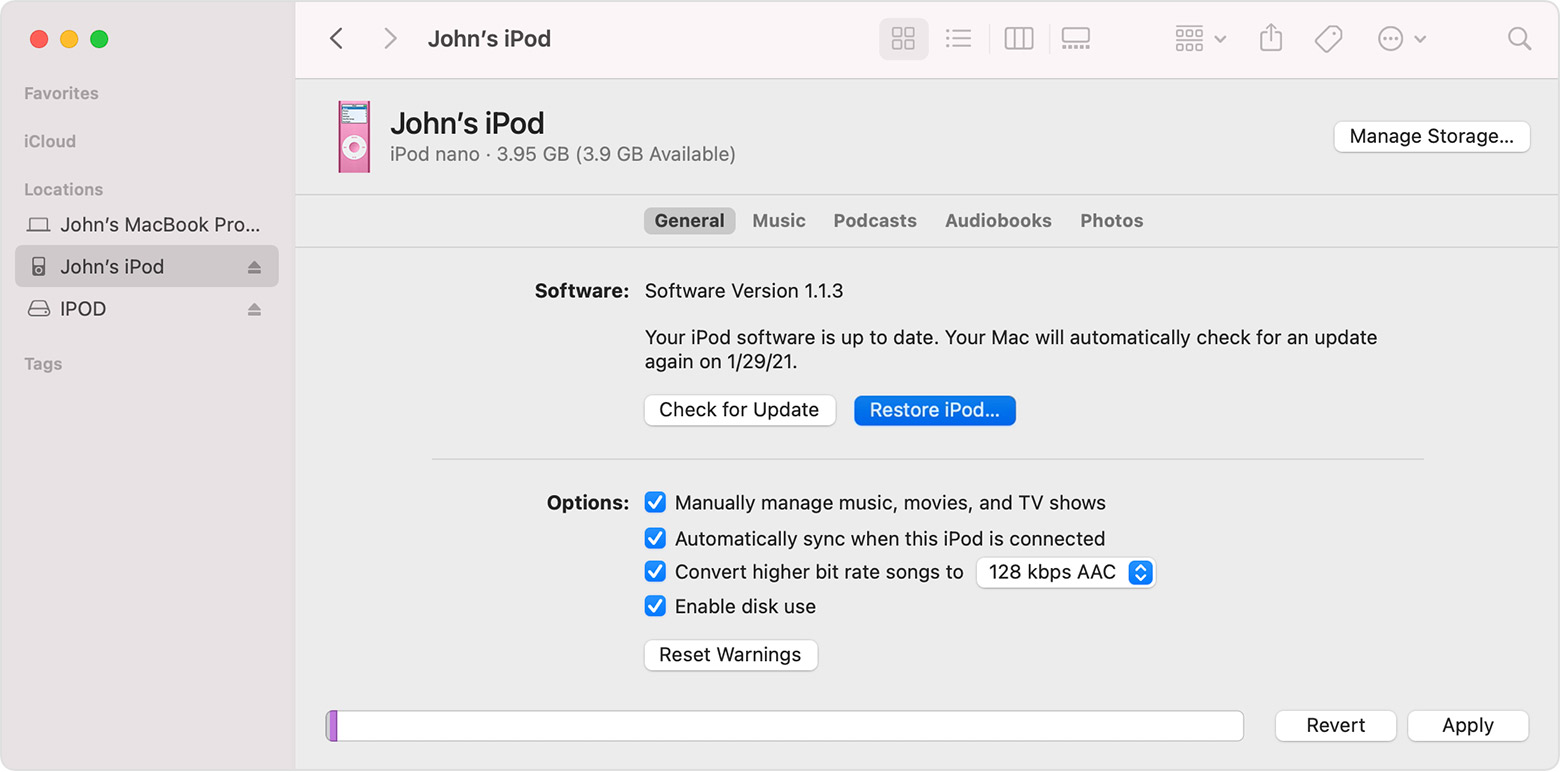
On a Mac with macOS Catalina or later, open a Finder window. On a Mac with macOS Mojave or earlier or a PC, open iTunes. Then connect your iPod directly to your computer.
Find your iPod in the Finder or iTunes, then select Restore iPod.
Get more help
If your device still won't respond, contact Apple Support.
Learn what to do when your iPod turns on but doesn't appear in iTunes or displays an error during an update.