Make phone calls with Voice over LTE (VoLTE)
You can make high-quality phone calls with VoLTE on an iPhone 6 or later. To make these calls, both phones need to work with VoLTE.
Check your carrier and location
Whether you can use VoLTE depends on a few things:
Your location, your account with your carrier, and the model of your iPhone
The carrier, carrier account, location, and phone model of the person you're calling
Some carriers support VoLTE only in certain cities or area codes. Contact your carrier to ask about your area and account.
You can check wireless carrier support and features for iPhone to see if your carrier supports VoLTE.
Turn on VoLTE
Some carriers turn on this feature by default. To find out if VoLTE is on, go to Settings > Cellular > Cellular Data Options and turn on VoLTE or Enable LTE.
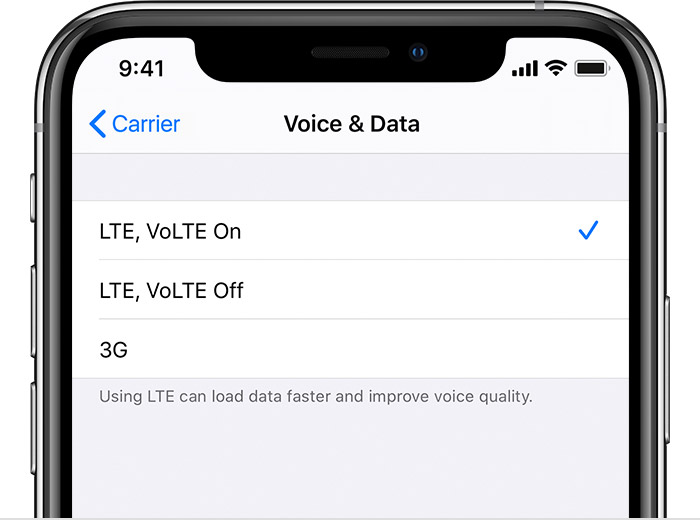
If you see an error message
When you try to turn on VoLTE, you might see a message that says "Cannot Activate LTE Calls. To enable LTE Calls on this account, contact your carrier.” This can happen with some account types, including business lines, and on some carriers. Enabling VoLTE on a cellular network that hasn't been certified by the carrier for VoLTE might impact battery life, calls, text, messages, voicemail, and cellular data. Contact your carrier for help.
You might also see a message that says you need to insert a new SIM card. This can happen with older SIM cards. You might need a new SIM card to use VoLTE. Contact your carrier.