Adjust the brightness and color temperature on your iPhone or iPad
Use the brightness control in Control Center, or open Display & Brightness in Settings.
Adjust brightness in Control Center
On your iPhone X or later, or your iPad with iOS 12 or iPadOS, swipe down from the top-right corner of your display. On your iPhone 8 or earlier, swipe up from the bottom edge of your display.
Drag the brightness bar
 up or down to adjust the brightness.
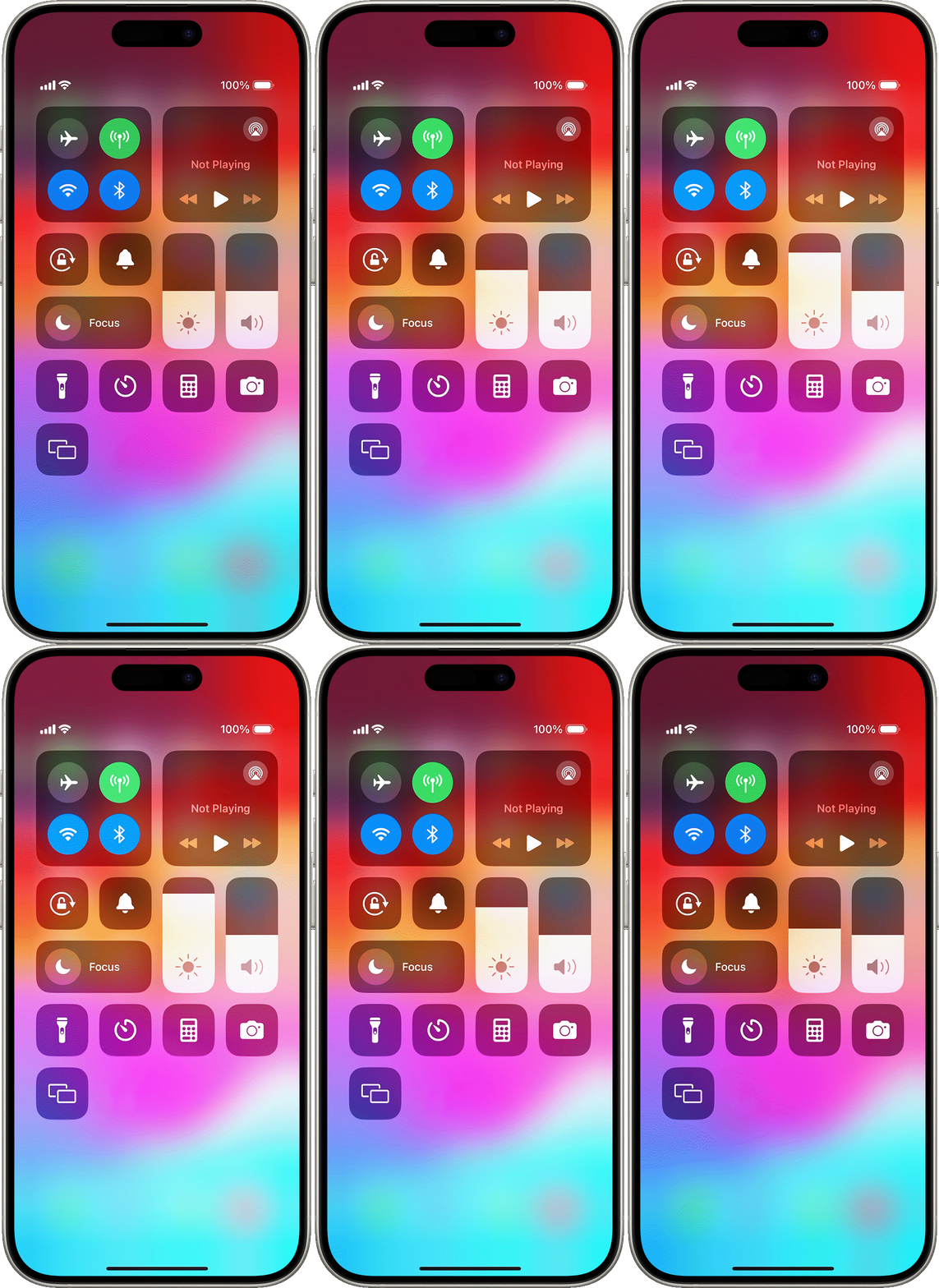
Learn more about the display on iPhone X and later. Learn more about Control Center on your iPhone or iPad.
Adjust brightness and color temperature in Settings
In the Settings app, tap Display & Brightness.
Drag the slider to the right or left to adjust the brightness.
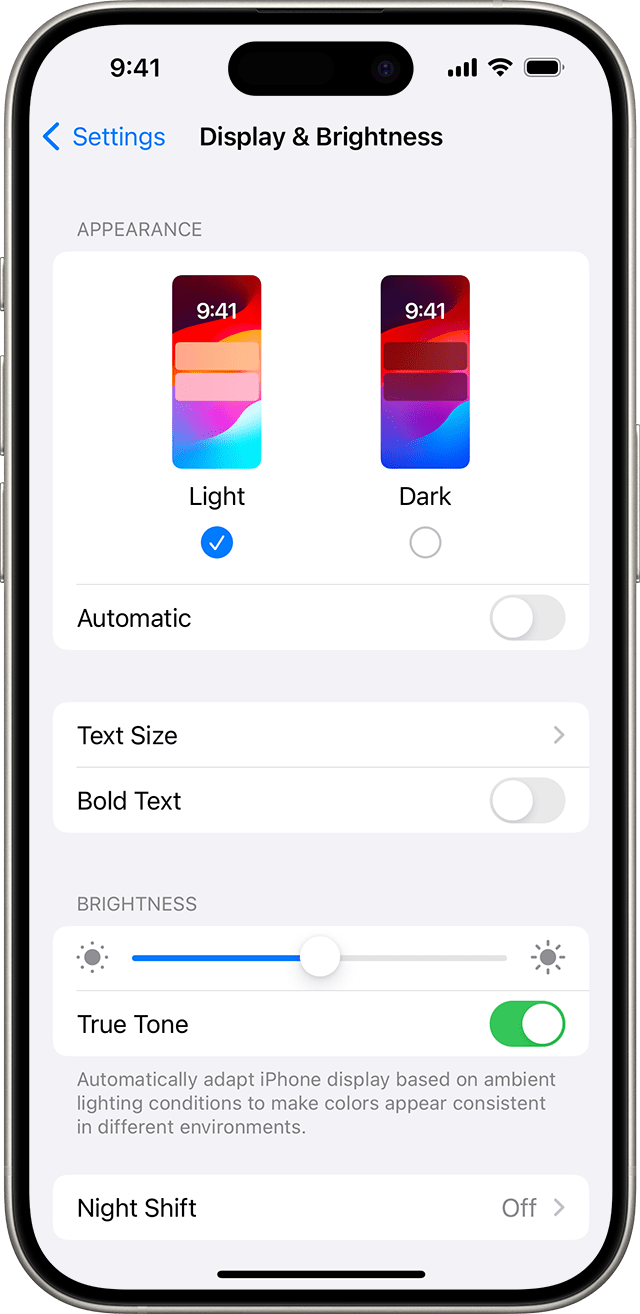
From here, you can turn on Dark Mode, which is designed to make the screen easier on your eyes. Dark Mode uses a dark color scheme that works system wide, including the apps that come with your device and many third-party apps.
True Tone,* which is on by default, uses advanced sensors to adjust the color and intensity of your display to match the ambient light, so that images appear more natural.
If you turn off True Tone, the display keeps color and intensity constant, regardless of changes in the ambient light.
You can also turn on Night Shift, which adjusts the colors of your display to the warmer end of the spectrum and makes the display easier on your eyes. To adjust the color temperature to be warmer or cooler, open Settings, tap Display & Brightness, then tap Night Shift and use the color-temperature slider.
Some display accessibility settings, including Invert Colors, Grayscale, and Increase Contrast, might turn off True Tone. If you turn Reference Mode on for your iPad, you can't adjust your brightness and both True Tone and Night Shift will be disabled.
About brightness levels
iOS devices use an ambient light sensor to adjust brightness levels based on the light conditions around you. The sensor lowers brightness in dark locations and raises brightness in light locations. The auto-brightness feature is on by default.
When auto-brightness is on, you'll notice that the brightness slider on your device moves according to changing light conditions.
To turn auto-brightness on or off:
In the Settings app, tap Accessibility.
Tap Display & Text Size.
Scroll to Auto-Brightness and tap to turn the feature on or off.
If you think your screen brightness isn't adapting correctly, try to turn off auto-brightness and then turn it back on.
Always-On display and automatic brightness adjustments with iPhone 14 Pro and later models
Always-On display is on by default on these models:
iPhone 17 Pro Max
iPhone 17 Pro
iPhone 17
iPhone 16 Pro Max
iPhone 16 Pro
iPhone 15 Pro Max
iPhone 15 Pro
iPhone 14 Pro Max
iPhone 14 Pro
With Always On Display, your iPhone display can operate with a refresh rate as low as 1 Hz, and the display can dim when you lock your device or leave it idle. To save battery life, the display becomes completely dark in certain situations, like when your phone is in your pocket or face down on a surface.
To turn Always-On display off or on, follow these steps:
In the Settings app, tap Display & Brightness.
Scroll down to Always On Display and turn Always-On Display off or on.
Always On Display is off by default on iPhone Air.
Learn more
What to do if your display won't turn on or if you have other screen issues.
Use Display Zoom to make your onscreen controls larger on your iPhone or iPad.
Brightness can affect battery life. To maximize battery life, let auto-brightness adjust your display or dim your screen.
If your device gets too warm, the display might dim and your maximum screen brightness is reduced until your device can cool down. Learn more about temperature management of your iPhone or iPad.
* You can use True Tone with these devices: iPhone 8 and later, iPhone SE (2nd generation) and later, iPad (9th generation) and later, iPad Pro 13-inch (M4), iPad Pro 12.9-inch (2nd generation) and later, iPad Pro 11-inch (M4), iPad Pro 11-inch (1st through 4th generations), iPad Pro 10.5-inch, iPad Pro 9.7-inch, iPad Air 13-inch (M2), iPad Air 11-inch (M2), iPad Air (3rd through 5th generations), iPad mini (A17 Pro), and iPad mini (5th and 6th generations).