About the Auto Join and Per-Connection Password Wi-Fi profile settings
You can use Apple Configurator or Profile Manager to set up an iOS device to connect to a wireless network. You can set the device to use either Auto Join or Per-Connection Password. Learn how these settings work.
In Apple Configurator and Profile Manager, you can set an iPhone, iPad, or iPod touch to connect to a wireless network. To do this, choose Auto Join or a Per-Connection Password in the settings for iOS devices. But avoid using setting both on the same network.
Apple Configurator
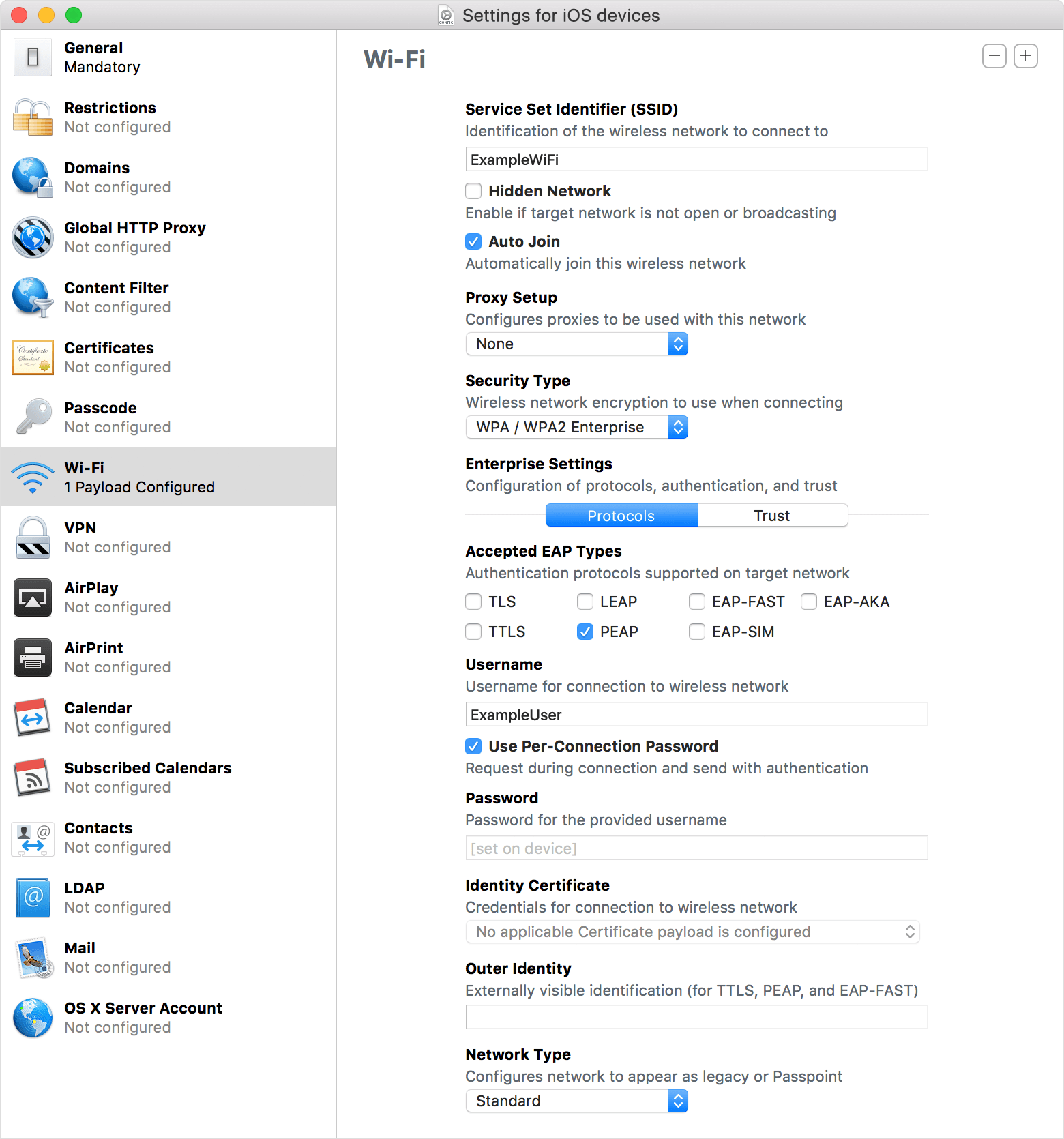
Apple Configurator lets you select both Auto Join and Use Per Connection Password. You should avoid setting it to use both on the same network. If you select both, the iOS device might not be able to join a network.
For example, your organization might want iOS devices to automatically join the network “Company-WLAN." If you select both connection methods, the iOS device uses only the Per-Connection Password setting.
Use Auto Join to automatically join a wireless network
With Apple Configurator, you can use a profile to set up an iOS device to automatically join a specific wireless network.
Use a per-connection password to join a wireless network
For some wireless authentication environments, you can set up an iOS device to use a per-connection password. This is a one-time password, and iOS doesn’t store the user credentials after authentication. When the device rejoins the same network, the user is prompted to reauthenticate to join the network.
Profile Manager
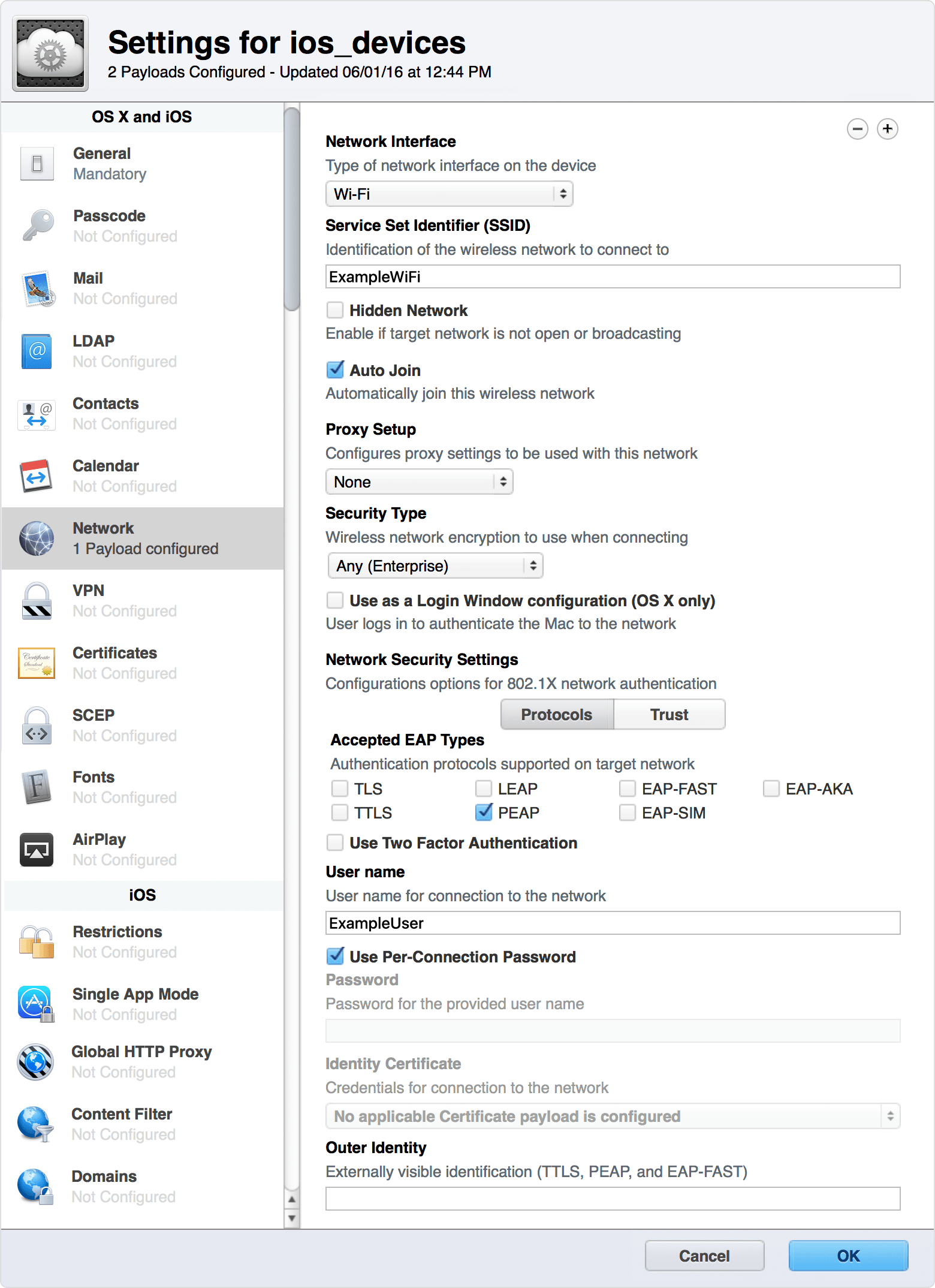
Profile Manager lets you select both Auto Join and Use Per Connection Password. You should avoid setting it to use both on the same network. If you select both, the iOS device might not be able to join a network.
For example, your organization might want iOS devices to automatically join the network “Company-WLAN." If you select both connection methods, the iOS device uses only the Per-Connection Password setting.
Use Auto Join to automatically join a wireless network
With Profile Manager, you can use a profile to set up an iOS device to automatically join a specific wireless network.
Use a per-connection password to join a wireless network
For some wireless authentication environments, you can set up an iOS device to use a per-connection password. This is a one-time password, and iOS doesn’t store the user credentials after authentication. When the device rejoins the same network, the user is prompted to reauthenticate to join the network.
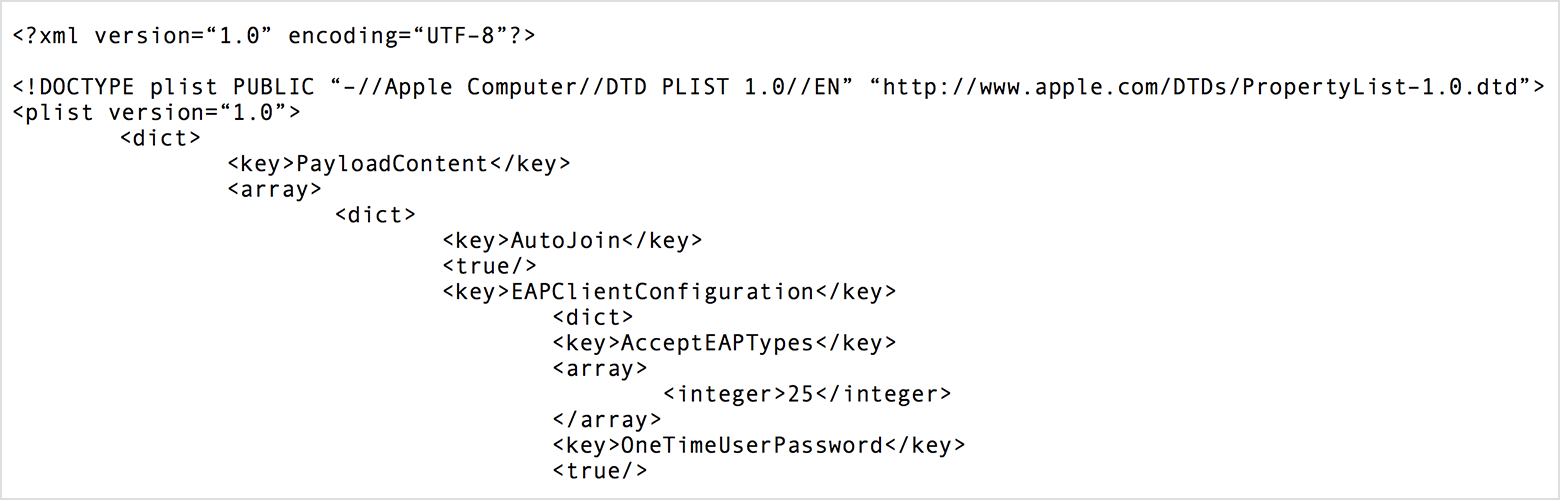
The Auto Join and Per-Connection Password configuration options aren’t available in Profile Manager by default. You can export a .mobileconfig file and then add them. Here’s an example: