About incompatible software on Mac
Learn how your Mac helps you to identify incompatible software.
In some cases, macOS can detect software that isn't compatible with it. For example:
When you upgrade macOS, the macOS installer might warn you about installed apps that are known to be incompatible with that version of macOS.
When you upgrade macOS or use Migration Assistant to transfer your data to a new Mac, apps known to be incompatible might be moved to a folder named Relocated Items or Incompatible Software.
When you use an app known to be incompatible, macOS might warn you that the app needs to be updated. The app then quits immediately.
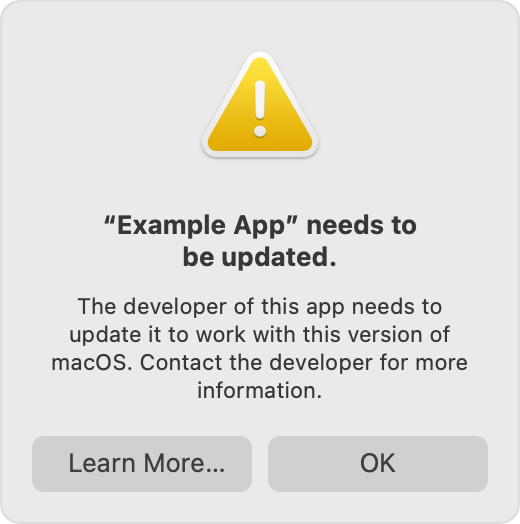
Whether your app is known to be incompatible or you think that it might be because it isn't working as expected, make sure that you're using the latest version of that app. You can check with the app vendor or developer for a version that is compatible with your version of macOS.
Information about products not manufactured by Apple, or independent websites not controlled or tested by Apple, is provided without recommendation or endorsement. Apple assumes no responsibility with regard to the selection, performance, or use of third-party websites or products. Apple makes no representations regarding third-party website accuracy or reliability. Contact the vendor for additional information.