Find your Apple TV model number
You can find the model number of your Apple TV in three places.
Check the bottom of your Apple TV
Check Settings
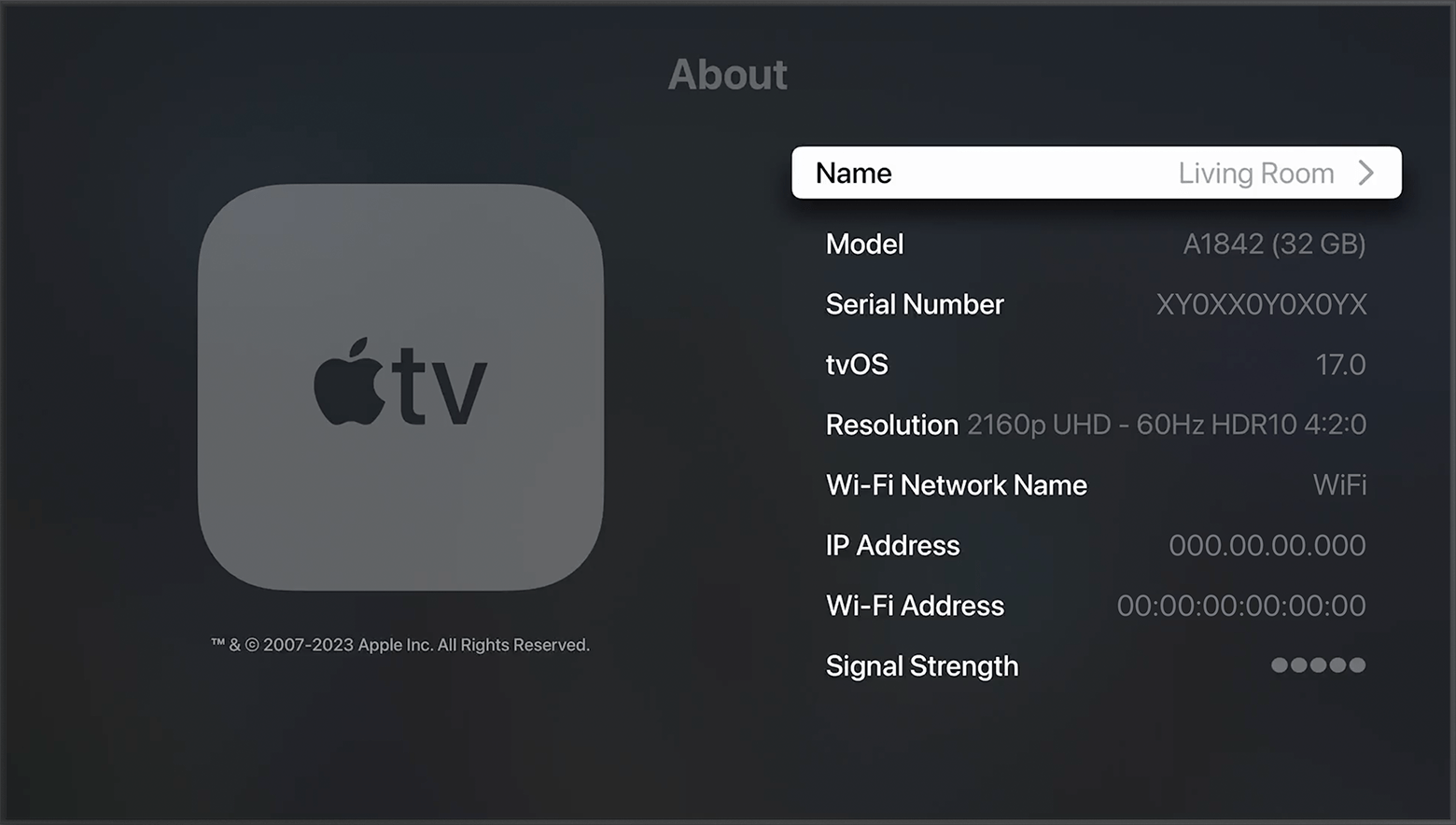
From the Apple TV Home screen, choose Settings > General > About and check the Model.
Check the bottom of your Apple TV
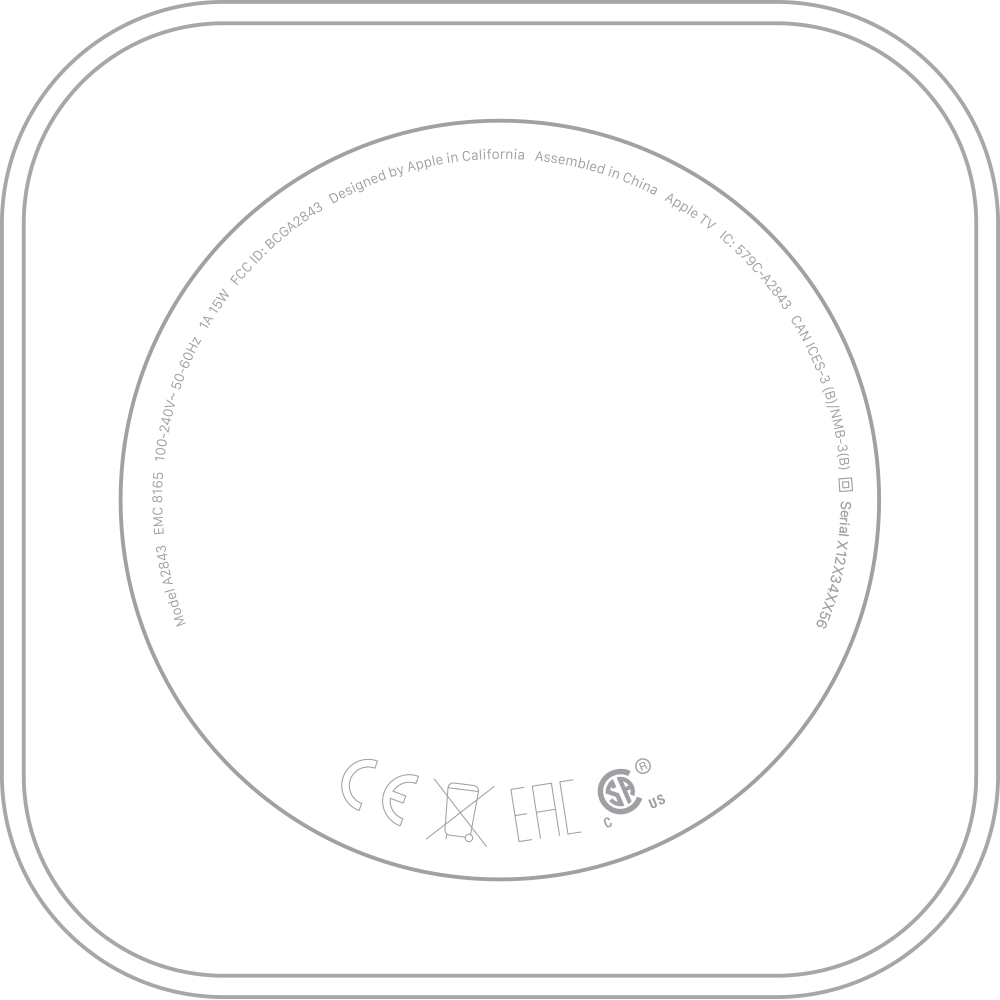
To see the model number, check the information label on the bottom of your Apple TV.
Check the box
To find the model number, check the back of the box that your Apple TV came in.
Need more help?
Tell us more about what's happening, and we’ll suggest what you can do next.