Use Boot Camp Assistant to find out if your Mac requires Windows installation media
Current Mac models allow media-free Windows installation, which means that you don't need an external drive. Earlier Mac models require a USB drive or an optical drive. Use Boot Camp Assistant to find out what you need.
Boot Camp Assistant determines your installation requirements based on the model of your Mac. To find out whether your Mac can perform a media-free Windows installation—or if it requires installation via an optical drive or a USB drive—open Boot Camp Assistant. It's in the Utilities folder inside your Applications folder.
Boot Camp Assistant shows you only the option that your Mac supports and guides you through the installation process.
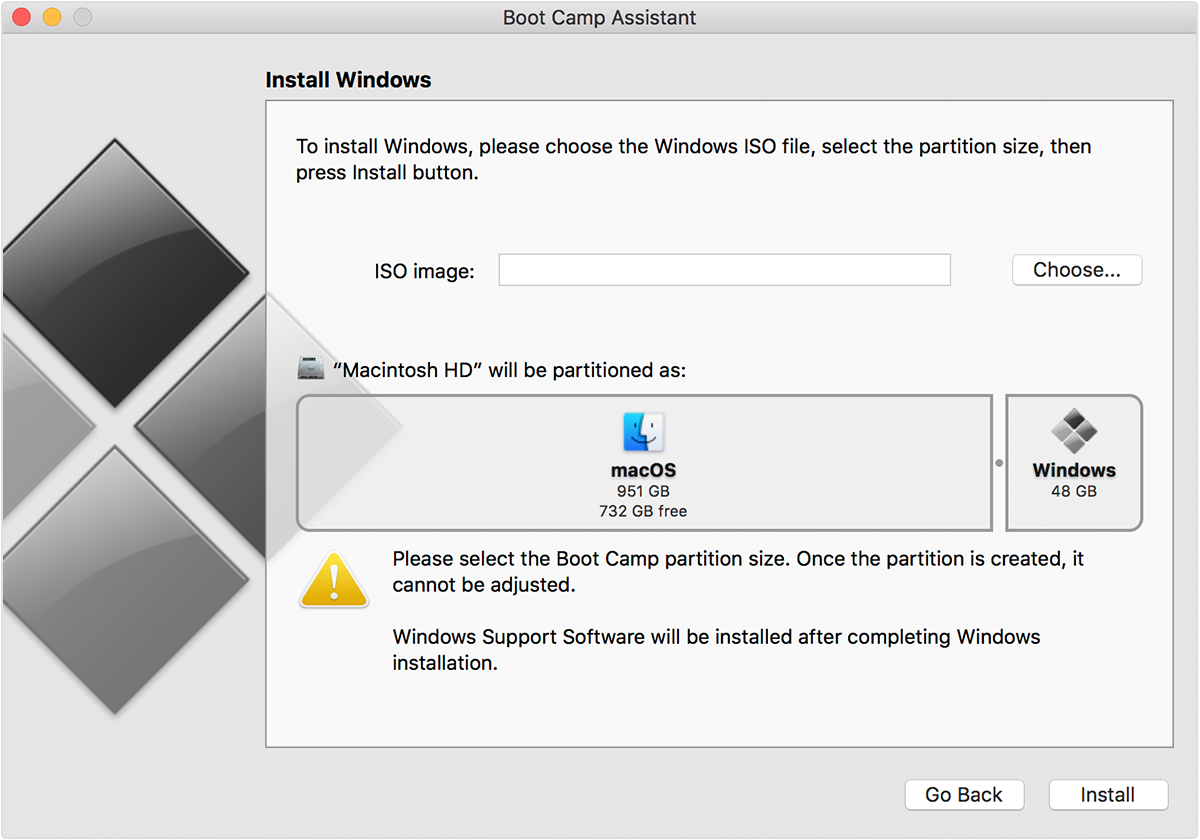
Media-free installation
If your Mac supports media-free installation, Boot Camp Assistant can perform the installation using a Windows disk image (ISO) downloaded to the hard drive on your Mac. Boot Camp Assistant also automatically installs Windows support software from Apple. With this type of installation, you only need a Windows ISO downloaded from Microsoft.
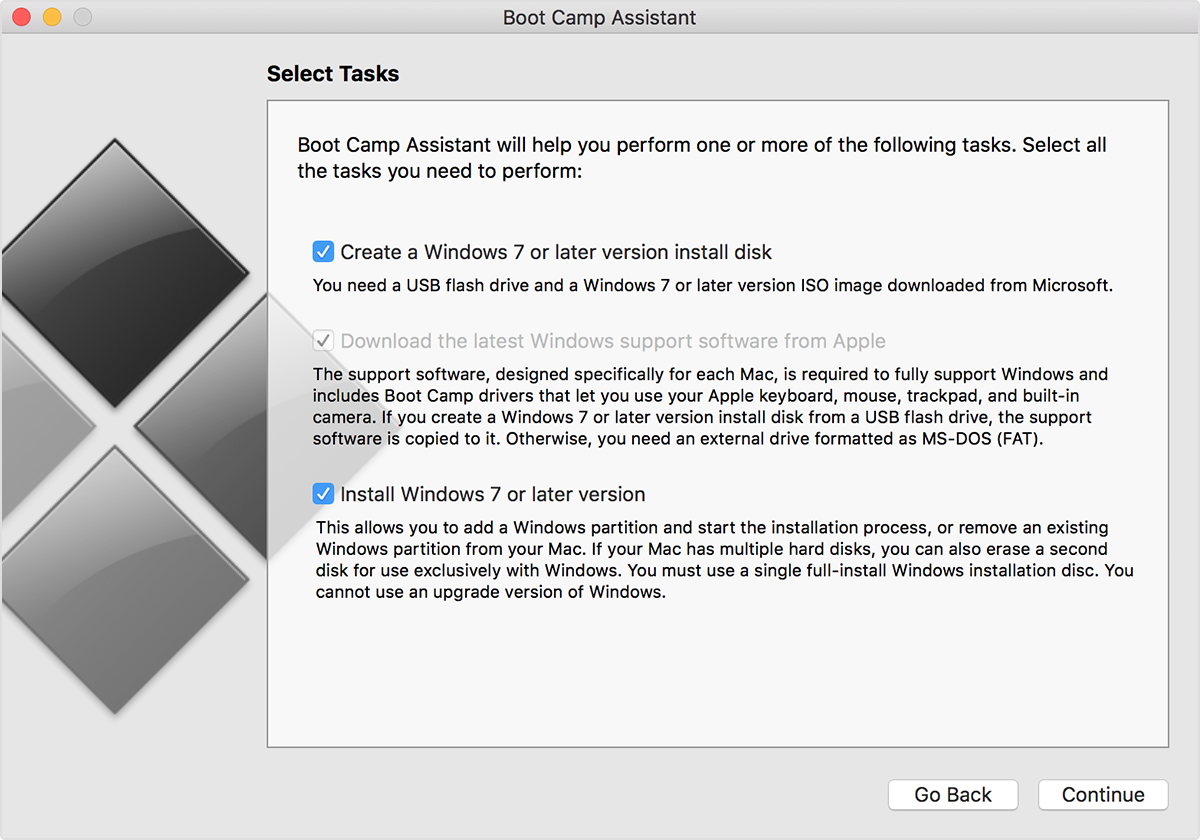
USB installation
If your Mac supports USB installation, you need an external USB disk or USB flash drive that contains a Windows ISO. Learn more about installing Windows on your Mac using a USB hard drive or flash drive.
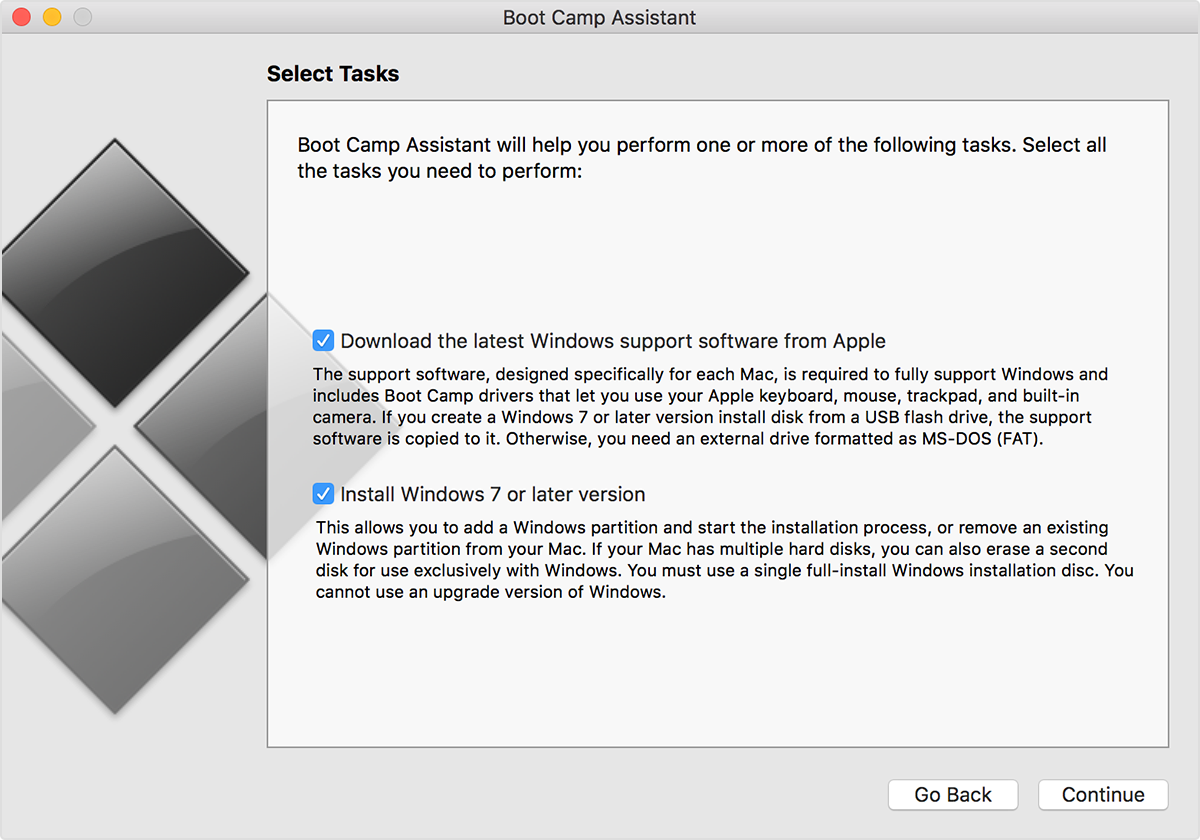
Optical drive installation
You need a Windows installation disc if Boot Camp Assistant presents the screen shown below. This screen doesn't offer the option to Create a Windows 7 or later version install disk on a USB flash drive. Boot Camp Assistant can download and install Windows support software from Apple. Learn about the steps to follow if you're installing Windows 7 or earlier.
Learn more
Learn more about how to install Windows using Boot Camp.
Information about products not manufactured by Apple, or independent websites not controlled or tested by Apple, is provided without recommendation or endorsement. Apple assumes no responsibility with regard to the selection, performance, or use of third-party websites or products. Apple makes no representations regarding third-party website accuracy or reliability. Contact the vendor for additional information.