Mac Pro (2019) status indicator light behavior
Learn about the different status indicator light patterns you might see on your Mac Pro.
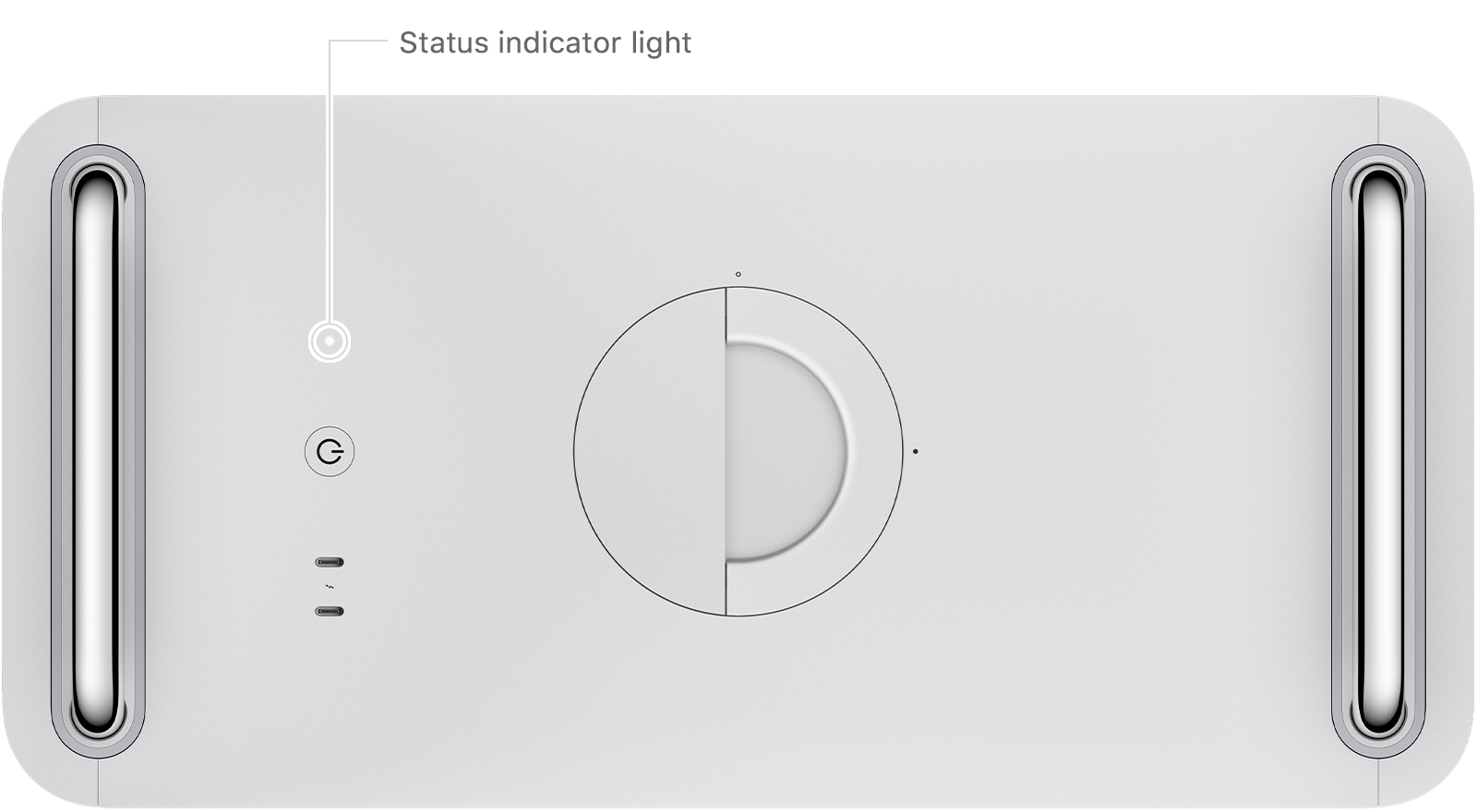
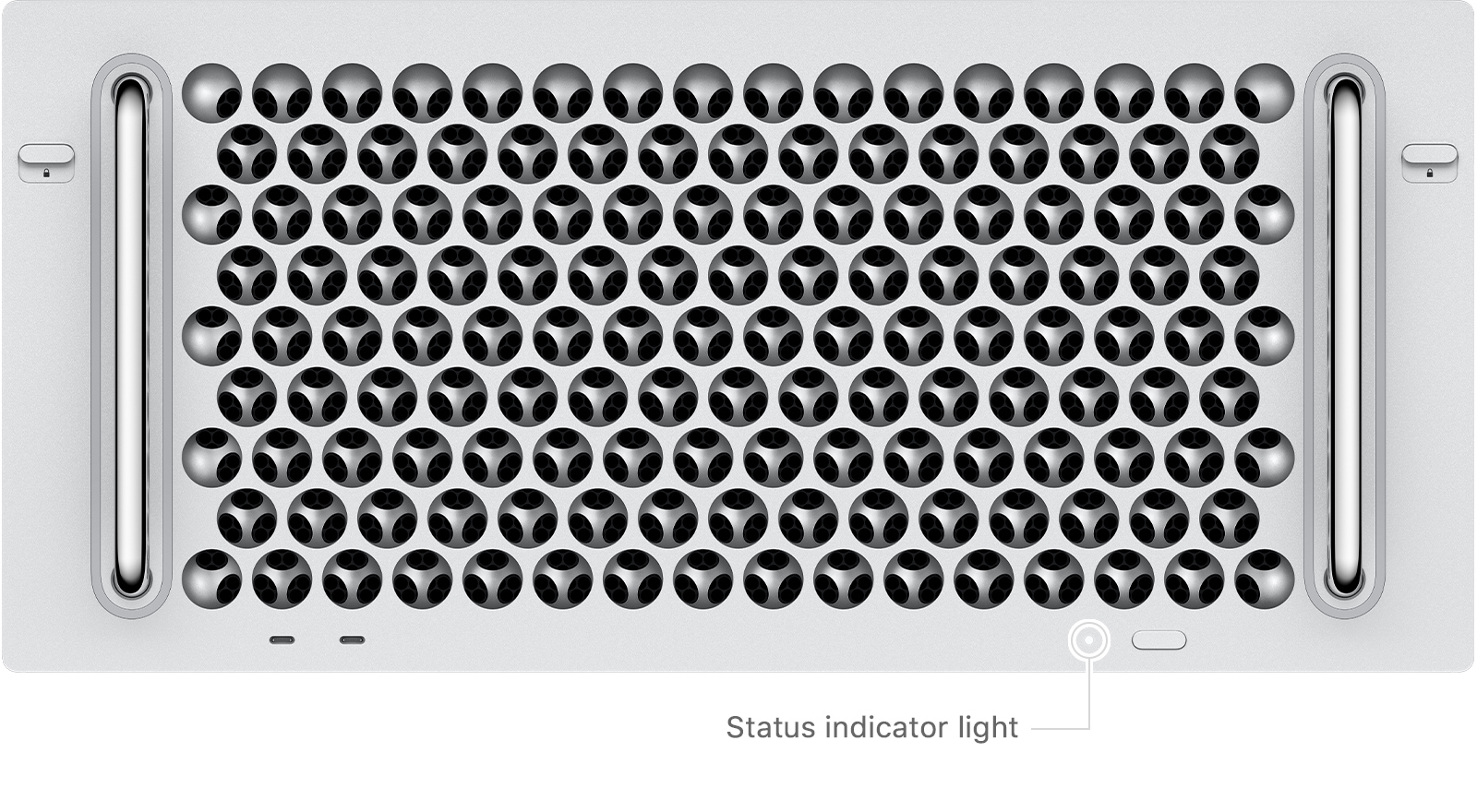
Mac Pro (2019) and Mac Pro (Rack, 2019) have a status indicator light on the top or front of the computer, next to the power button. There is also a second status indicator light on the back of Mac Pro near the power port.
Turned off

When Mac Pro is turned off, the status indicator light does not illuminate.
Turned on or in sleep mode

After Mac Pro turns on or goes to sleep, the status indicator light is solid white and remains on until the computer turns off.
Memory error

If there is a memory detection error or data error, the status indicator light is solid amber for 0.2 seconds and repeats every second. Verify your memory and install or replace memory if necessary.
Housing unlocked or top cover removed while computer is on

If the computer is on and you unlock the housing, or open the top cover or access door on rack-mounted models, the status indicator light is solid amber for 0.3 seconds and repeats until the housing is locked or the top cover or access door is reinstalled.
Power button pressed while housing is unlocked or top cover is removed

If the housing is unlocked or the top cover is removed on rack-mounted models, and the power button is pressed, the status indicator light is solid amber for half a second. Make sure the housing is fully seated and locked, or the top cover is installed and the latches are locked, then try starting up your Mac Pro again.
PCIe card error

If Mac Pro encounters an error with a PCIe card, the status indicator light flashes amber twice and repeats until the computer is turned off. If you recently installed a PCIe card, learn how to resolve PCIe card errors on your Mac Pro.
Firmware recovery mode

If Mac Pro is in firmware recovery mode, the status indicator light rapidly flashes amber three times, briefly flashes amber three times, then rapidly flashes amber three times. This repeats until the computer is turned off. You might need to revive the firmware on your Mac Pro. If you still need help, contact an Apple Authorized Service Provider.