This article has been archived and is no longer updated by Apple.
Keynote: How to disable applications from opening during a Keynote presentation
Learn how to disable applications from opening during a Keynote presentation.
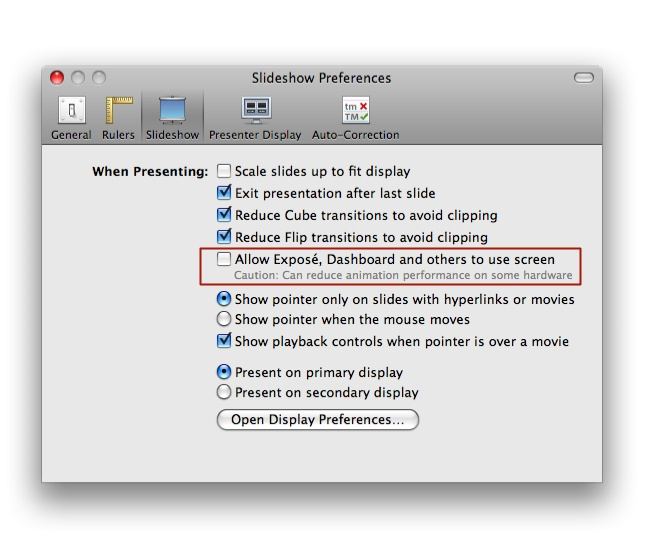
When delivering a Keynote presentation, you may experience various applications opening unexpectedly. Applications likely to open include Apple Software Update, Exposé, Front Row or any application configured to use a timed launch sequence. To avoid this behavior, disable the ability for any other application to open during a presentation, in Keynote's preferences.
Open Keynote.
Open the Preferences Window (Keynote > Preferences...).
Select the Slideshow tab.
Deselect Allow Exposé, DashBoard and others to use screen as shown in the screenshot below.
Published Date: