Get started with Voice Memos on iPad
In the Voice Memos app  on iPad, you can easily record lectures, song ideas, meetings, and more.
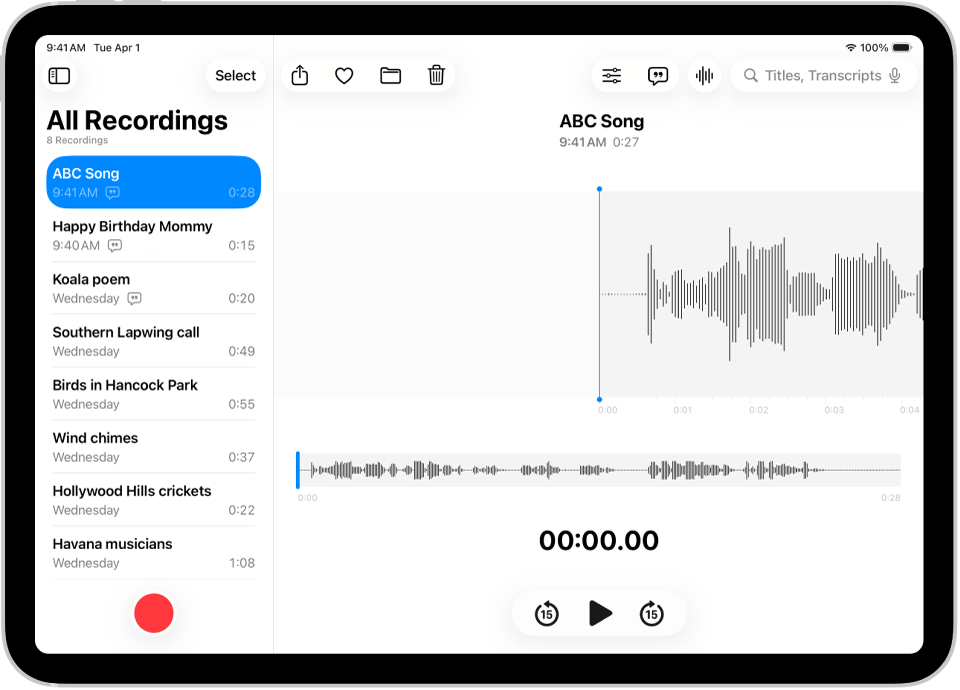
Record with a single tap
To begin recording, just tap  .
.
Your audio recordings appear automatically on your iPhone, iPad, Mac, and Apple Vision Pro where you’re signed in to the same Apple Account and Voice Memos is turned on in iCloud settings.
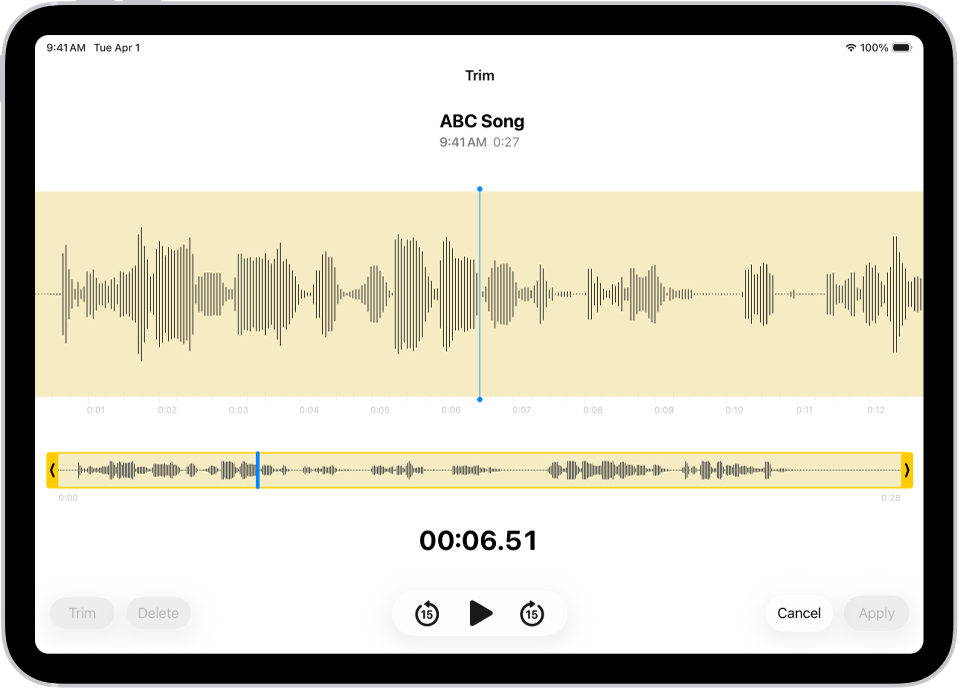
Fine-tune your recordings
Whether you capture a recording on your iPad, iPhone, Mac, Apple Watch, or Apple Vision Pro, you can edit it easily, right on your iPad. Select the recording in the recordings list, tap  , then tap
  at the top right to begin editing.
View and search audio transcripts
You can view transcripts of your recordings in Voice Memos, either live while you’re recording or after. Transcripts are searchable, so you can find just the moment you’re looking for. To see the transcript of the selected recording, tap  at the top right. To search for specific text, enter it in the search field above the list of recordings. The list shows only recordings with that text.
Share or export a recording
You can share a recording with friends, or export it to Logic Pro to enhance it with professional editing tools. To share, tap the recording, then tap  . Tap Options, choose whether to share as a rendered or editable file, then tap
  . Choose a sharing option, or to export, swipe up, then tap Save to Files.
Want to learn more?