Find your Exchange Device ID
If you need help using your iPhone, iPad, or iPod touch, Exchange administrators might need your Exchange Device ID.
Find your Exchange Device ID in iOS 11 and later
Go to Settings > Passwords & Accounts.
Select Add Account.
Choose Microsoft Exchange from the list. Your Exchange Device ID is at the bottom of your screen.
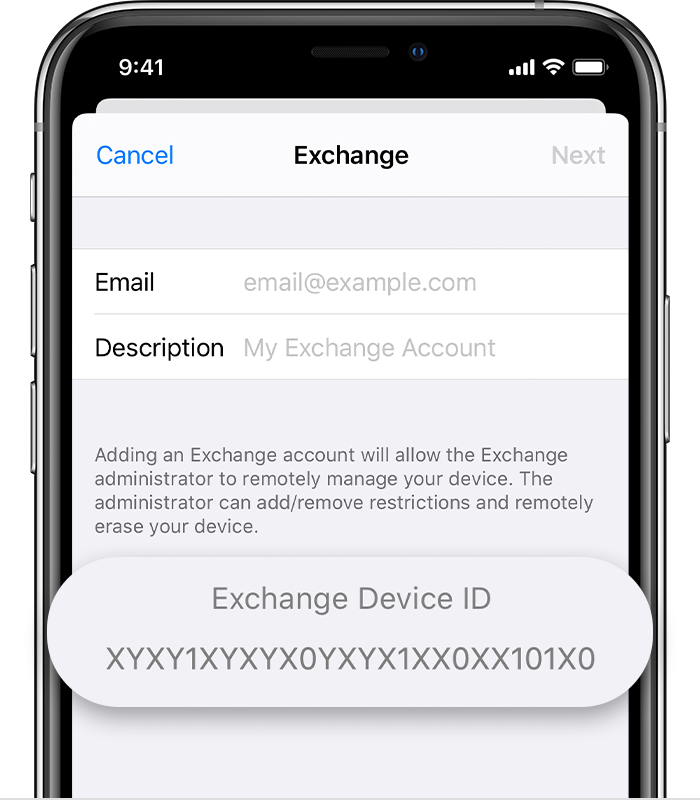
If you restore your device to factory settings or move to a new device, you receive a new Exchange Device ID.
Information about products not manufactured by Apple, or independent websites not controlled or tested by Apple, is provided without recommendation or endorsement. Apple assumes no responsibility with regard to the selection, performance, or use of third-party websites or products. Apple makes no representations regarding third-party website accuracy or reliability. Contact the vendor for additional information.