If you see the 'This app cannot be assigned to a device' alert in Configurator 2
Some Volume Purchase Program (VPP) apps don't allow device-based assignment. Make sure that the app is device-assignable before you buy it, or contact the app developer for help.
You can use Apple Configurator 2 to assign VPP apps to iOS 9 and later devices. If you choose an app that doesn’t allow device-based assignment, you see a prohibitory symbol (  ) on the app icon.
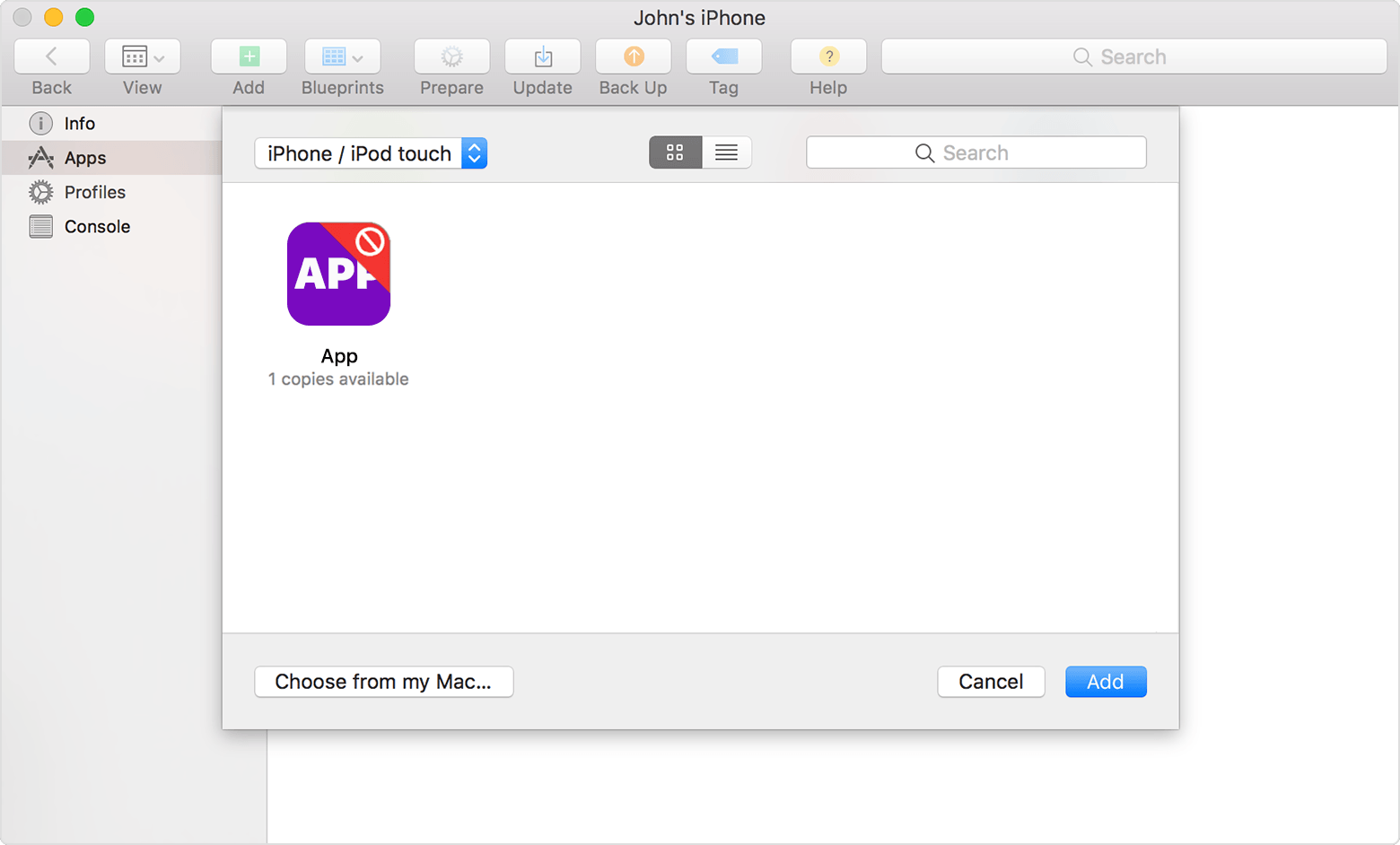
If you select the app, you see a “This app cannot be assigned to a device" alert message.
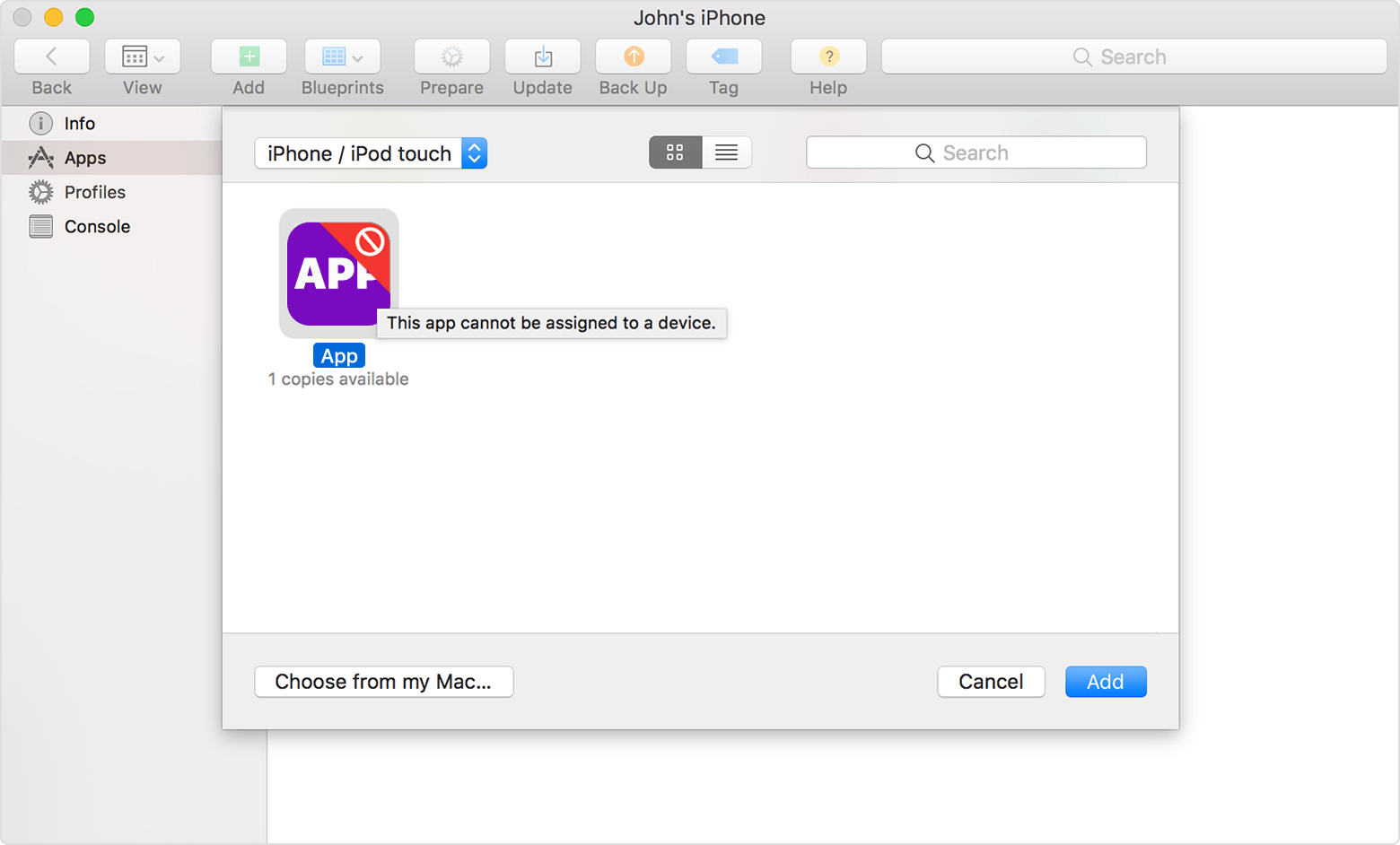
You also see this message if you move your pointer over the app name in the Choose Apps sheet in Configurator.
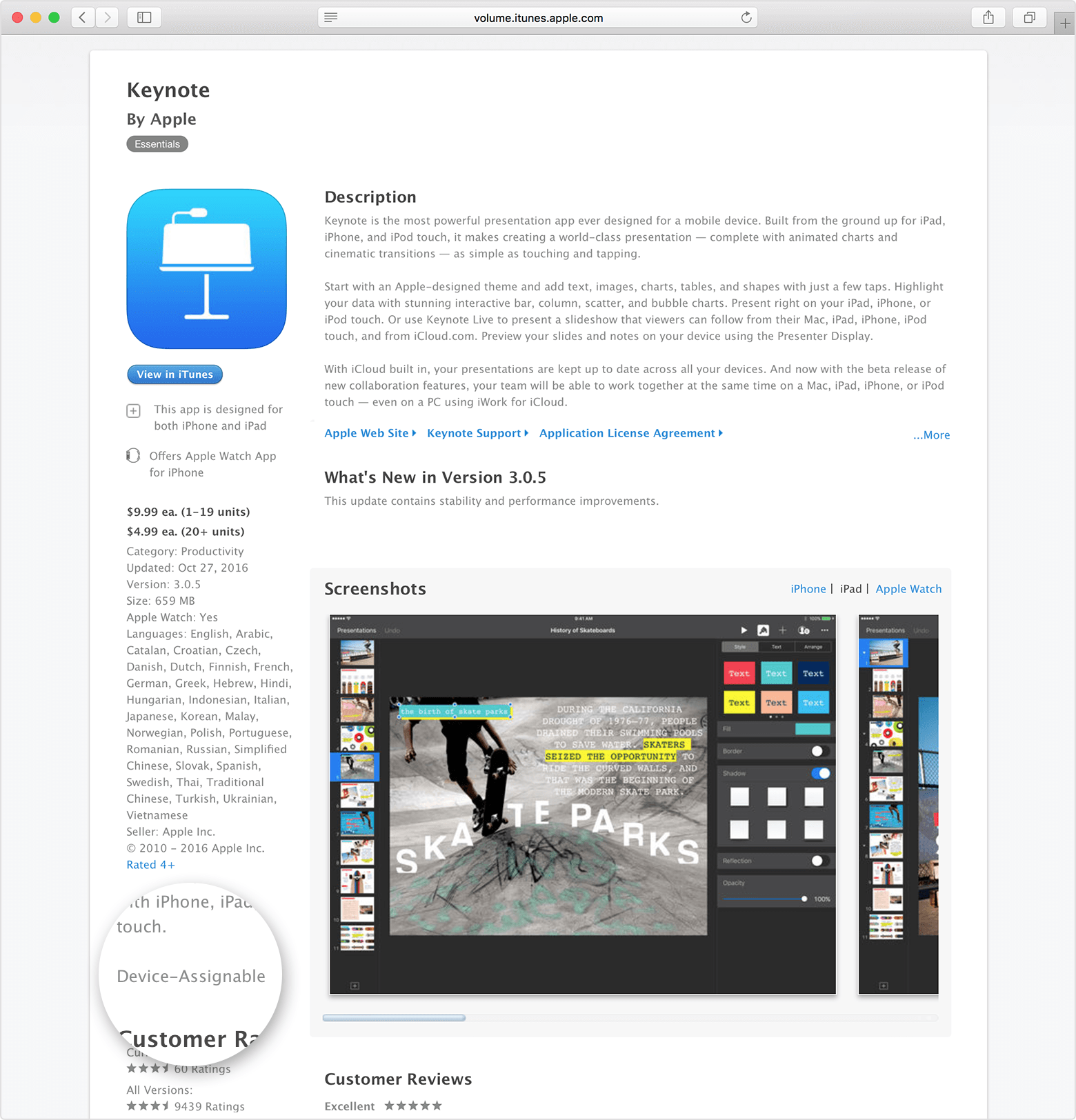
Before you buy a VPP app that you want to assign to iOS 9 devices, look for “Device Assignable” in its description. This confirms that you can use device-based enrollment for the app. If “Device Assignable” isn't in the app's description, click "[App Name] Support to contact the app developer and request that they turn on device-based enrollment for their app.
Information about products not manufactured by Apple, or independent websites not controlled or tested by Apple, is provided without recommendation or endorsement. Apple assumes no responsibility with regard to the selection, performance, or use of third-party websites or products. Apple makes no representations regarding third-party website accuracy or reliability. Contact the vendor for additional information.