If your Alchemy window doesn't show presets
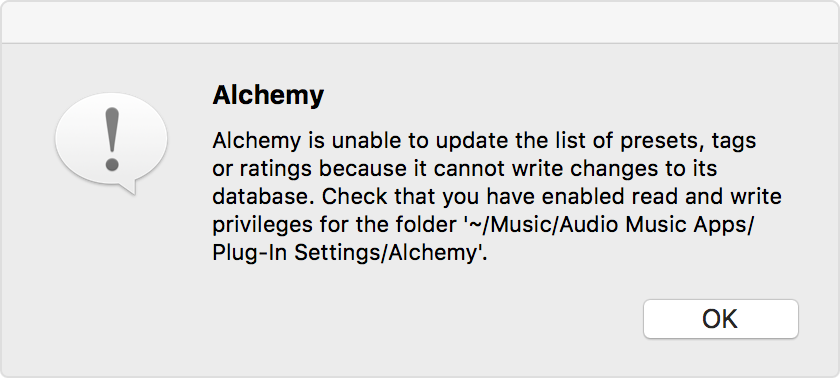
If the Alchemy window doesn't show presets, or if you see an alert when you insert an instance of Alchemy, follow these steps to resolve the issue.
Alchemy stores its settings in a database file at ~/Music/Audio Music Apps/Plug-In Settings/Alchemy (where “~” is your user folder).
If Alchemy can’t find or write to this file, then you might not see any presets in the Alchemy window, or you might see an alert that Alchemy can’t write to its database.
Make sure that you have Read & Write access to the Alchemy folder
From the toolbar, click File >Quit Logic Pro for Mac.
In the Finder, go to ~/Music/Audio Music Apps/Plug-In Settings/.
Select the Alchemy folder.
Press Command (⌘) + I to open the Info window for the folder.
Click the lock at the lower right-corner of the Info window. You might need to expand the Sharing & Permissions pane.
Authenticate with your username and password if asked.
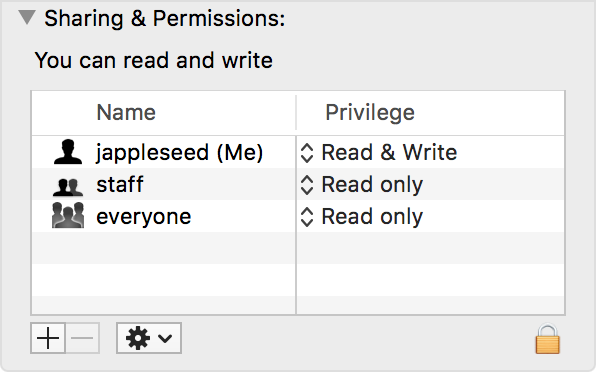
Select your username in the list under Name. Make sure that Privilege is set to Read & Write.
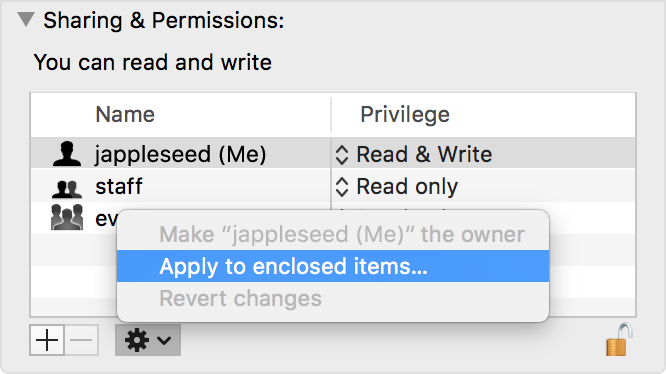
Click the gear menu at the bottom of the window. Choose “Apply to enclosed items.”
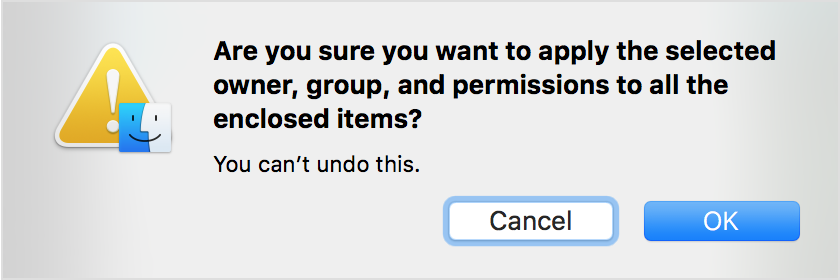
A dialog might ask you to confirm this change. Press OK.
Restart the computer.
Make sure that the Alchemy folder is discoverable
If you want to store your Alchemy preset data in a different location, Alchemy supports using an alias or symlink to the Alchemy folder at ~/Music/Audio Music Apps/Plug-In Settings/ in Logic Pro 10.2.2 or later.
However, if the Alchemy content isn’t accessible because it was been moved, or its volume isn’t accessible, then the Alchemy window won’t show any presets. Be sure the volume where you’re storing the Alchemy data is connected, and that it hasn’t moved since the alias or link was created.
Need more help?
Tell us more about what's happening, and we’ll suggest what you can do next.