Featured topics
About the Caching Service
The Caching service speeds up the download of software distributed by Apple through the Internet. It caches software updates for iOS and macOS, apps, books, and Internet Recovery images for macOS.
About the Caching ServiceContent types supported by the Caching service in macOS Server
The Caching service of macOS Server can speed up downloads of Apple software distributed over the Internet by storing local copies of this software on your server.
Learn about the content types supported by the caching serviceAdvanced Configuration of the Caching Service
Learn about the advanced settings you can use with the Caching service.
Set up advanced configurationAbout the Xcode Service
Xcode service is a continuous integration system for developers of iOS and macOS apps. It automates the process of building, analyzing, testing, and archiving your app.
Learn about the Xcode ServiceXcode Continuous Integration Guide
Xcode supports a continuous integration workflow through the Xcode service.
Read the Xcode guide
If requests for the root URL redirect to the Wiki or Xcode services on macOS Server
The Websites service on macOS Server automatically redirects requests for the root URL to the Wiki or Xcode service by default. Learn how to turn off redirects to the Wiki or Xcode service.
Learn about preventing requestsAbout the web proxy
OS X Server 5.x introduces a new service proxy architecture, which uses an Apache HTTPD instance that reverse proxies to multiple service-specific Apache instances.
Read about the web proxyWork with Apache
Apache is the open source HTTP web server provided with OS X Server. You can use the Server app to manage web service and use the default Apache settings.
Learn how to manage web serviceSystem Image Utility Help
System Image Utility images offer you alternatives for managing the operating system and apps that your Mac computers require to start (or boot) and do their work.
Read the system image utility Help
Create a NetBoot, NetInstall or NetRestore image that supports multiple Mac models
Learn how to create a NetBoot, NetInstall, or NetRestore image that works with multiple Mac models.
Learn about creating a NetBoot, NetInstall or NetRestore image that supports multiple Mac modelsIf your NetBoot clients can't start up from the server
Try these steps if NetBoot services appear to be available on your server, but some client computers can't start up from it.
What to do if your NetBoot clients can't start up from the server
Use NetBoot across subnets with macOS Server
Learn how to use the NetBoot service across network subnets. Here are three ways that you can use NetBoot with macOS Server.
How to use NetBoot across subnets
Use the command line to create a network disk image
Learn how to create NetBoot, NetInstall, or NetRestore images from the command line.
Read more about using the command line to create a NetBoot, NetInstall, or NetRestore imageTurn on performance mode for macOS Server
Performance mode changes the system parameters of your Mac. These changes take better advantage of your hardware for demanding server applications.
Turn on performance mode for macOS Server
About the adaptive firewall
The adaptive firewall helps prevent your computer from being attacked by unauthorized users.
Learn how to turn on the adaptive firewall
About the RADIUS Service for macOS Server
The RADIUS service is included in OS X Server, but it is not listed as a separate service in the Server app.
About the RADIUS ServiceSearch for more topics

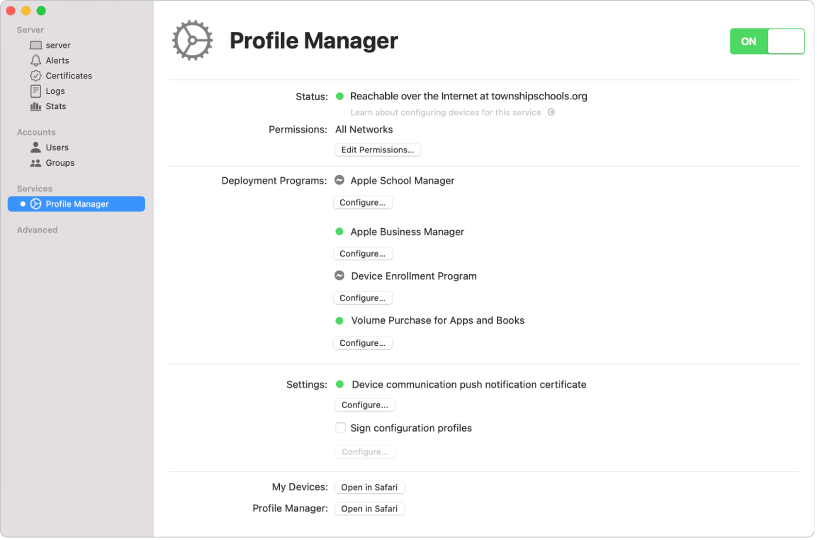
Profile Manager
Profile Manager makes it easy to configure your users' macOS and iOS devices so they’re set up to use your company or school resources and have the settings your organization requires.
Profile Manager Support
Xsan
Xsan is a powerful and scalable solution for storage and consolidation in macOS. Use the resources below to learn about setup options, network management, configuration, and more.
Xsan SupportResources
macOS Server Community
Contact Apple Support
Help me with macOS Server
Answer a few questions and we'll recommend a solution for you.