Make phone calls with Voice over LTE (VoLTE)
You can make high-quality phone calls with VoLTE on an iPhone 6 or later. To make these calls, both phones need to work with VoLTE.
Check your mobile service provider and location
Whether you can use VoLTE depends on a few things:
Your location, your account with your mobile service provider, and the model of your iPhone
The mobile service provider, mobile account, location and phone model of the person you’re calling
Some mobile service providers support VoLTE only in certain cities or area codes. Contact your mobile service provider to ask about your area and account.
You can check support and features for iPhone to see if your mobile service provider supports VoLTE.
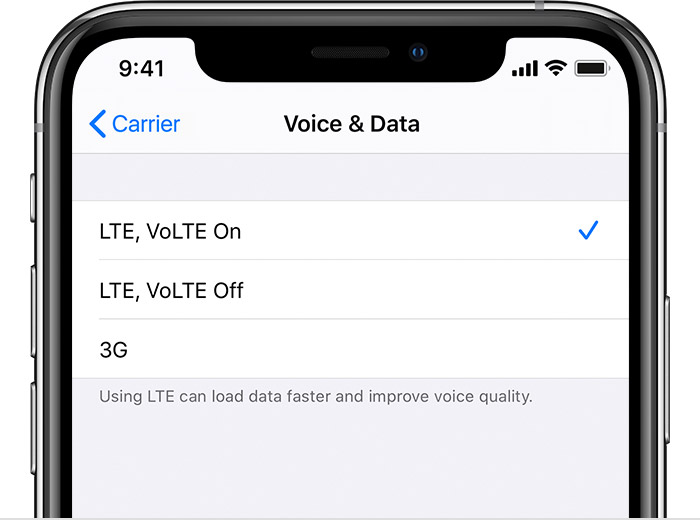
Turn on VoLTE
Some mobile service providers turn on this feature by default. To find out if VoLTE is on, go to Settings > Mobile > Mobile Data Options and turn on VoLTE or Enable LTE.
If you see an error message
When you try to turn on VoLTE, you might see a message that says “Cannot Activate LTE Calls. To enable LTE Calls on this account, contact your mobile service provider.” This can happen with some account types, including business lines, and on some mobile service providers. Enabling VoLTE on a cellular network that hasn’t been certified by the mobile service provider for VoLTE might impact battery life, calls, text, messages, voicemail and mobile data. Contact your mobile service provider for help.
You might also see a message that says you need to insert a new SIM card. This can happen with older SIM cards. You might need a new SIM card to use VoLTE. Contact your mobile service provider.