Use Apple Pay in apps and on the web on iPad
You can make purchases using Apple Pay in apps, in App Clips, and on the web wherever you see the Apple Pay button.
Note: Apple Pay and its features aren’t available in all countries or regions. See the Apple Support article Countries and regions that support Apple Pay.
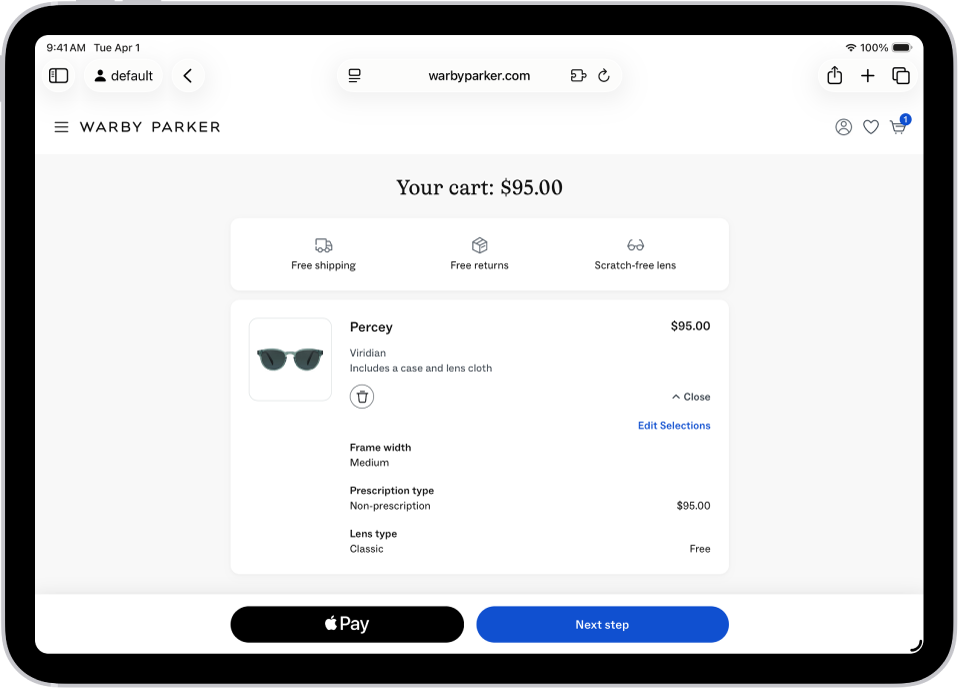
Pay in apps, App Clips, or Safari
During checkout, tap the Apple Pay button.
Review the payment information and set any of the following:
Payment method
You can choose a different payment card; you can also pay with rewards or installments (available on cards from participating banks and card providers in certain markets; subject to eligibility and approval).
Billing and shipping addresses
Contact information
Tip: If you subscribe to iCloud+, you can use Hide My Email to keep your real email address private.
Authenticate with Face ID, Touch ID, or your passcode to complete the payment.
See the Apple Support articles Pay with rewards using Apple Pay and Pay with installments using Apple Pay.
Use Apple Pay in third-party browsers on Mac, Windows devices, and other devices
When you shop in a supported third-party web browser, you can complete the purchase with Apple Pay using the payment information on your iPad. (Not available in all countries or regions.)
At checkout, click Apple Pay, then scan the code using your iPad camera.
On your iPad, review the payment information and set any of the following:
Payment method
Billing and shipping addresses
Contact information
Authenticate with Face ID, Touch ID, or your passcode to complete the payment.
View preauthorized payments
You can see preauthorized payments made with Apple Pay for future and recurring charges such as subscriptions.
Go to the Settings app
 on your iPad.
Tap Wallet & Apple Pay, then tap Preauthorized Payments.
Tap a payment to see the details.
To cancel your service or manage the payment methods, contact the merchant directly. (For participating merchants, tap Manage.)
To prevent the merchant from automatically charging your card, tap Revoke Payment Authorization.
Note: Revoking the payment authorization doesn’t cancel your service.