Find the model number of your iPhone, iPad or iPod touch
Find out how to locate your device’s model number.
Look in Settings
Open the Settings app, then tap General.
Tap About.
To the right of Model Number, you’ll find the part number.
To find the model number, tap the part number.

Look on your device
Here are a few ways you might be able to find the model number, depending on the device you have.
Check the back
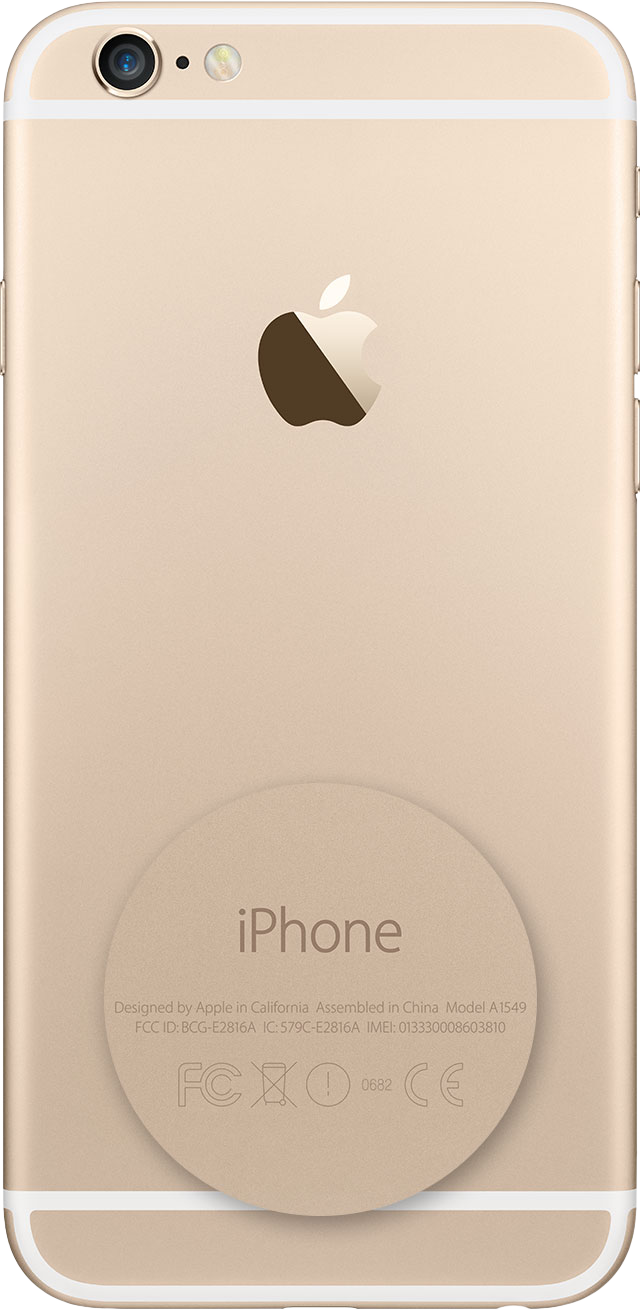
On an iPhone 7 or earlier, some iPad models or an iPod touch, find the model number on the back of your device.
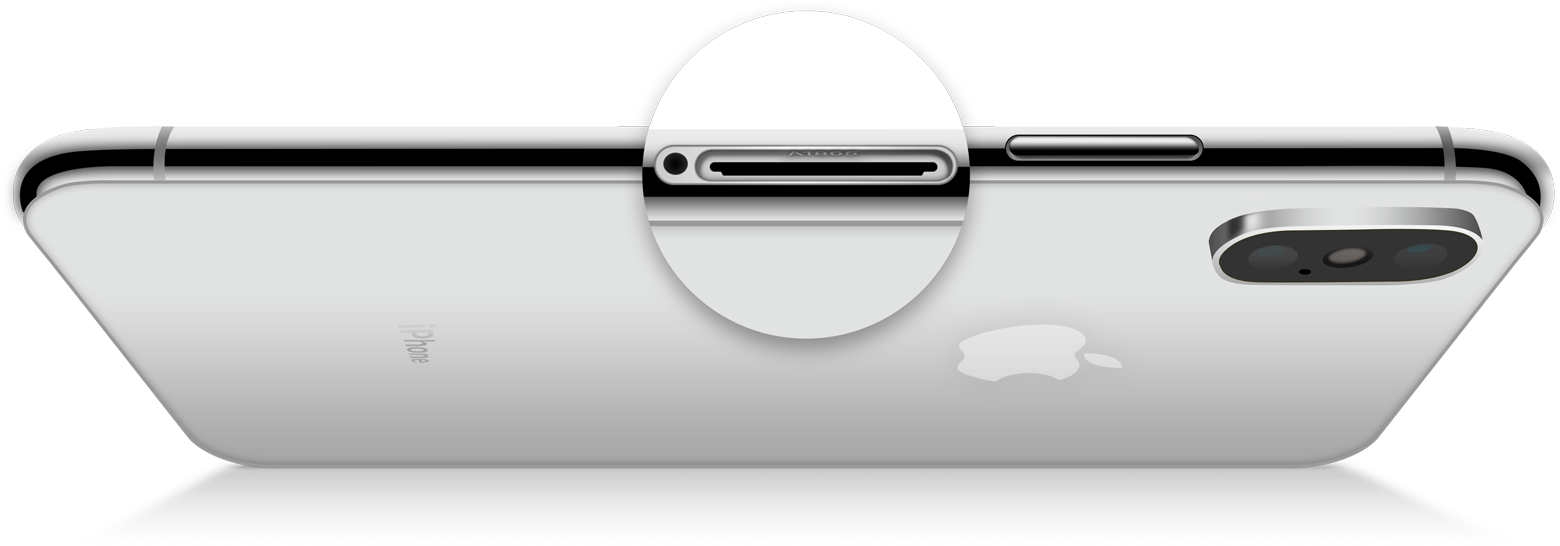
Check the SIM tray
To find the model number on an iPhone 8 or later model that has a SIM tray, remove the SIM tray and look in the slot. Make sure you’re in a place with bright light overhead. The model number is on the upper side – the side with the display.
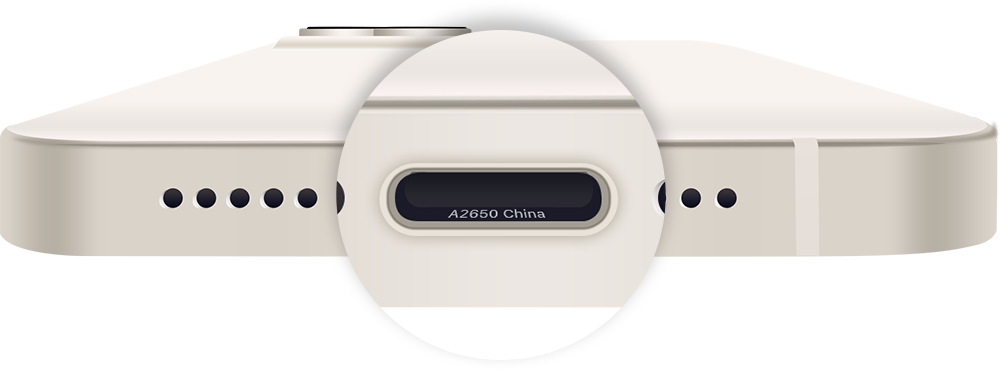
Check the USB-C or Lightning connector
If you have an iPhone without a SIM tray or an iPad that doesn't show the model number on the back, look in the USB-C or Lightning connector. Make sure you’re in a place with bright light overhead. Find the model number on the upper side of the connector – the side with the display.