Mini DisplayPort to Dual-Link DVI Adapter: Resolving flickering and wake from sleep issues
Learn what to do if you encounter continuous flickering on your monitor or if you have issues when waking your Mac from sleep while using a Mini DisplayPort to Dual-Link DVI Adapter.
These issues may occasionally occur with some LCD monitors connected to a computer using a Mini DisplayPort to Dual-Link DVI Adapter with version 1.01 or 1.02 firmware. If you have these issues and your adapter firmware version is 1.01 or 1.02, you should replace your adapter with one that has firmware version 1.03. Do this by contacting AppleCare, visiting an Apple Authorized Service Provider, or visiting an Apple Retail Store. If you plan to visit an Apple Retail Store, make a reservation at the Genius Bar using (available in some countries only).
Follow these steps to determine the firmware version on your Mini DisplayPort to Dual-Link DVI Adapter:
Use the Mini DisplayPort to Dual-Link DVI Adapter to connect a working display to your Mac.
Choose About this Mac from the the Apple menu.
Click More Info and then click the System Report button
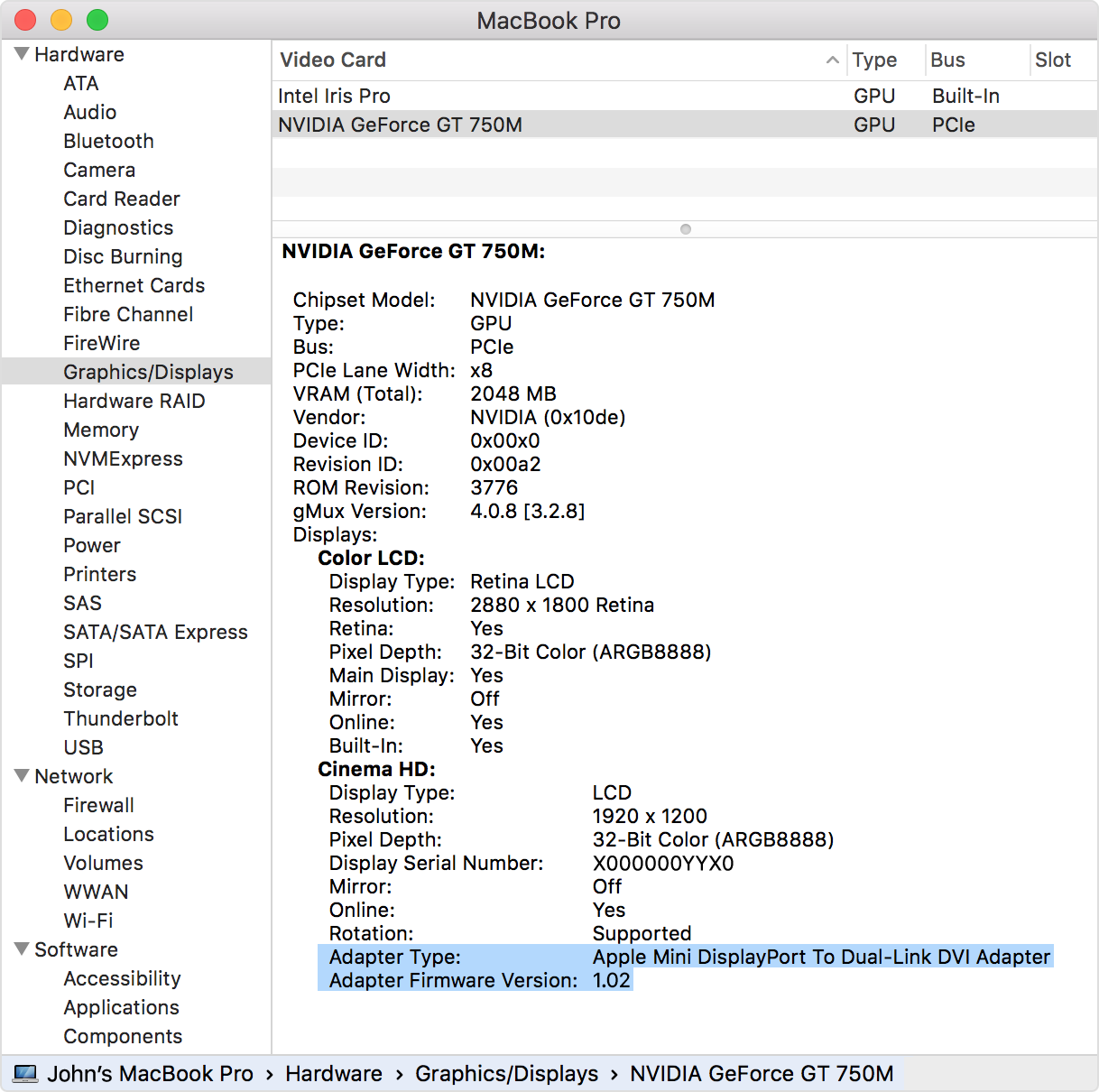
Find the adapter firmware version in the Graphics/Displays section under Hardware (shown in the image below). For computers with multiple video cards, scroll down to locate the graphics card where the Dual-Link DVI adapter and display are connected.