Follow and play shows in Apple Podcasts on iPhone and iPad
Follow your favorite podcasts and control how you listen with playback speed, skip, and more.
How to follow podcasts on iPhone or iPad
When you follow a podcast, new episodes automatically download to your device. You can also get notified when new episodes are released.
Open the Podcasts app.
Browse or search for a show. Need help finding the shows that you like?
Tap the show to see its information page.
Tap the Follow button.
To find the podcasts that you follow or the ones that you've manually added through a URL, go to the Library tab. Then tap Shows and tap Followed.
Want to listen to premium podcast content? Learn how to purchase Apple Podcasts Subscriptions.
How to unfollow podcasts on iPhone or iPad
Open the Podcasts app.
On your iPhone, go to the Library tab and tap Shows. On your iPad, go to Library in the sidebar and tap Shows.
Tap a show to see its information page.
Tap the More button
 .
.Tap Unfollow Show
 .
.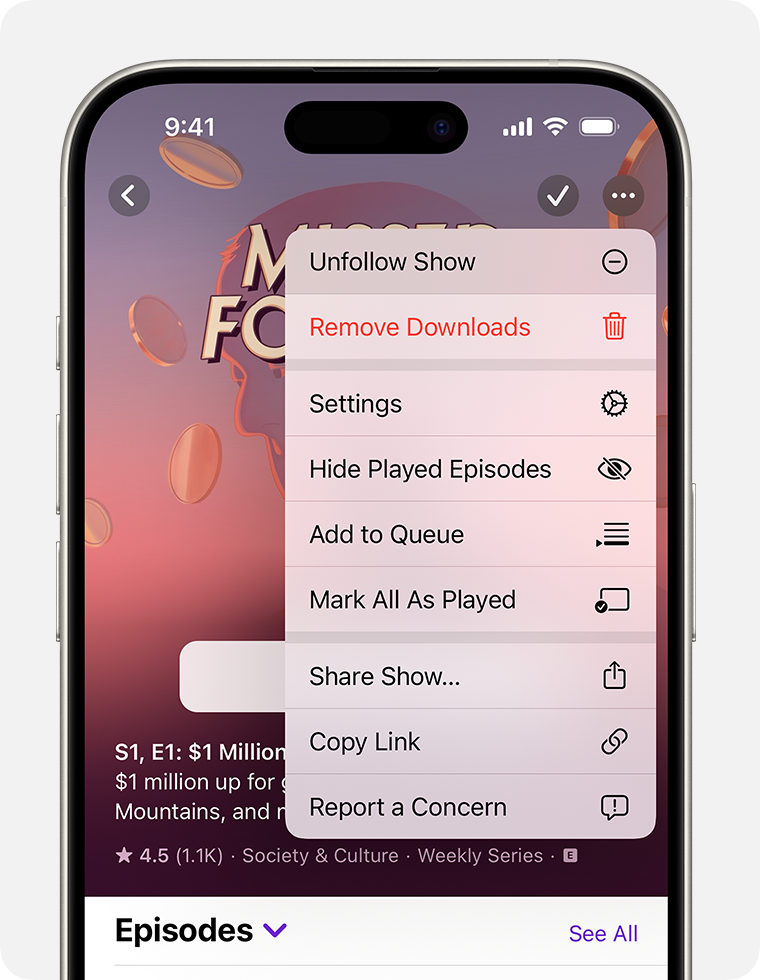
If you have episodes downloaded, you can choose to keep all your downloaded episodes, or remove them from your Library. If you choose Keep All Episodes, new episodes won't download, but episodes that are already in your Library won't be deleted.
If you unfollow a show with premium content, your subscription is still active. Learn how to cancel a subscription.
How to choose the order that episodes play
When you follow a podcast, you can play episodes in order, beginning with the newest or oldest episode.
Open the Podcasts app.
On your iPhone, go to the Library tab, then tap Shows. On your iPad, go to Library in the sidebar and tap Shows.
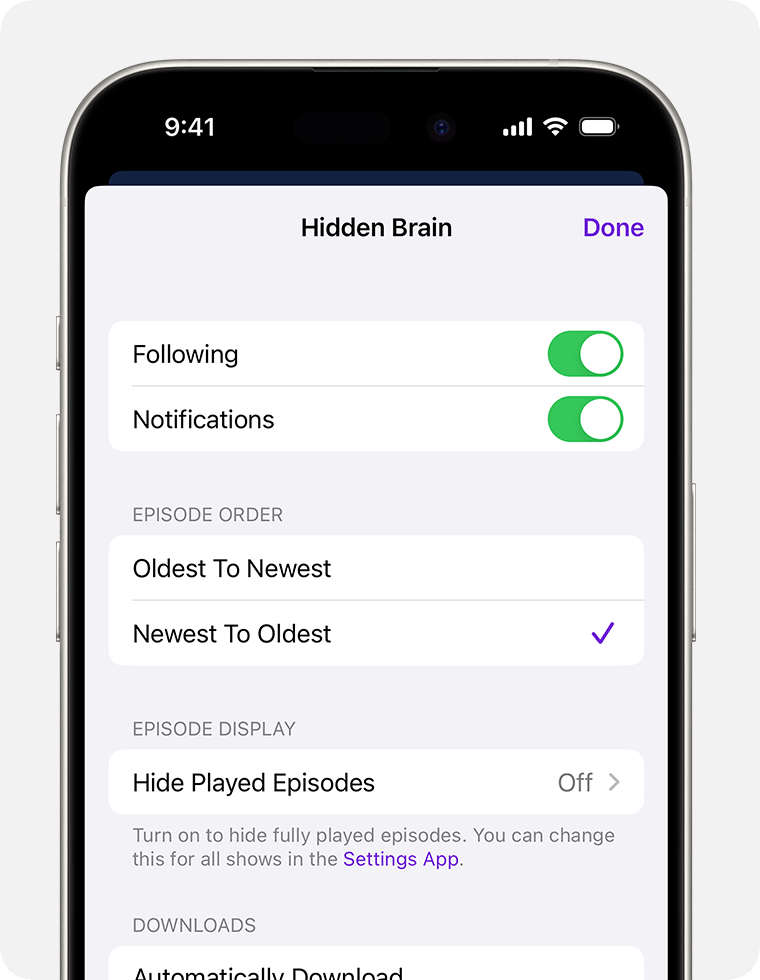
Tap the show to see its information page.
Tap the More button
in the top-right corner, then tap Settings.Tap Oldest To Newest or Newest To Oldest.
After an episode ends, the next episode of that podcast plays automatically. To turn this off, go to Settings > Podcasts, then turn off Continuous Playback.
How to filter seasons and episodes
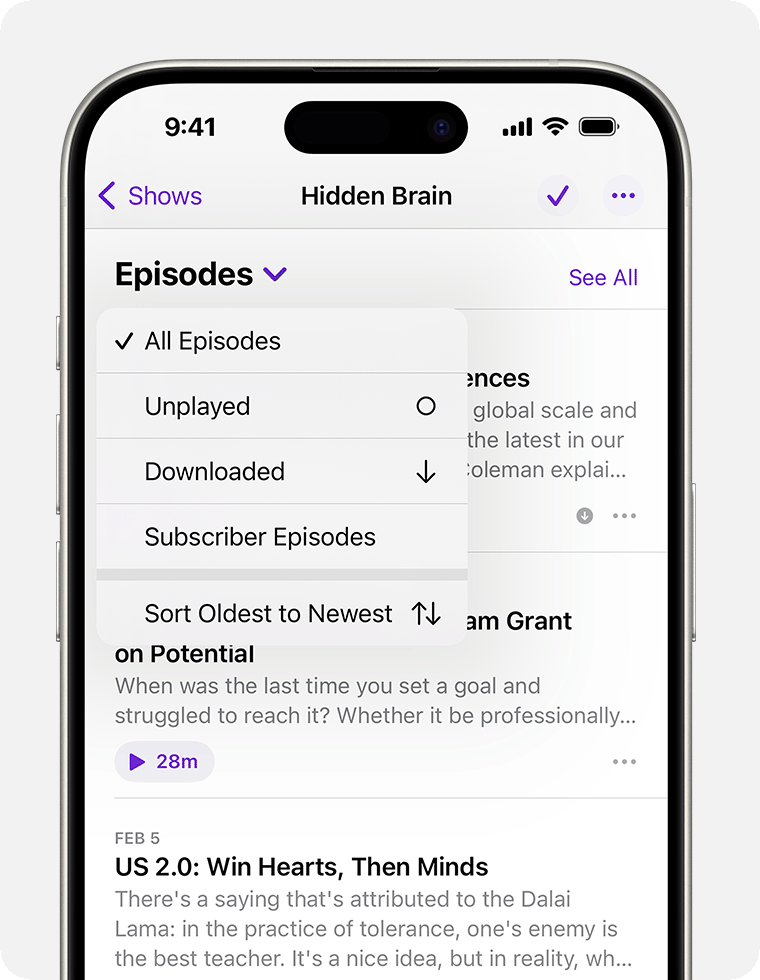
For podcasts that have seasons, you can filter by season. If you follow a podcast, or have saved or downloaded episodes, you can also filter to see only your unplayed episodes, downloads, and more.
Open the Podcasts app.
On your iPhone, go to the Library tab, then tap Shows. On your iPad, go to Library in the sidebar and tap Shows.
Tap the show to see its information page.
Tap Seasons or Episodes, then choose a filter.
How to speed up or slow down a podcast episode
Open the Podcasts app and start listening to an episode.
Tap the mini player at the bottom of the screen to expand the audio controls.
Tap the Playback Speed button
 , then choose a speed from the menu that appears.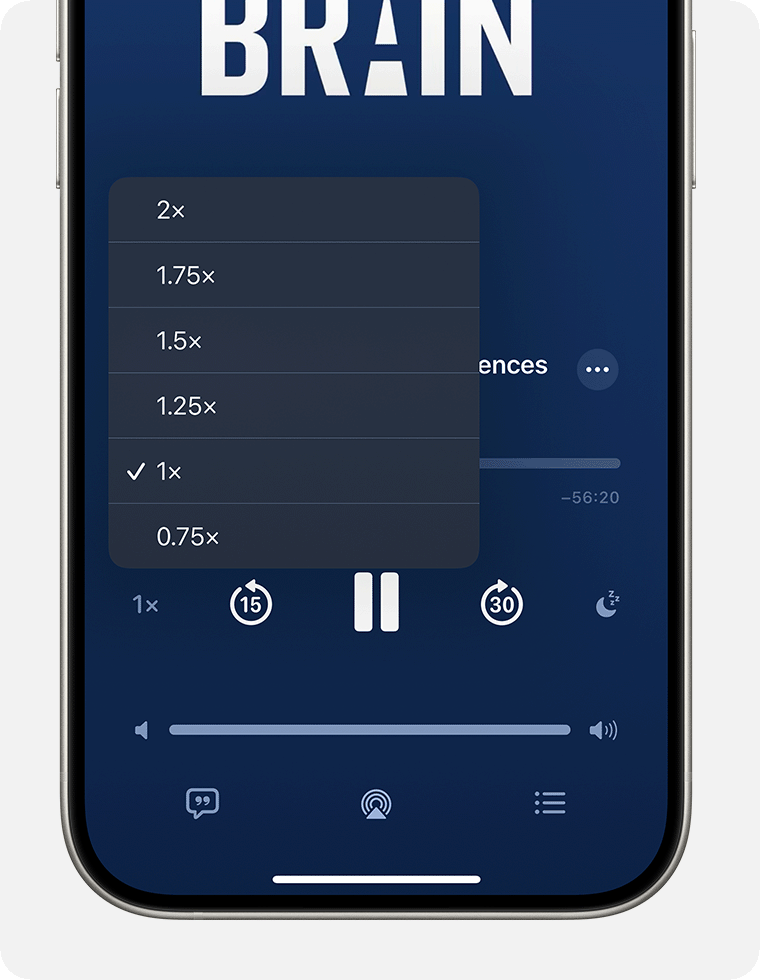
How to view podcast transcripts
Open the Podcasts app and start listening to an episode.
Tap the mini player at the bottom of the screen to expand the audio controls.
Tap the Transcript button
 . If the Transcript button is grayed out, transcripts are not available for that episode.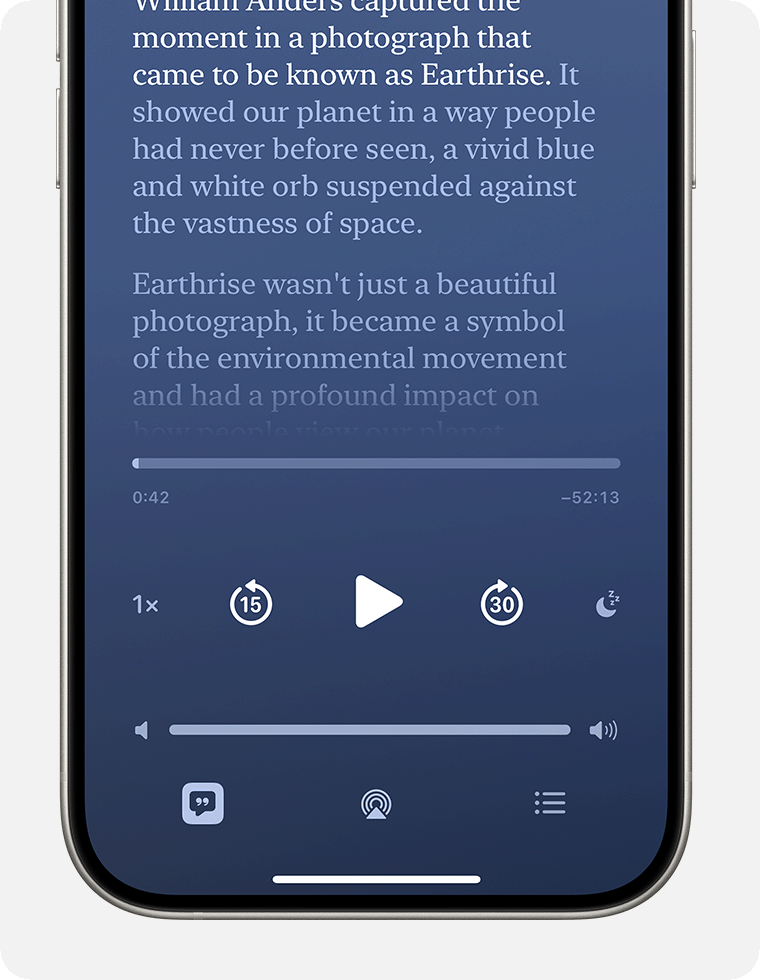
In the transcript view you can:
Follow along with your favorite shows while reading time-synced transcripts.
Scroll forwards and backwards through the podcast and tap to play the section you want to listen to.
Tap Search to find specific words and go directly to those sections.
Report an issue with the transcript by press and holding the section, tap Report a Concern, then follow the onscreen steps.


