Nano-SIM card
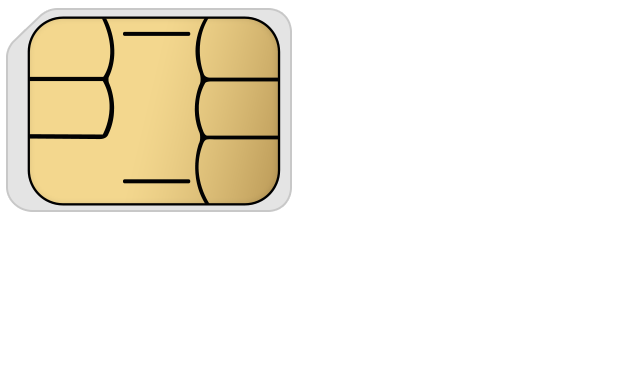
iPhone
- iPhone 14, iPhone 14 Plus, iPhone 14 Pro, iPhone 14 Pro Max (models purchased outside the United States)*
- iPhone 13, iPhone 13 mini, iPhone 13 Pro, iPhone 13 Pro Max
- iPhone 12, iPhone 12 mini, iPhone 12 Pro, iPhone 12 Pro Max
- iPhone SE (3rd generation), iPhone SE (2nd generation)
- iPhone 11, iPhone 11 Pro, iPhone 11 Pro Max
- iPhone XS, iPhone XS Max
- iPhone XR
- iPhone X
- iPhone 8, iPhone 8 Plus
- iPhone 7, iPhone 7 Plus
- iPhone 6s, iPhone 6s Plus
- iPhone 6, iPhone 6 Plus
- iPhone SE (1st generation)
- iPhone 5s, iPhone 5c, iPhone 5
iPad
- iPad (5th generation and later)
- iPad Pro (all models)
- iPad Air (all models)
- iPad mini (all models)

Micro-SIM card
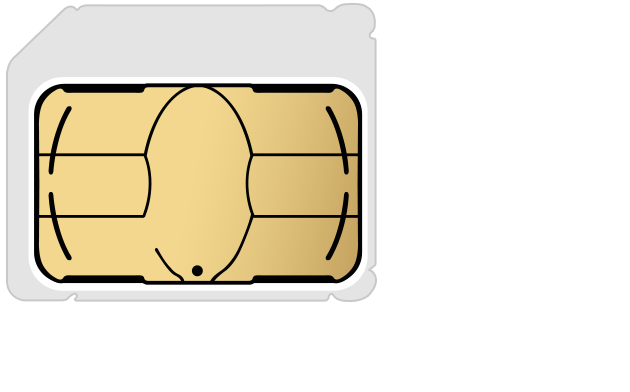
iPhone
- iPhone 4s
- iPhone 4
iPad
- iPad (4th generation)
- iPad (3rd generation)
- iPad 2
- iPad
SIM card
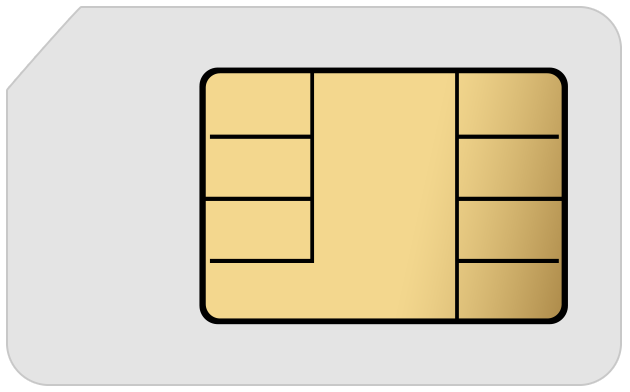
iPhone
- iPhone 3GS
- iPhone 3G
- iPhone
eSIM
In some countries and regions, certain iPhone models feature an eSIM.
You can activate a cellular plan on an eSIM from a carrier that supports Dual SIM. iPhone 13 models and earlier also have a SIM tray for a nano-SIM card—you can use a nano-SIM card from a carrier. iPhone 13 models support Dual eSIM.
You can set up a cellular data plan with an eSIM with certain iPad models.
Learn more
- Identify your iPhone or iPad model.
- Remove or switch your iPhone SIM card or iPad SIM card.
- Damage to the SIM tray or the device caused by a modified SIM card isn't covered by Apple's hardware warranty. If you cut or modify your SIM card to fit a different device model, you might not be able to connect to cellular networks or access certain features using that device.
- If you get a new iPhone and your old SIM card won't fit, contact your carrier to move your account to the SIM card that came with your iPhone. Or ask how to get a new SIM card if your iPhone didn't come with one.
* In the United States, iPhone 14 models don't have a physical SIM. They use eSIM instead.