Use emoji on your iPhone, iPad, and iPod touch
With a tap of your finger, you can bring words to life with emoji.
Add an emoji
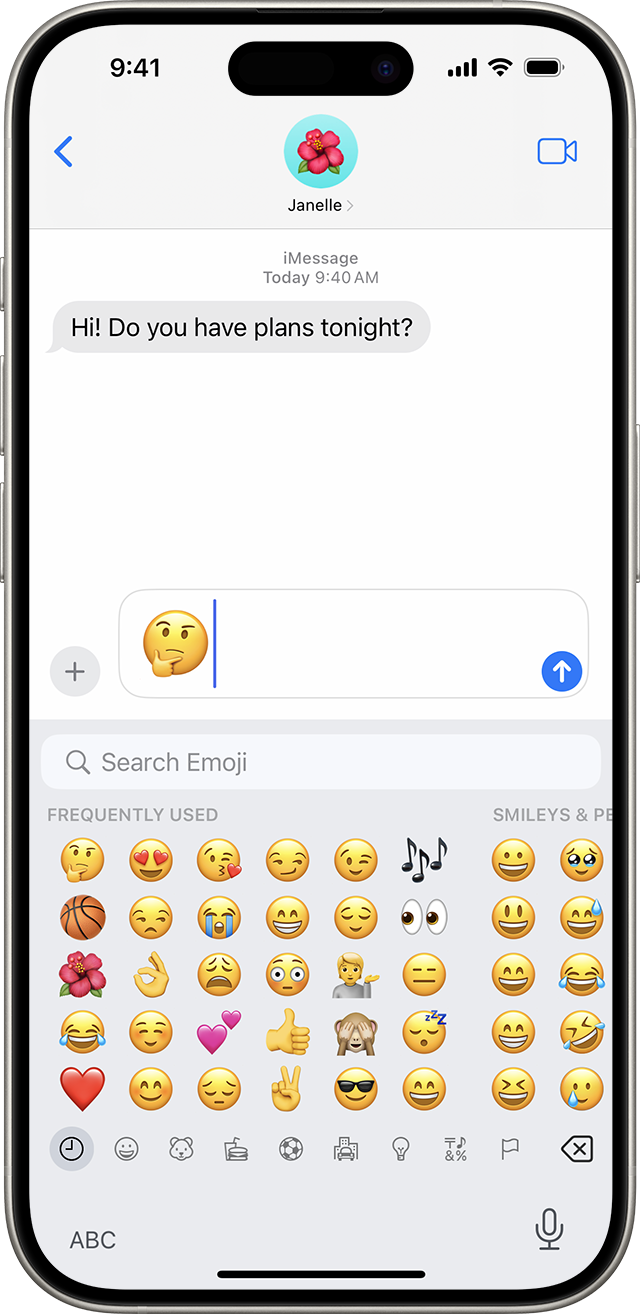
Find the emoji keyboard in any app that uses the standard keyboard, like Mail or Messages. To add an emoji:
Tap the text field, then tap the Emoji button
 or the globe
 .
. Tap the gray icons at the bottom of the keyboard to switch emoji themes, or swipe left or right to view more. Tap the clock
 to see emoji that you've recently used. You can also search for the emoji you want to add in the "Search Emoji" field.
 To change the skin tone of certain emoji, touch and hold an emoji.
Tap an emoji to add it to your text field.
Tap to replace words with emoji
The Messages app shows you words that you can replace with emoji.
Open Messages and tap the Compose button
 to start a new message or go to an existing conversation.
Write your message, then tap the Emoji button
or the globe on your keyboard.Wait for the words to turn orange.
Tap an orange word to replace it with an emoji. If there's more than one emoji that you can use, the Quick Reply field shows you options to choose from.
Tap the Send button
 to send.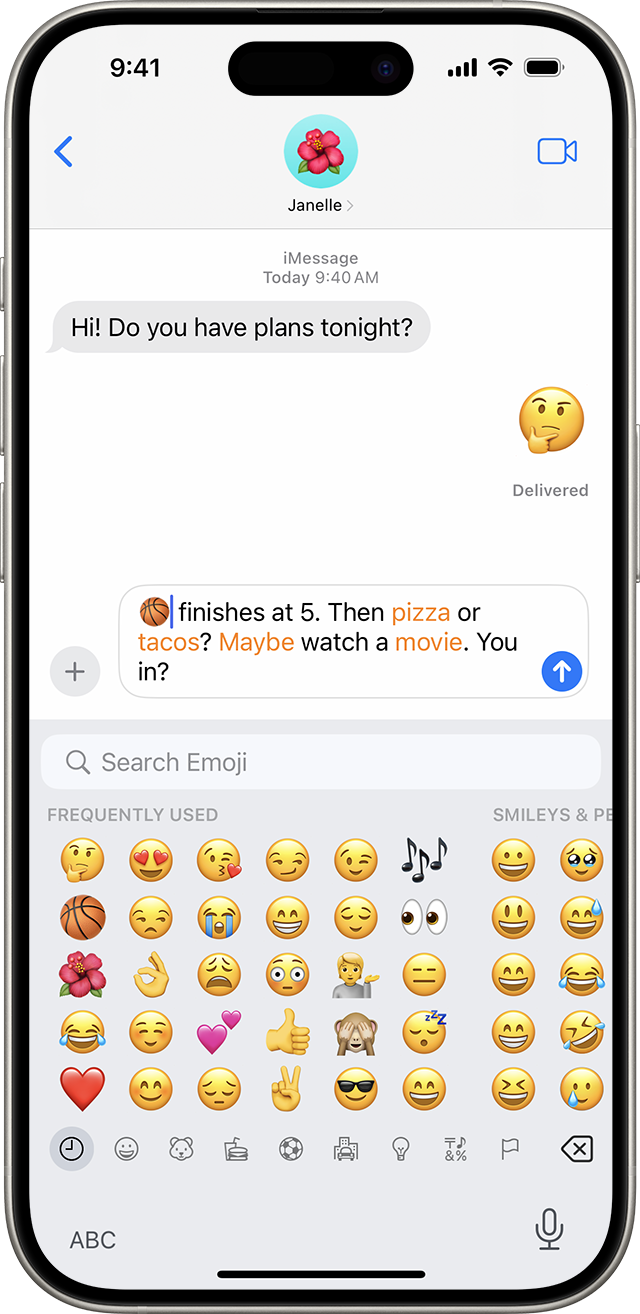
If you want to replace the emoji with the original word, just tap the emoji.
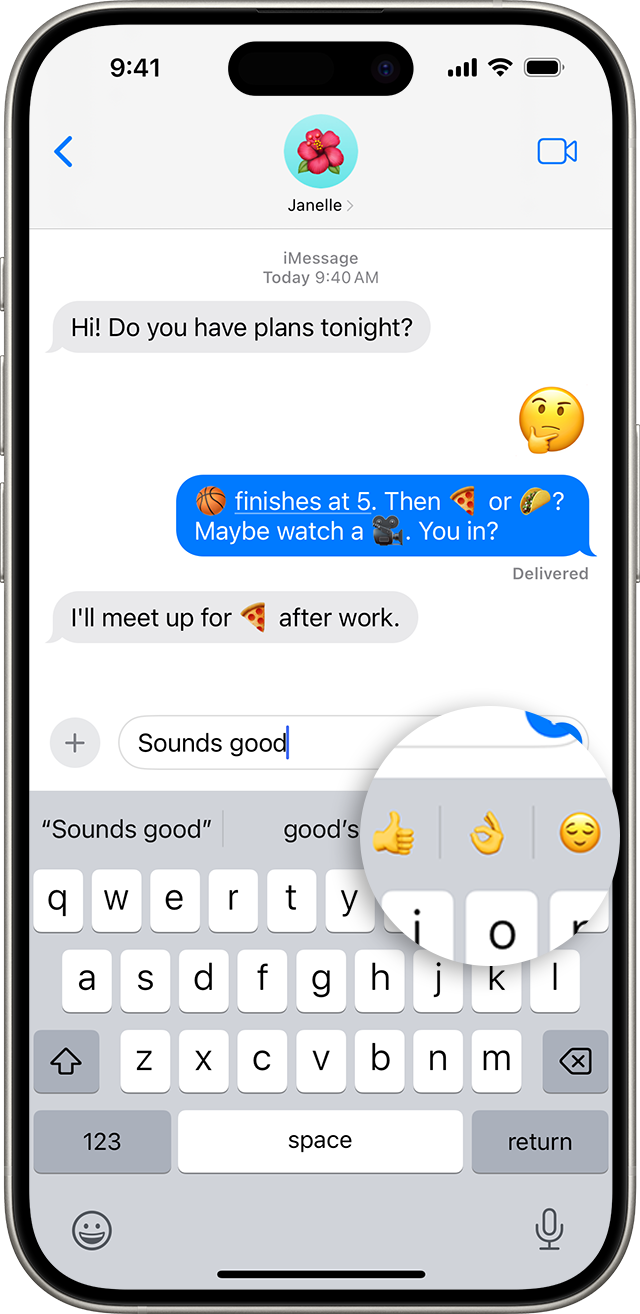
Use Predictive emoji
With predictive text, you can write and complete entire sentences with just a tap. As you type, you see choices for words and phrases you might type next, based on your past conversations and writing style. You also see suggestions for emoji that you may want to use. To use a Predictive emoji, write your message and look for the suggested emoji in the predictive input field, then tap it to replace the word or add an emoji.
To turn off Predictive text, touch and hold the Emoji button or the globe, tap Keyboard Settings, then turn off Predictive.
Don't see the emoji keyboard?
If you don't see the emoji keyboard:
Go to Settings > General and tap Keyboard.
Tap Keyboards, then tap Add New Keyboard.
Tap Emoji.
Learn more
Learn how to create a Memoji to match your personality or mood, all from the Messages app.