Identify your iPad model
Find out which iPad model you have.
Find the model number
Use the model number to find out which model iPad you have. Learn how to find the model number of your iPad. Then find the model number in the list below.
iPad Pro 13-inch (M5)

Year: 2025
Capacity: 256 GB, 512 GB, 1 TB, 2 TB
Model number:
A3360 on iPad Pro 13-inch (M5) Wi-Fi
A3361 on iPad Pro 13-inch (M5) Wi-Fi + Cellular
A3362 on iPad Pro 13-inch (M5) Wi-Fi + Cellular (China mainland only)
Black front bezel
Ultra Retina XDR display
Nano-texture display glass option on 1 TB and 2 TB models
No nano-SIM tray, eSIM only
Cameras:
Front: Ultra Wide on landscape edge
Back: Wide
LiDAR Scanner
Face ID sensor
Rear-facing ambient light sensor
See the tech specs for iPad Pro 13-inch (M5).
iPad Pro 11-inch (M5)

Year: 2025
Capacity: 256 GB, 512 GB, 1 TB, 2 TB
Model number:
A3357 on iPad Pro 11-inch (M5) Wi-Fi
A3358 on iPad Pro 11-inch (M5) Wi-Fi + Cellular
A3359 on iPad Pro 11-inch (M5) Wi-Fi + Cellular (China mainland only)
Black front bezel
Ultra Retina XDR display
Nano-texture display glass option on 1 TB and 2 TB models
No nano-SIM tray, eSIM only
Cameras:
Front: Ultra Wide on landscape edge
Back: Wide
LiDAR Scanner
Face ID sensor
Rear-facing ambient light sensor
See the tech specs for iPad Pro 11-inch (M5).
iPad Pro 13-inch (M4)
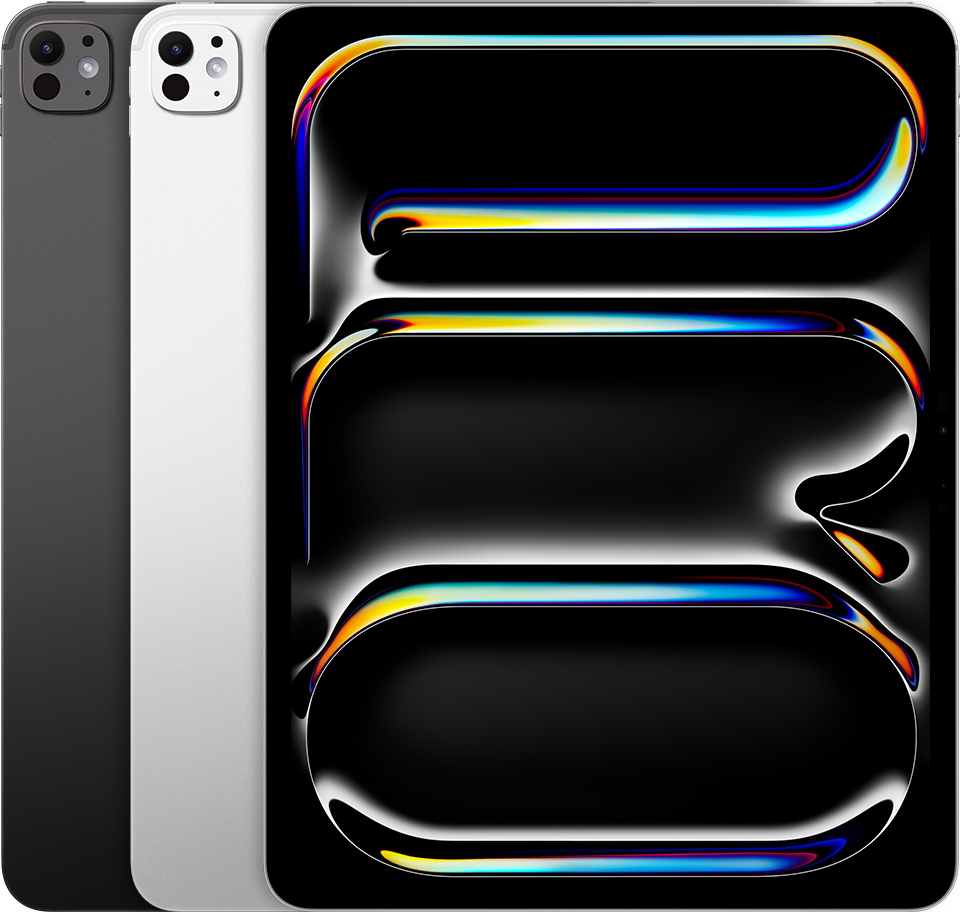
Year: 2024
Capacity: 256 GB, 512 GB, 1 TB, 2 TB
Model number (on the back cover):
A2925 on iPad Pro 13-inch (M4) Wi-Fi
A2926 on iPad Pro 13-inch (M4) Wi-Fi + Cellular
A3007 on iPad Pro 13-inch (M4) Wi-Fi + Cellular (China mainland only)
Black front bezel
Ultra Retina XDR display
Nano-texture display glass option on 1 TB and 2 TB models
No nano-SIM tray, eSIM only
Cameras:
Front: Ultra Wide on landscape edge
Back: Wide
LiDAR Scanner
Face ID sensor
Rear-facing ambient light sensor
See the tech specs for iPad Pro 13-inch (M4).
iPad Pro 11-inch (M4)

Year: 2024
Capacity: 256 GB, 512 GB, 1 TB, 2 TB
Model number (on the back cover):
A2836 on iPad Pro 11-inch (M4) Wi-Fi
A2837 on iPad Pro 11-inch (M4) Wi-Fi + Cellular
A3006 on iPad Pro 11-inch (M4) Wi-Fi + Cellular (China mainland only)
Black front bezel
Ultra Retina XDR display
Nano-texture display glass option on 1 TB and 2 TB models
No nano-SIM tray, eSIM only
Cameras:
Front: Ultra Wide on landscape edge
Back: Wide
LiDAR Scanner
Face ID sensor
Rear-facing ambient light sensor
See the tech specs for iPad Pro 11-inch (M4).
iPad Pro 12.9-inch (6th generation)
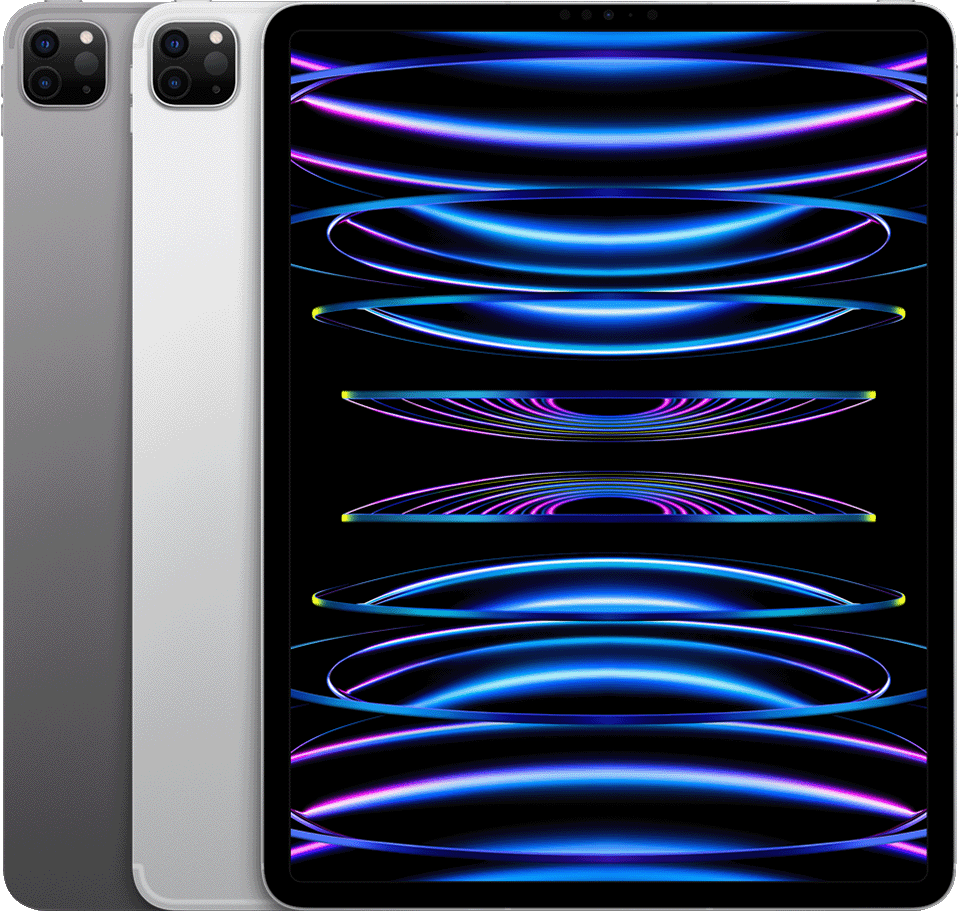
Year: 2022
Capacity: 128 GB, 256 GB, 512 GB, 1 TB, 2 TB
Model number (on the back cover):
A2436 on iPad Pro 12.9-inch (6th generation)
A2437 on iPad Pro 12.9-inch (6th generation) Wi-Fi + Cellular
A2764 on iPad Pro 12.9-inch (6th generation) Wi-Fi + Cellular with mmWave
A2766 on iPad Pro 12.9-inch (6th generation) Wi-Fi + Cellular (China mainland only)
Black front bezel
Liquid Retina XDR display
The nano-SIM tray is on the right side on iPad Pro Wi-Fi + Cellular
Cameras:
Front: Ultra Wide
Back: Wide, Ultra Wide
LiDAR Scanner
Face ID sensor
See the tech specs for iPad Pro 12.9-inch (6th generation).
iPad Pro 11-inch (4th generation)
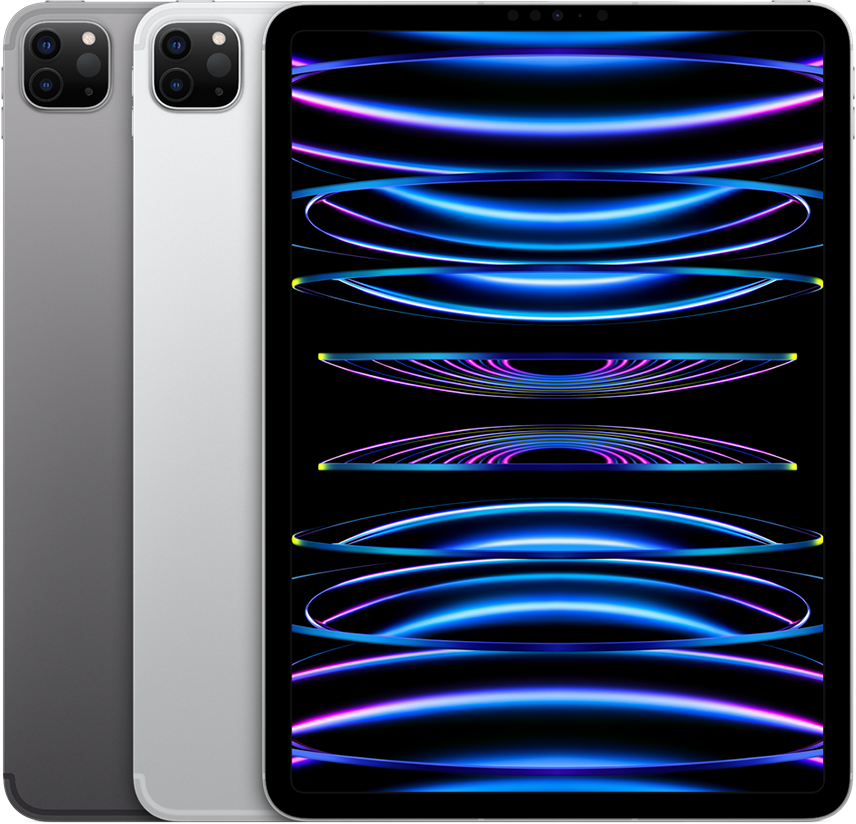
Year: 2022
Capacity: 128 GB, 256 GB, 512 GB, 1 TB, 2 TB
Model number (on the back cover):
A2759 on iPad Pro 11-inch (4th generation)
A2761 on iPad Pro 11-inch (4th generation) Wi-Fi + Cellular
A2435 on iPad Pro 11-inch (4th generation) Wi-Fi + Cellular with mmWave
A2762 on iPad Pro 11-inch (4th generation) Wi-Fi + Cellular (China mainland only)
Black front bezel
Liquid Retina display
The nano-SIM tray is on the right side on iPad Pro Wi-Fi + Cellular
Cameras:
Front: Ultra Wide
Back: Wide, Ultra Wide
LiDAR Scanner
Face ID sensor
See the tech specs for iPad Pro 11-inch (4th generation).
iPad Pro 12.9-inch (5th generation)
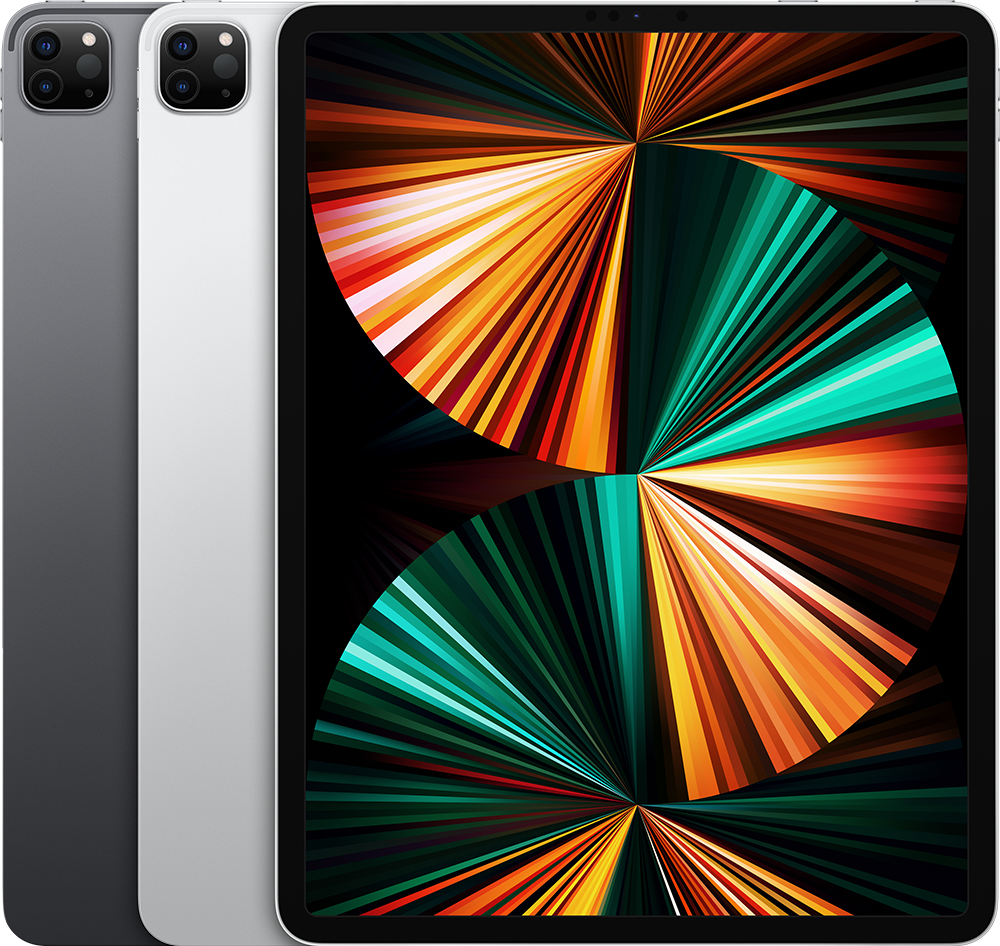
Year: 2021
Capacity: 128 GB, 256 GB, 512 GB, 1 TB, 2 TB
Model number (on the back cover):
A2378 on the iPad Pro
A2461 on the iPad Pro Wi-Fi + Cellular
A2379 on the iPad Pro Wi-Fi + Cellular with mmWave
A2462 on the iPad Pro Wi-Fi + Cellular (China mainland only)
Black front bezel
Liquid Retina XDR display
The nano-SIM tray is on the right side on iPad Pro Wi-Fi + Cellular
Front TrueDepth camera, Wide camera, Ultra Wide camera
LiDAR Scanner
Face ID sensor
See the tech specs for iPad Pro 12.9-inch (5th generation).
iPad Pro 11-inch (3rd generation)
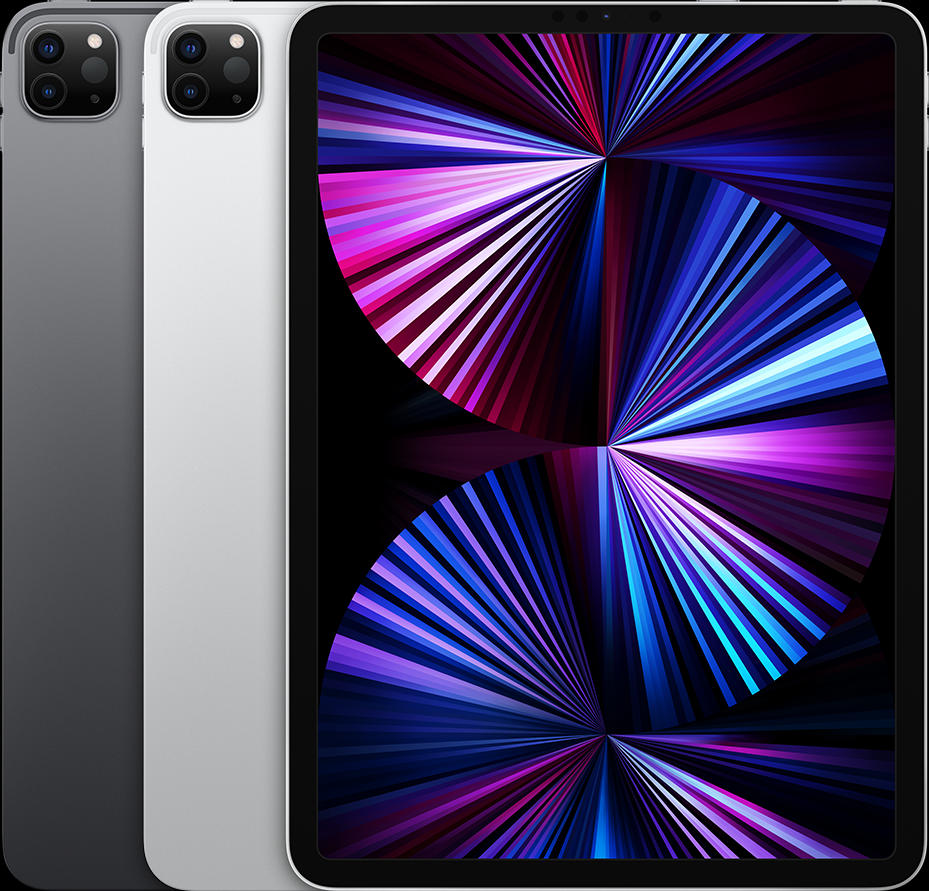
Year: 2021
Capacity: 128 GB, 256 GB, 512 GB, 1 TB, 2 TB
Model number (on the back cover):
A2377 on the iPad Pro
A2459 on the iPad Pro Wi-Fi + Cellular
A2301 on the iPad Pro Wi-Fi + Cellular with mmWave
A2460 on the iPad Pro Wi-Fi + Cellular (China mainland only)
Black front bezel
Liquid Retina display
The nano-SIM tray is on the right side on iPad Pro Wi-Fi + Cellular
Front TrueDepth camera, Wide camera, Ultra Wide camera
LiDAR Scanner
Face ID sensor
See the tech specs for iPad Pro 11-inch (3rd generation).
iPad Pro 12.9-inch (4th generation)
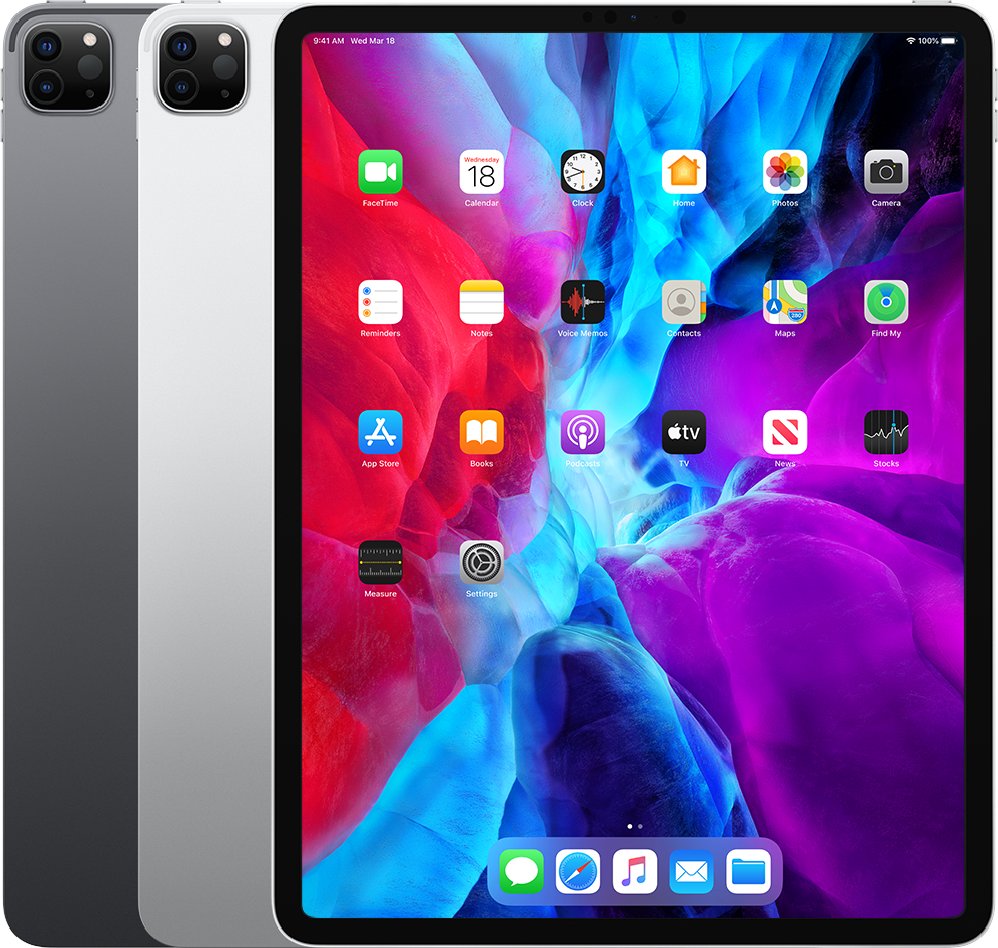
Year: 2020
Capacity: 128 GB, 256 GB, 512 GB, 1 TB
Model number (on the back cover):
A2229 on the iPad Pro
A2069, A2232 on the iPad Pro Wi-Fi + Cellular
A2233 on the iPad Pro Wi-Fi + Cellular (China mainland only)
Black front bezel
The nano-SIM tray is on the right side on iPad Pro Wi-Fi + Cellular
Front TrueDepth camera, Wide camera, Ultra Wide camera
LiDAR Scanner
Face ID sensor
See the tech specs for iPad Pro 12.9-inch (4th generation).
iPad Pro 11-inch (2nd generation)
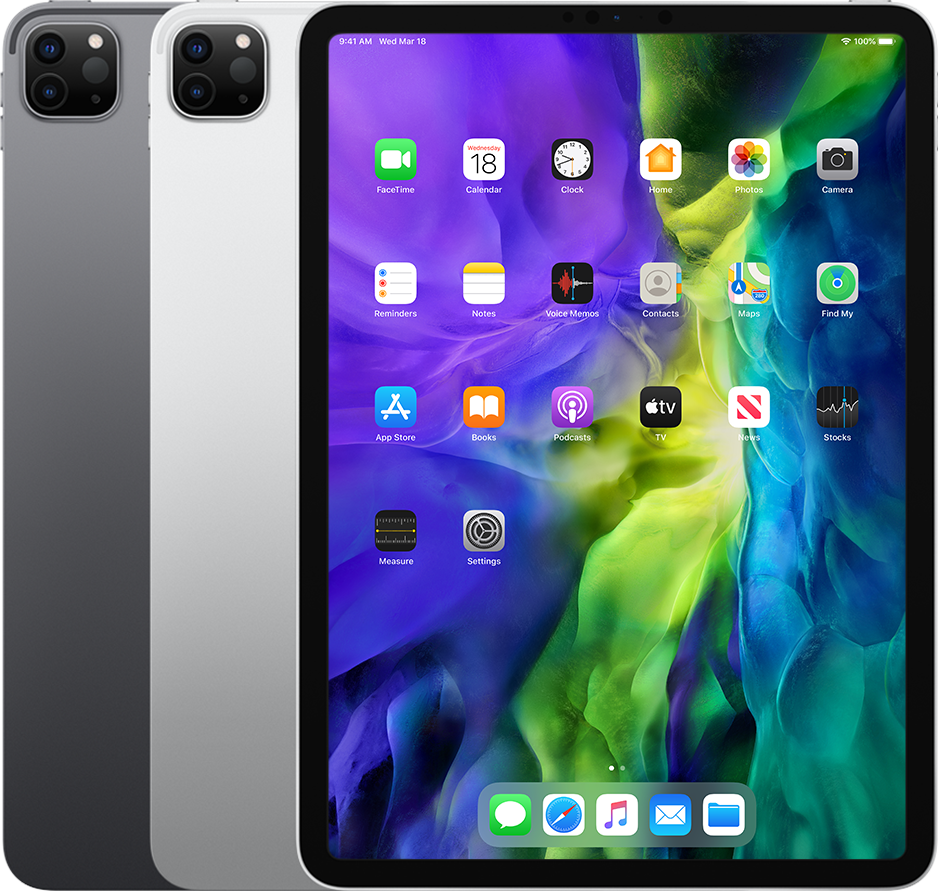
Year: 2020
Capacity: 128 GB, 256 GB, 512 GB, 1 TB
Model number (on the back cover):
A2228 on the iPad Pro
A2068, A2230 on the iPad Pro Wi-Fi + Cellular
A2231 on the iPad Pro Wi-Fi + Cellular (China mainland only)
Black front bezel
The nano-SIM tray is on the right side on iPad Pro Wi-Fi + Cellular
Front TrueDepth camera, Wide camera, Ultra Wide camera
LiDAR Scanner
Face ID sensor
See the tech specs for iPad Pro 11-inch (2nd generation).
iPad Pro 12.9-inch (3rd generation)
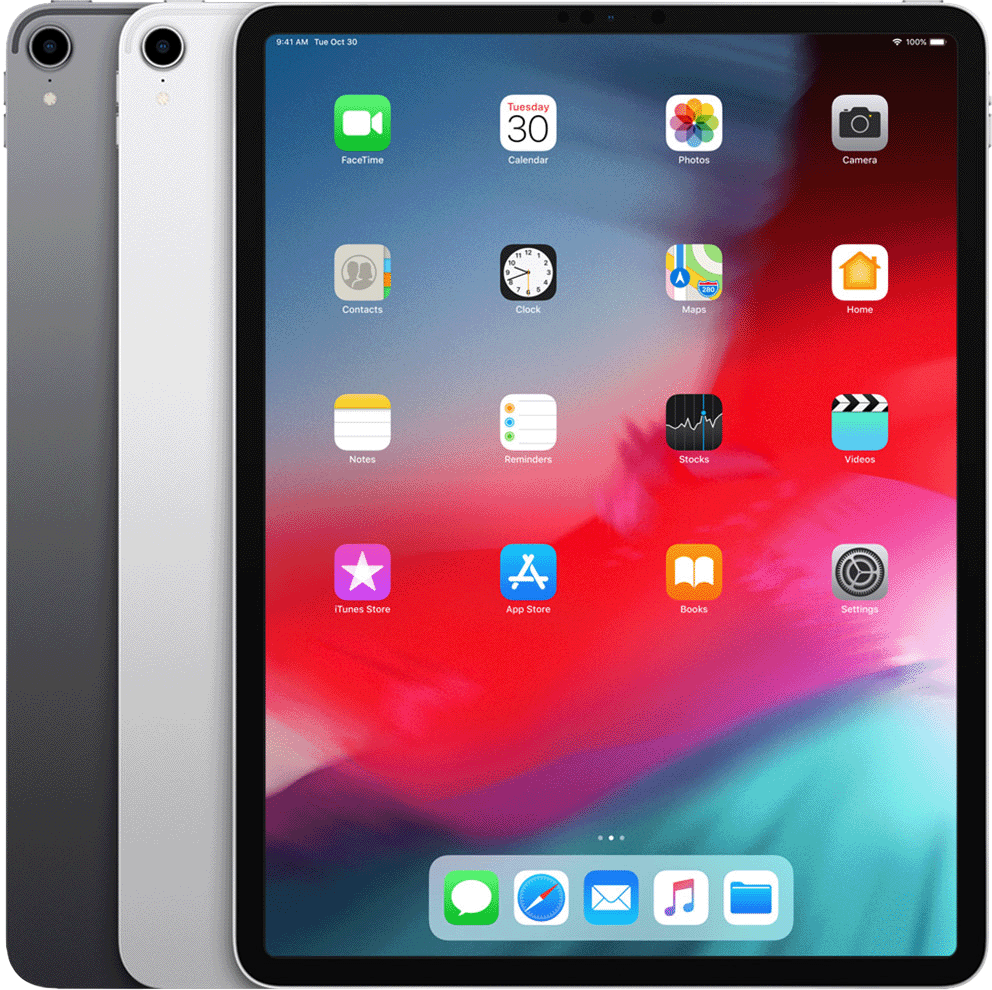
Year: 2018
Capacity: 64 GB, 256 GB, 512 GB, 1 TB
Model number (on the back cover):
A1876 on the iPad Pro
A2014, A1895 on the iPad Pro Wi-Fi + Cellular
A1983 on the iPad Pro Wi-Fi + Cellular (China mainland only)
Black front bezel
The nano-SIM tray is on the right side on iPad Pro Wi-Fi + Cellular
Front TrueDepth camera and back camera
Face ID sensor
See the tech specs for iPad Pro 12.9-inch (3rd generation).
iPad Pro 11-inch
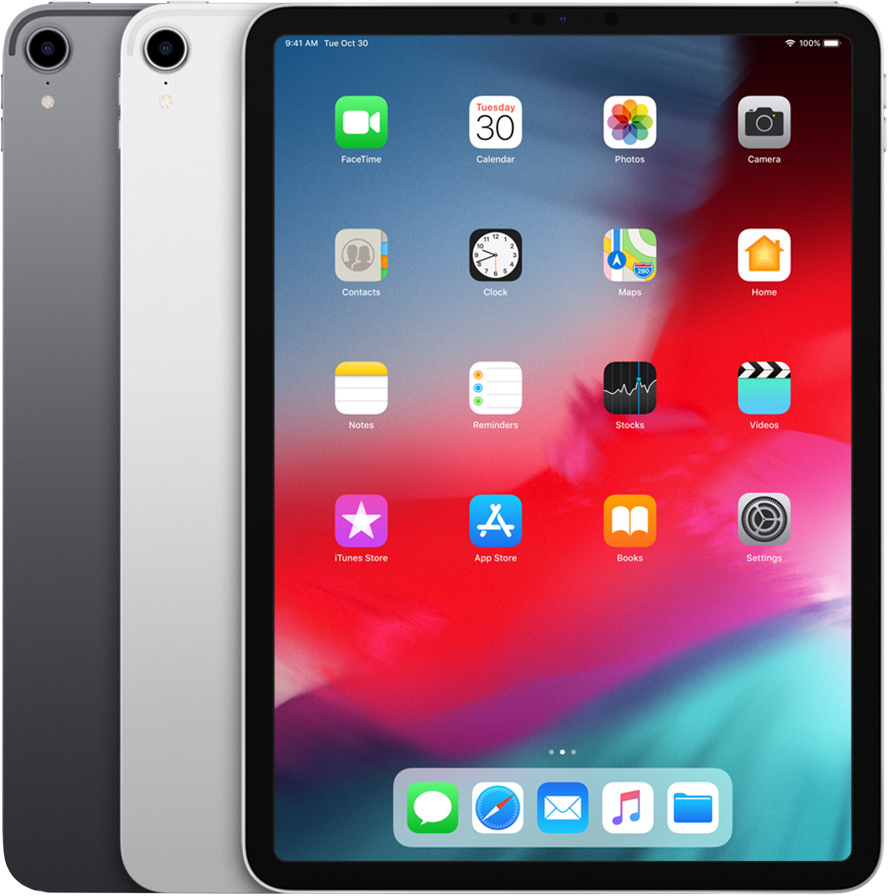
Year: 2018
Capacity: 64 GB, 256 GB, 512 GB, 1 TB
Model number (on the back cover):
A1980 on the iPad Pro
A2013, A1934 on the iPad Pro Wi-Fi + Cellular
A1979 on the iPad Pro Wi-Fi + Cellular (China mainland only)
Black front bezel
The nano-SIM tray is on the right side on iPad Pro Wi-Fi + Cellular
Front TrueDepth camera and back camera
Face ID sensor
See the tech specs for iPad Pro 11-inch.
iPad Pro 12.9-inch (2nd generation)
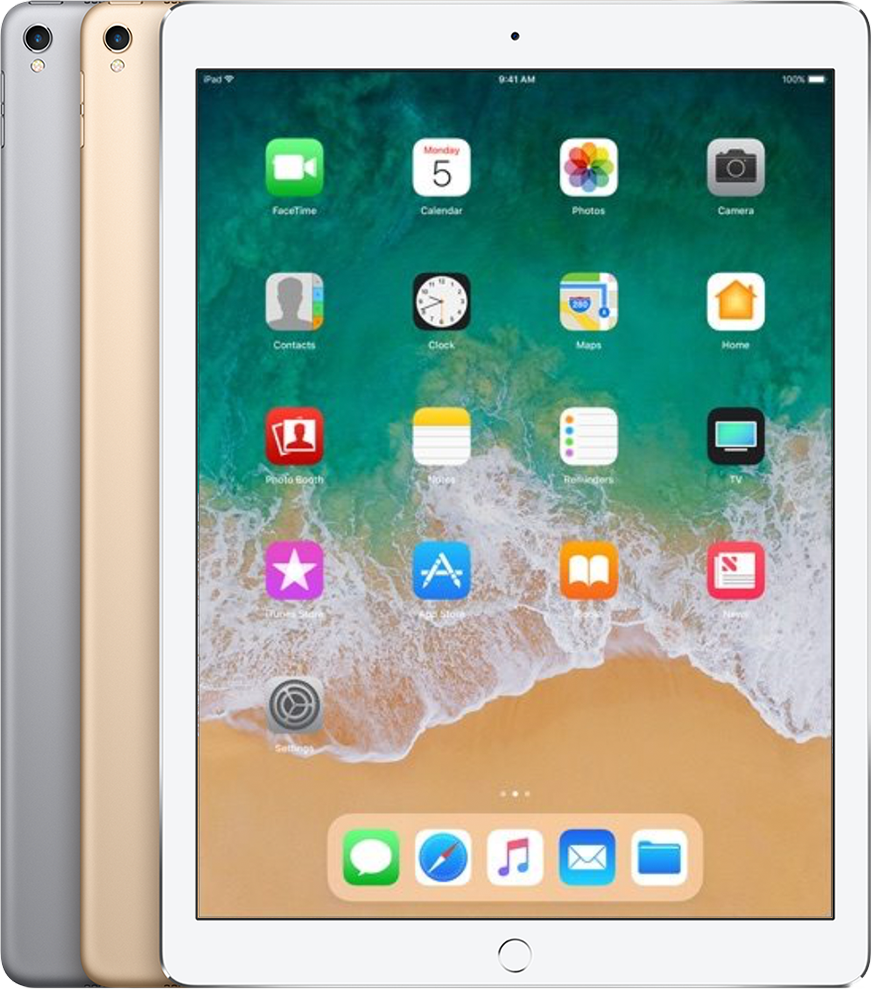
Year: 2017
Capacity: 64 GB, 256 GB, 512 GB
Model number (on the back cover):
A1670 on the iPad Pro
A1671 on the iPad Pro Wi-Fi + Cellular
A1821 on the iPad Pro Wi-Fi + Cellular (China mainland only)
White or black front bezel
The nano-SIM tray is on the right side on iPad Pro Wi-Fi + Cellular
FaceTime HD camera and iSight camera with flash*
Touch ID sensor in Home button
See the tech specs for iPad Pro 12.9-inch (2nd generation).
iPad Pro (10.5-inch)
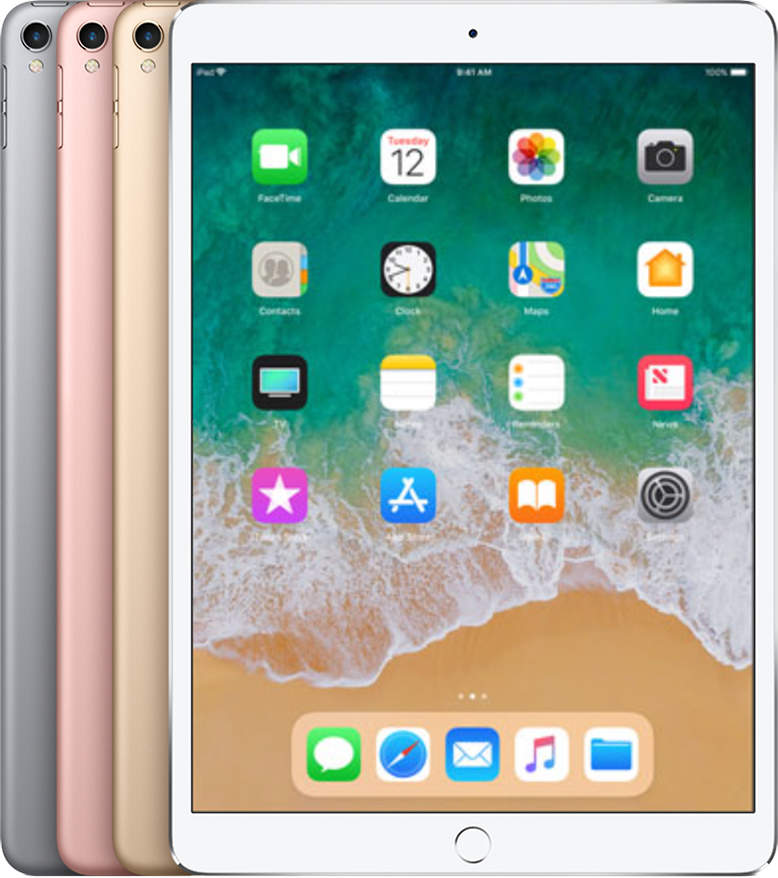
Year: 2017
Capacity: 64 GB, 256 GB, 512 GB
Model number (on the back cover):
A1701 on the iPad Pro
A1709 on the iPad Pro Wi-Fi + Cellular
A1852 on the iPad Pro Wi-Fi + Cellular (China mainland only)
White or black front bezel
The nano-SIM tray is on the right side on iPad Pro Wi-Fi + Cellular
FaceTime HD camera and iSight camera with flash*
Touch ID sensor in Home button
See the tech specs for iPad Pro (10.5-inch).
iPad Pro (9.7-inch)
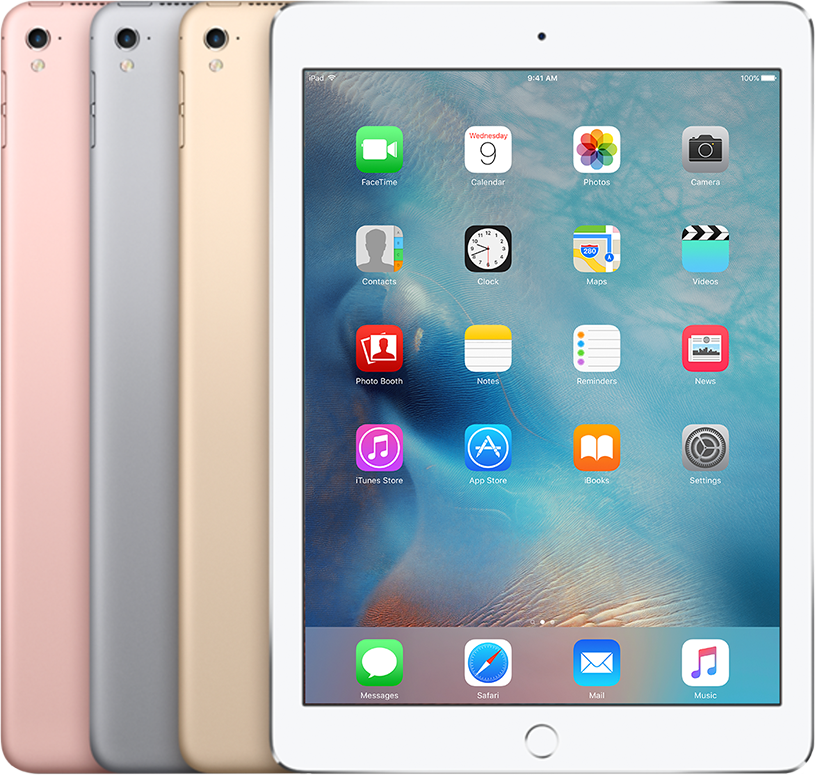
Year: 2016
Capacity: 32 GB, 128 GB, 256 GB
Model number (on the back cover):
A1673 on the iPad Pro
A1674 or A1675 on the iPad Pro Wi-Fi + Cellular
White or black front bezel
The nano-SIM tray is on the right side on iPad Pro Wi-Fi + Cellular
FaceTime HD camera and iSight camera with flash*
Touch ID sensor in Home button
See the tech specs for iPad Pro (9.7-inch).
iPad Pro (12.9-inch)
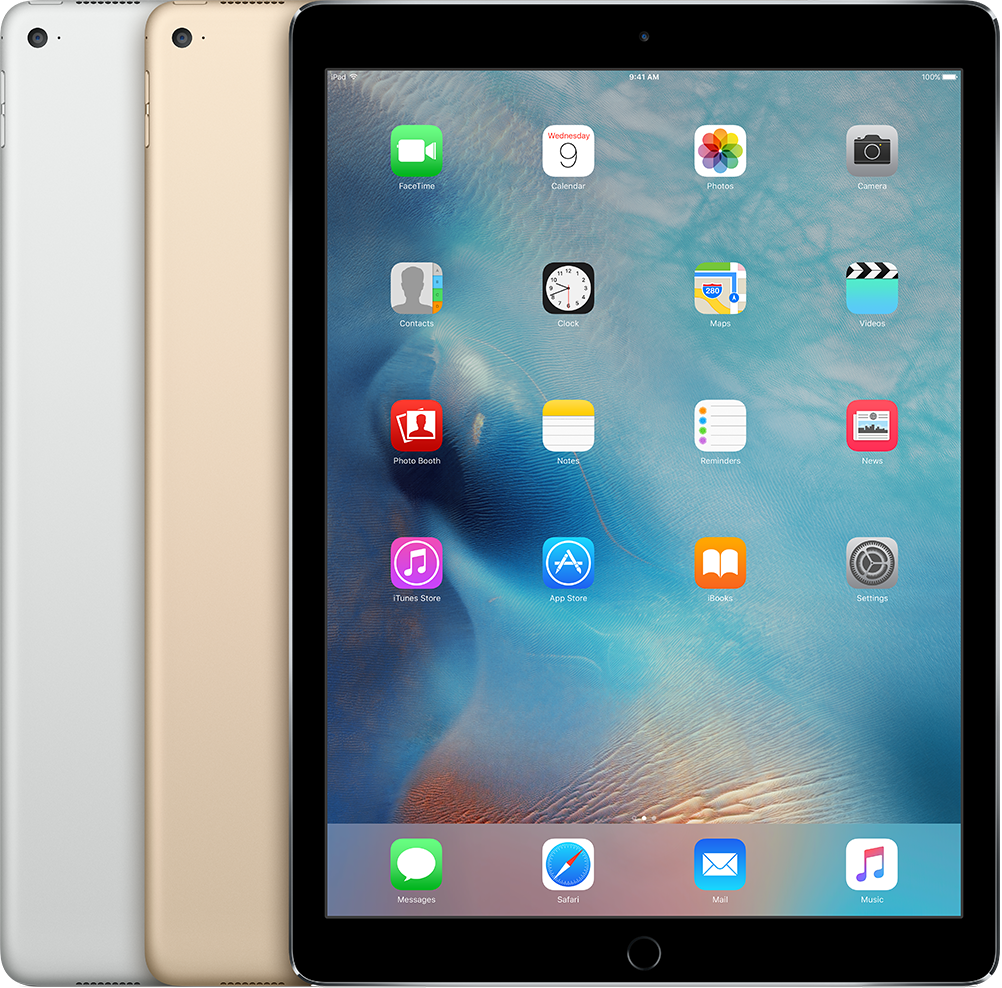
Year: 2015
Capacity: 32 GB, 128 GB, 256 GB
Model number (on the back cover):
A1584 on the iPad Pro
A1652 on the iPad Pro Wi-Fi + Cellular
White or black front bezel
The nano-SIM tray is on the right side on iPad Pro Wi-Fi + Cellular
FaceTime HD and iSight cameras*
Touch ID sensor in Home button
See the tech specs for iPad Pro (12.9-inch).
iPad Air 13‑inch (M4)

Year: 2026
Capacity: 128 GB, 256 GB, 512 GB, 1 TB
Model number:
A3461 on iPad Air 13‑inch (M4) Wi-Fi
A3462 on iPad Air 13‑inch (M4) Wi-Fi + Cellular
A3464 on iPad Air 13‑inch (M4) Wi-Fi + Cellular (China mainland only)
Liquid Retina display
No nano-SIM tray, eSIM only
Cameras:
Front: 12MP Center Stage front camera on landscape edge
Rear: Wide
Touch ID sensor in top button
See the tech specs for iPad Air 13-inch (M4).
iPad Air 11‑inch (M4)

Year: 2026
Capacity: 128 GB, 256 GB, 512 GB, 1 TB
Model number:
A3459 on iPad Air 11‑inch (M4) Wi-Fi
A3460 on iPad Air 11‑inch (M4) Wi-Fi + Cellular
A3463 on iPad Air 11‑inch (M4) Wi-Fi + Cellular (China mainland only)
Liquid Retina display
No nano-SIM tray, eSIM only
Cameras:
Front: 12MP Center Stage front camera on landscape edge
Rear: Wide
Touch ID sensor in top button
See the tech specs for iPad Air 11-inch (M4).
iPad Air 13-inch (M3)

Year: 2025
Capacity: 128 GB, 256 GB, 512 GB, 1 TB
Model number:
A3268 on iPad Air 13-inch (M3) Wi-Fi
A3269 on iPad Air 13-inch (M3) Wi-Fi + Cellular
A3271 on iPad Air 13-inch (M3) Wi-Fi + Cellular (China mainland only)
Liquid Retina display
No nano-SIM tray, eSIM only
Cameras:
Front: 12MP Center Stage front camera on landscape edge
Rear: Wide
Touch ID sensor in top button
See the tech specs for iPad Air 13-inch (M3).
iPad Air 11-inch (M3)
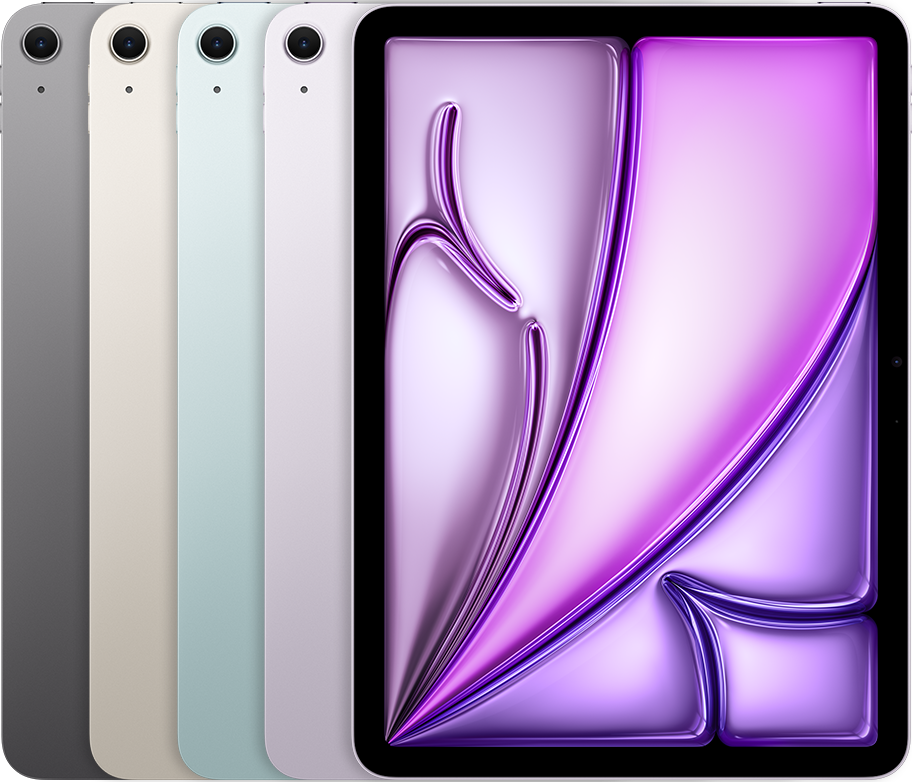
Year: 2025
Capacity: 128 GB, 256 GB, 512 GB, 1 TB
Model number:
A3266 on iPad Air 11-inch (M3) Wi-Fi
A3267 on iPad Air 11-inch (M3) Wi-Fi + Cellular
A3270 on iPad Air 11-inch (M3) Wi-Fi + Cellular (China mainland only)
Liquid Retina display
No nano-SIM tray, eSIM only
Cameras:
Front: 12MP Center Stage front camera on landscape edge
Rear: Wide
Touch ID sensor in top button
See the tech specs for iPad Air 11-inch (M3).
iPad Air 13-inch (M2)

Year: 2024
Capacity: 128 GB, 256 GB, 512 GB, 1 TB
Model number (on back cover):
A2898 on iPad Air 13-inch (M2) Wi-Fi
A2899 on iPad Air 13-inch (M2) Wi-Fi + Cellular
A2900 on iPad Air 13-inch (M2) Wi-Fi + Cellular (China mainland only)
Liquid Retina display
No nano-SIM tray, eSIM only
Cameras:
Front: Ultra Wide on landscape edge
Rear: Wide
Touch ID sensor in top button
See the tech specs for iPad Air 13-inch (M2).
iPad Air 11-inch (M2)

Year: 2024
Capacity: 128 GB, 256 GB, 512 GB, 1 TB
Model number (on back cover):
A2902 on iPad Air 11-inch (M2) Wi-Fi
A2903 on iPad Air 11-inch (M2) Wi-Fi + Cellular
A2904 on iPad Air 11-inch (M2) Wi-Fi + Cellular (China mainland only)
Liquid Retina display
No nano-SIM tray, eSIM only
Cameras:
Front: Ultra Wide on landscape edge
Rear: Wide
Touch ID sensor in top button
See the tech specs for iPad Air 11-inch (M2).
iPad Air (5th generation)
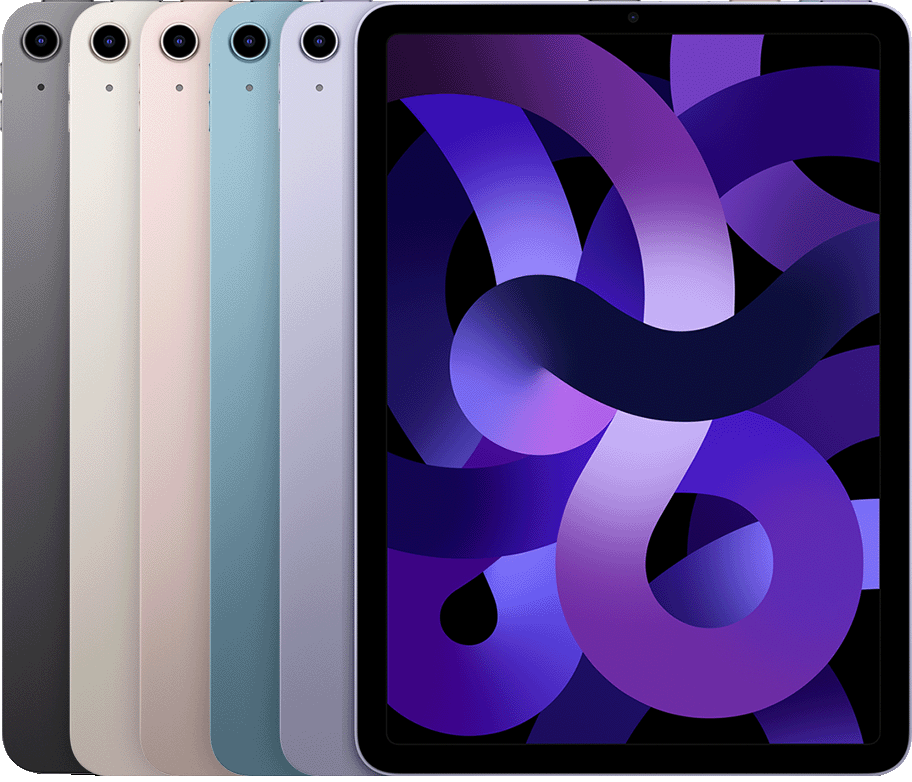
Year: 2022
Capacity: 64 GB, 256 GB
Model number (on back cover):
A2588 on iPad Air (5th generation)
A2589, A2591 on iPad Air (5th generation) Wi-Fi + Cellular
The nano-SIM tray is on the right side on iPad Air (5th generation) Wi-Fi + Cellular
FaceTime HD camera, back Wide camera*
Touch ID sensor in top button
See the tech specs for iPad Air (5th generation).
iPad Air (4th generation)
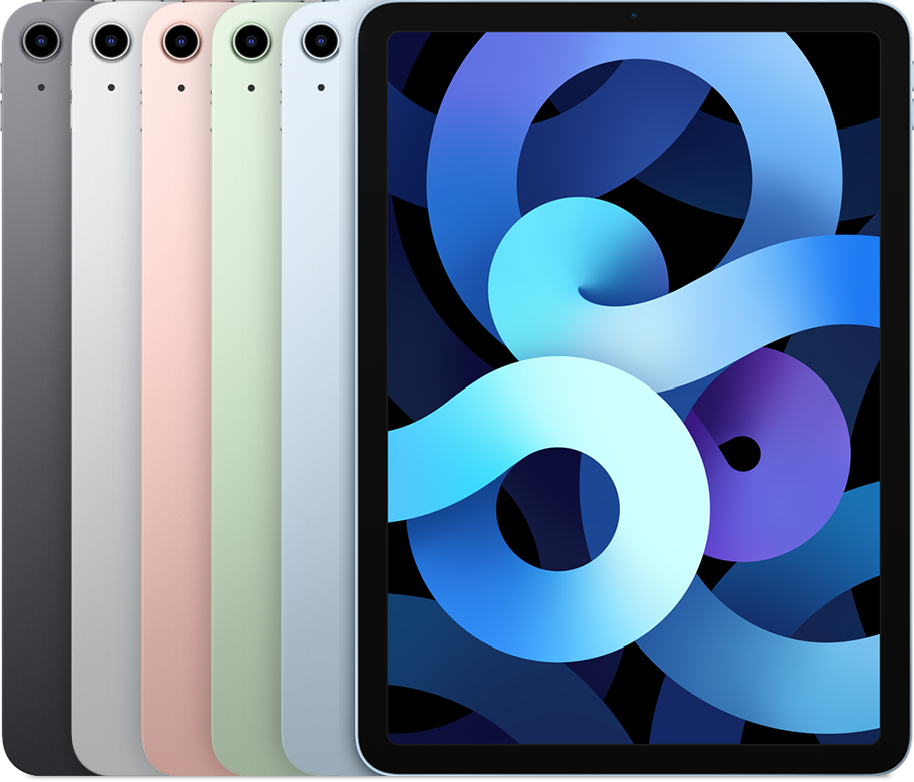
Year: 2020
Capacity: 64 GB, 256 GB
Model number (on back cover):
A2316 on iPad Air (4th generation)
A2324, A2325, A2072 on iPad Air (4th generation) Wi-Fi + Cellular
The nano-SIM tray is on the right side on iPad Air (4th generation) Wi-Fi + Cellular
FaceTime HD camera, back Wide camera*
Touch ID sensor in top button
See the tech specs for iPad Air (4th generation).
iPad Air (3rd generation)
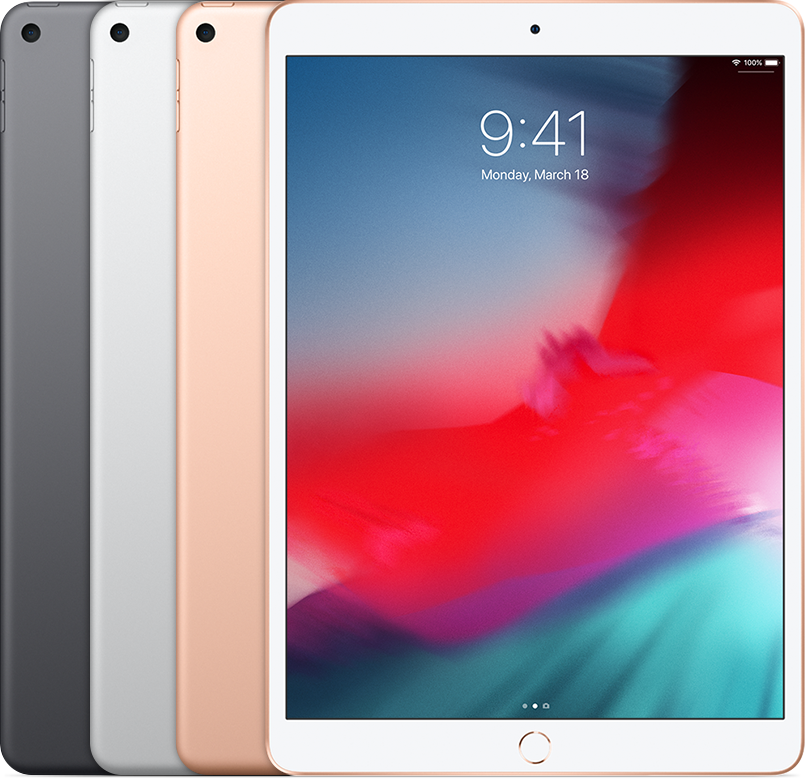
Year: 2019
Capacity: 64 GB, 256 GB
Model number (on back cover):
A2152 on iPad Air (3rd generation)
A2123, A2153 on iPad Air (3rd generation) Wi-Fi + Cellular
A2154 on iPad Air (3rd generation) Wi-Fi + Cellular (China mainland only)
The nano-SIM tray is on the right side on iPad Air (3rd generation) Wi-Fi + Cellular
FaceTime HD camera, back Wide camera*
Touch ID sensor in Home button
See the tech specs for iPad Air (3rd generation).
iPad Air 2
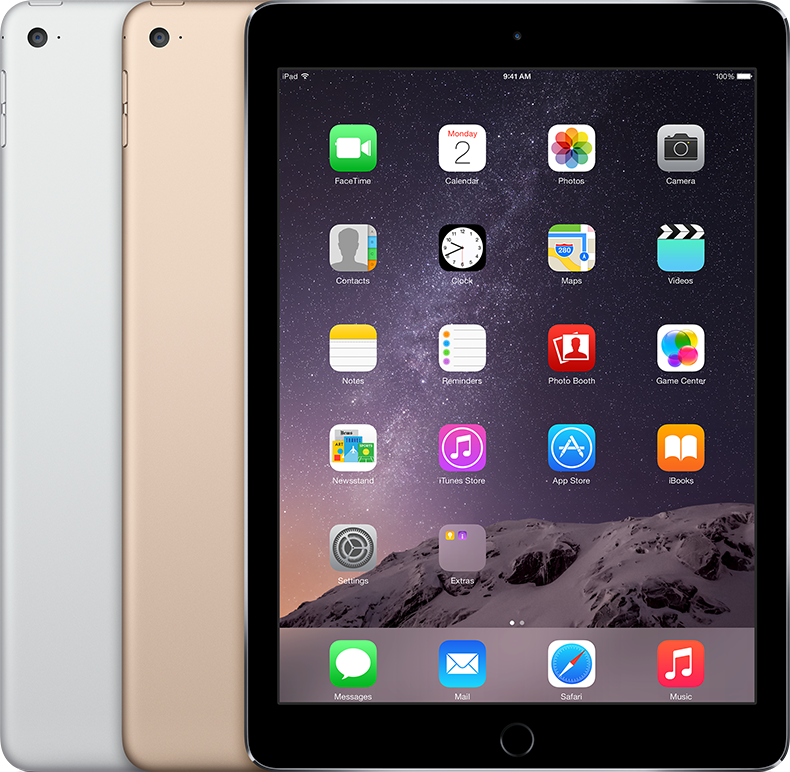
Year: Late 2014
Capacity: 16 GB, 32 GB, 64 GB, 128 GB
Model number (on the back cover):
A1566 on the iPad Air 2
A1567 on the iPad Air 2 Wi-Fi + Cellular
White or black front bezel
The nano-SIM tray is on the right side on iPad Air 2 Wi-Fi + Cellular
FaceTime HD camera, back Wide camera*
Touch ID sensor in Home button
See the tech specs for iPad Air 2.
iPad Air
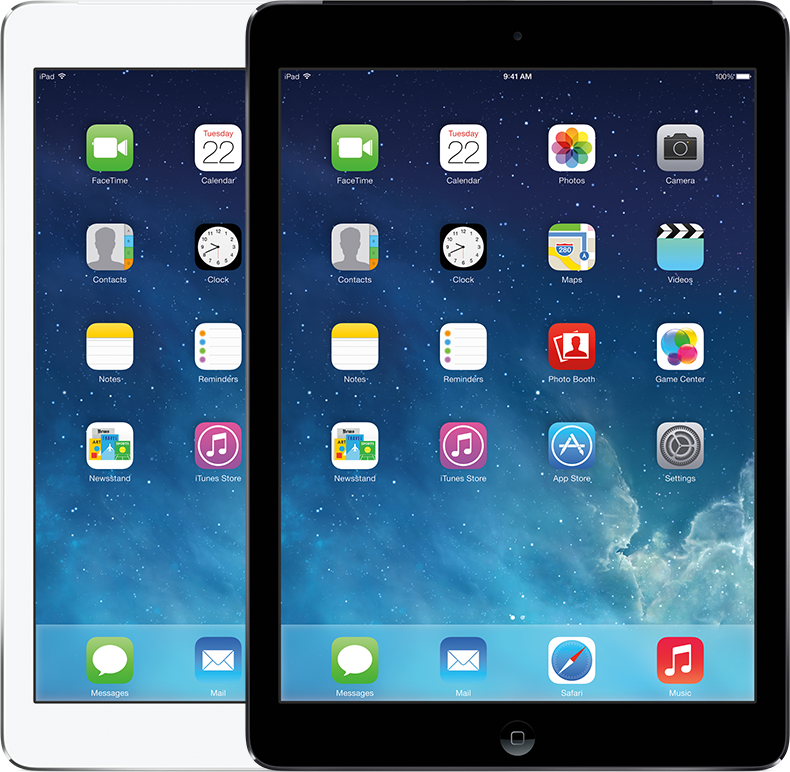
Year: Late 2013 and early 2014
Capacity: 16 GB, 32 GB, 64 GB, 128 GB
Model number (on the back cover):
A1474 on the iPad Air Wi-Fi
A1475 on the iPad Air Wi-Fi + Cellular
A1476 on the iPad Air Wi-Fi + Cellular (TD-LTE)—released early 2014
White or black front bezel
The nano-SIM tray is on the right side on iPad Air Wi-Fi + Cellular
FaceTime HD camera, back Wide camera*
See the tech specs for iPad Air.
iPad mini (A17 Pro)
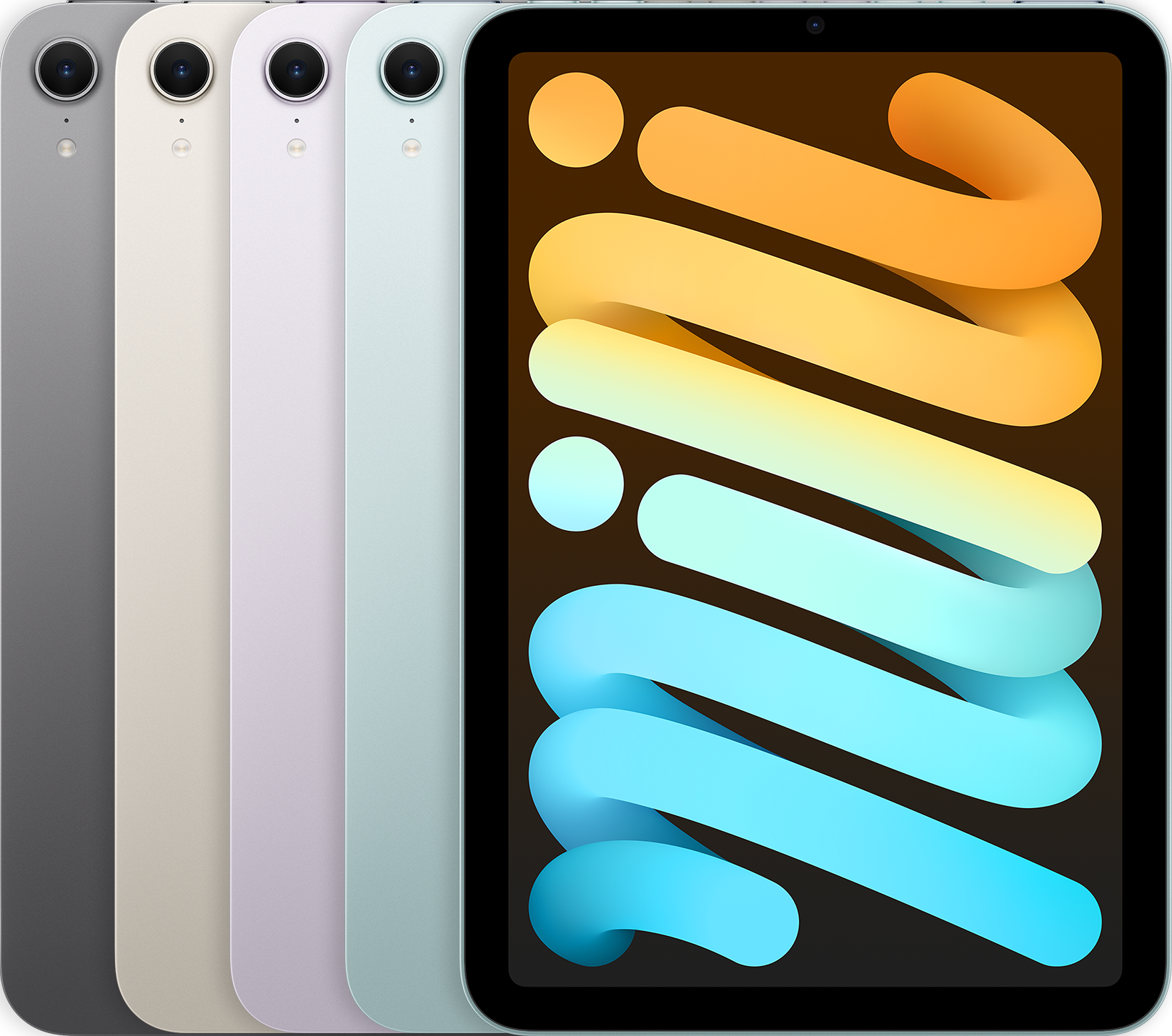
Year: 2024
Capacity: 128 GB, 256 GB, 512 GB
Model number:
A2993 on iPad mini (A17 Pro)
A2995 on iPad mini (A17 Pro) Wi-Fi + Cellular
A2996 on iPad mini (A17 Pro) (China mainland only)
No nano-SIM tray, eSIM only
True Tone flash
Touch ID sensor in Touch ID button
See the tech specs for iPad mini (A17 Pro).
iPad mini (6th generation)
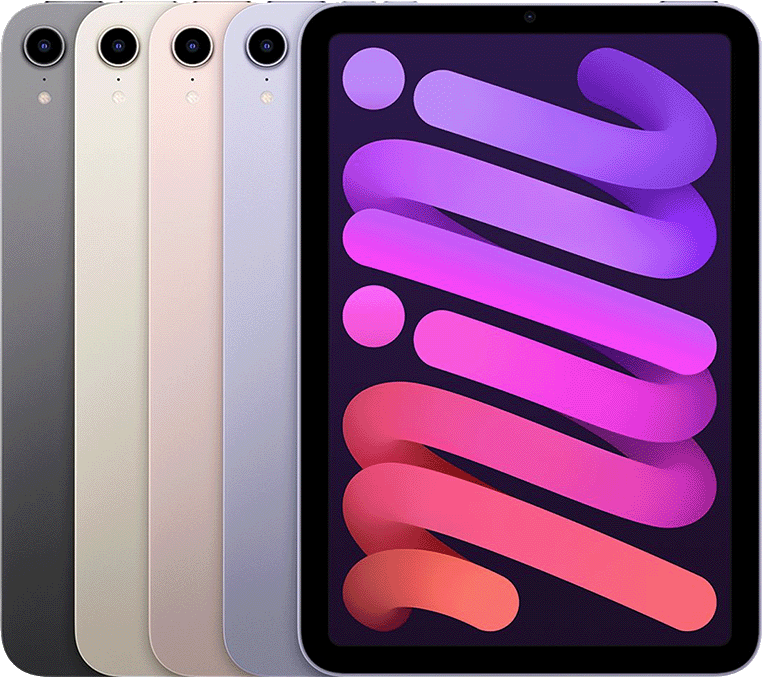
Year: 2021
Capacity: 64 GB, 256 GB
Model number (on back cover):
A2567 on iPad mini (6th generation)
A2568 on iPad mini (6th generation) Wi-Fi + Cellular
A2569 on iPad mini (6th generation) Wi-Fi + Cellular (China mainland only)
The nano-SIM tray is on the right side on iPad mini (6th generation) Wi-Fi + Cellular
Back camera with flash
Touch ID sensor in Touch ID button
See the tech specs for iPad mini (6th generation).
iPad mini (5th generation)
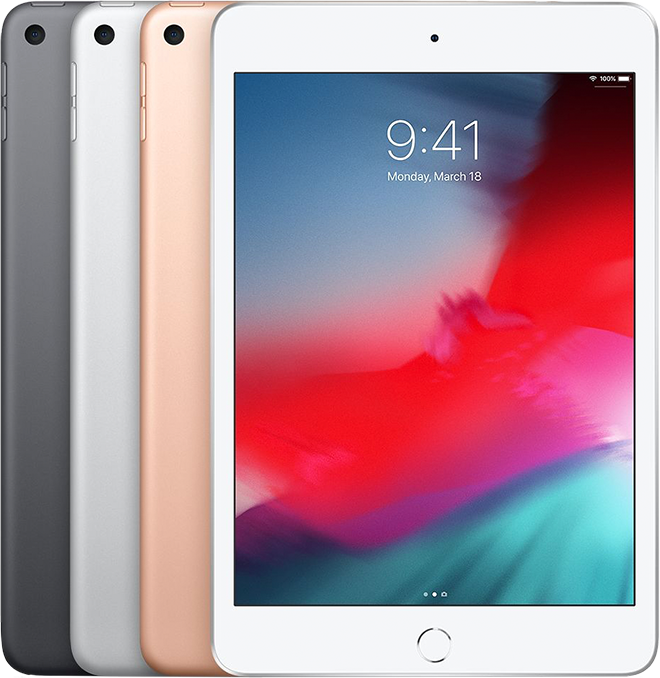
Year: 2019
Capacity: 64 GB, 256 GB
Model number (on back cover):
A2133 on iPad mini (5th generation)
A2124, A2126 on iPad mini (5th generation) Wi-Fi + Cellular
A2125 on iPad mini (5th generation) Wi-Fi + Cellular (China mainland only)
The nano-SIM tray is on the right side on iPad mini (5th generation) Wi-Fi + Cellular
Touch ID sensor in Home button
See the tech specs for iPad mini (5th generation).
iPad mini 4
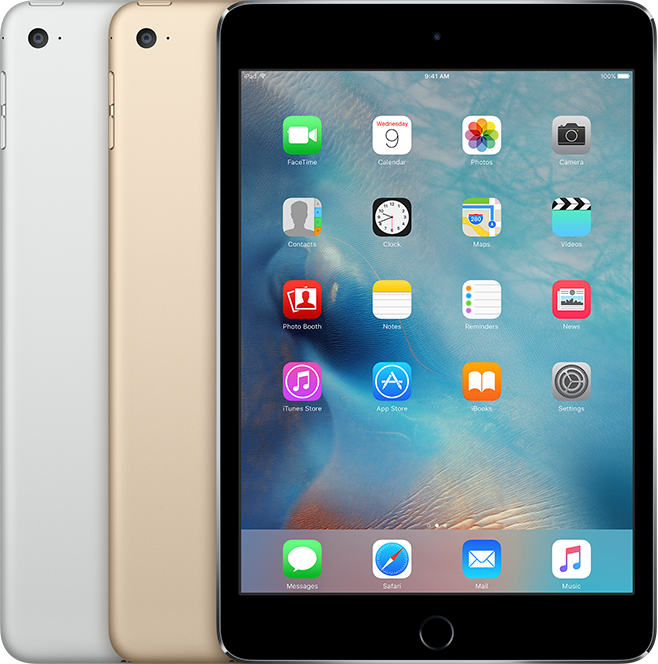
Year: Late 2015
Capacity: 16 GB, 32 GB, 64 GB, 128 GB
Model number (on the back cover):
A1538 on the iPad mini 4
A1550 on the iPad mini 4 Wi-Fi + Cellular
White or black front bezel
The nano-SIM tray is on the right side on iPad mini 4 Wi-Fi + Cellular
FaceTime HD and iSight cameras*
Touch ID sensor in Home button
See the tech specs for iPad mini 4.
iPad mini 3
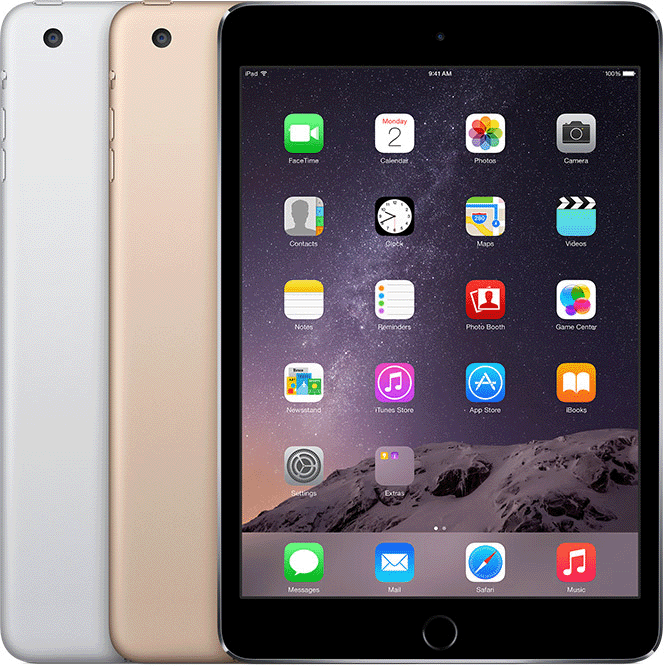
Year: Late 2014
Capacity: 16 GB, 64 GB, 128 GB
Model number (on the back cover):
A1599 on the iPad mini 3
A1600 on the iPad mini 3 Wi-Fi + Cellular
White or black front bezel
The nano-SIM tray is on the left side on iPad mini 3 Wi-Fi + Cellular
FaceTime HD and iSight cameras*
Touch ID sensor in Home button
See the tech specs for iPad mini 3.
iPad mini 2
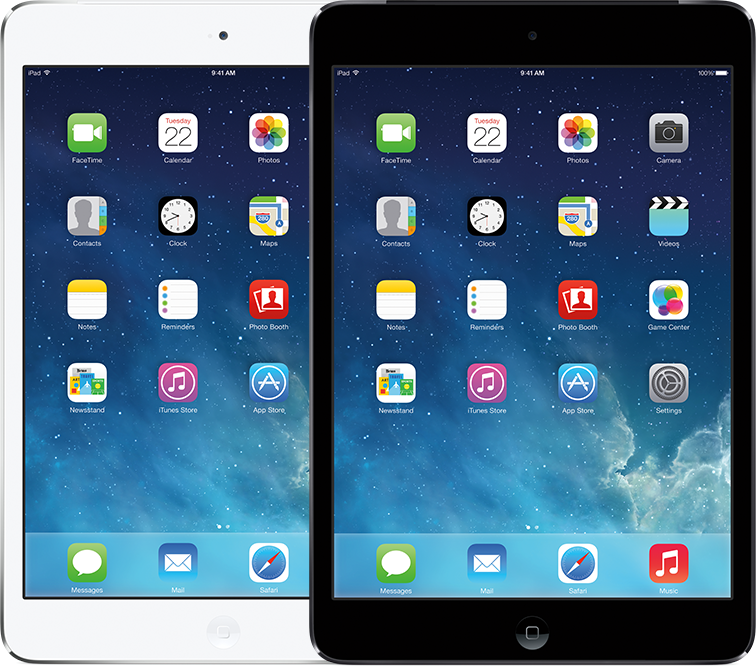
Year: Late 2013 and early 2014
Capacity: 16 GB, 32 GB, 64 GB, 128 GB
Model number (on the back cover):
A1489 on the iPad mini 2 Wi-Fi
A1490 on the iPad mini 2 Wi-Fi + Cellular
A1491 on the iPad mini 2 Wi-Fi + Cellular (TD-LTE)–released early 2014
White or black front bezel
The nano-SIM tray is on the left side on iPad mini 2 with Retina display Wi-Fi + Cellular
FaceTime HD and iSight cameras*
See the tech specs for iPad mini 2.
iPad mini
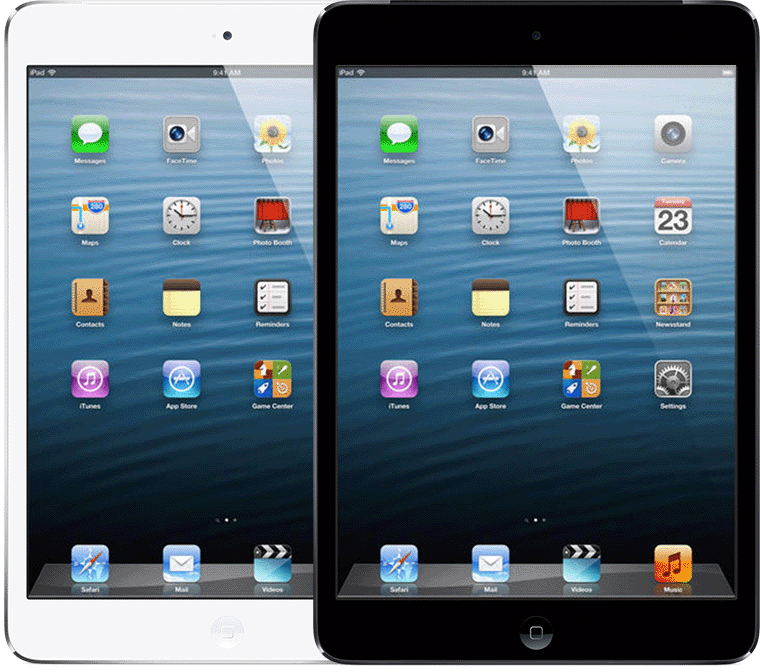
Year: Late 2012
Capacity: 16 GB, 32 GB, 64 GB
Model number (on the back cover):
A1432 on the iPad mini Wi-Fi
A1454 on the iPad mini Wi-Fi + Cellular
A1455 on the iPad mini Wi-Fi + Cellular (MM)
White or black front bezel
The nano-SIM tray is on the left side on iPad mini Wi-Fi + Cellular
FaceTime HD and iSight cameras*
See the tech specs for iPad mini.
iPad (A16)
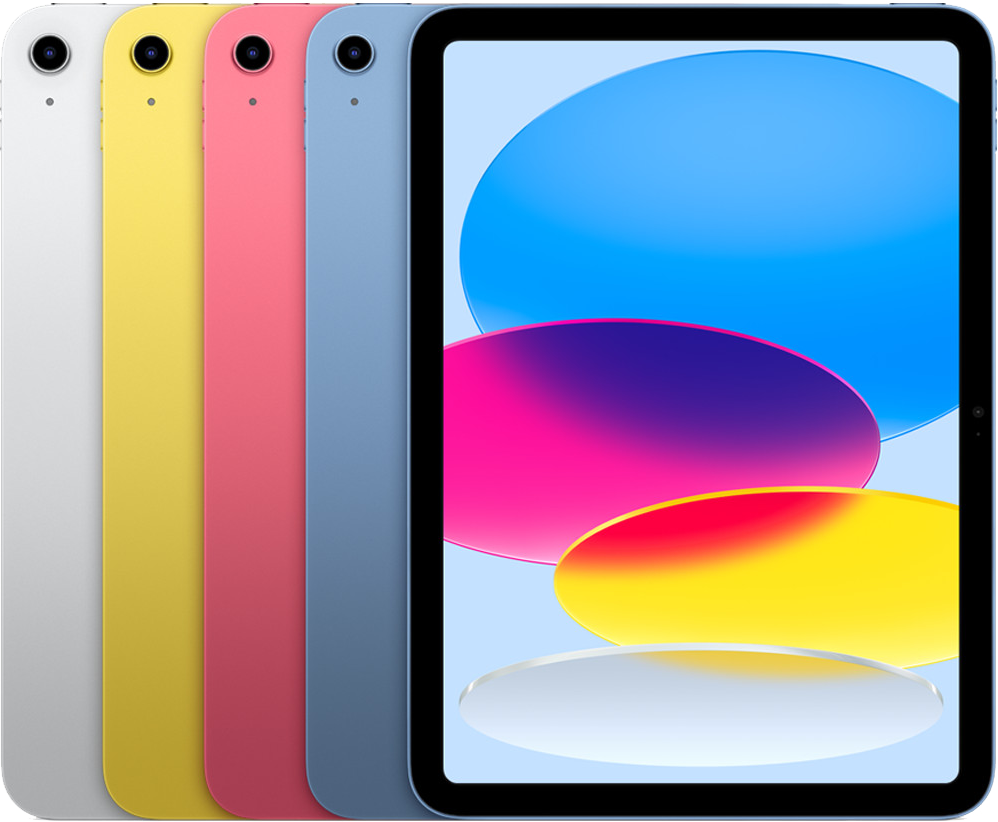
Year: 2025
Capacity: 128 GB, 256 GB, 512 GB
Model numbers:
A3354 on iPad (A16)
A3355 on iPad (A16) Wi-Fi + Cellular
A3356 on iPad (A16) Wi-Fi + Cellular (China mainland only)
Black front bezel
No nano-SIM tray, eSIM only
Cameras:
Front: 12MP Center Stage front camera on landscape edge
Back: Wide
Touch ID sensor in top button
See the tech specs for iPad (A16).
iPad (10th generation)
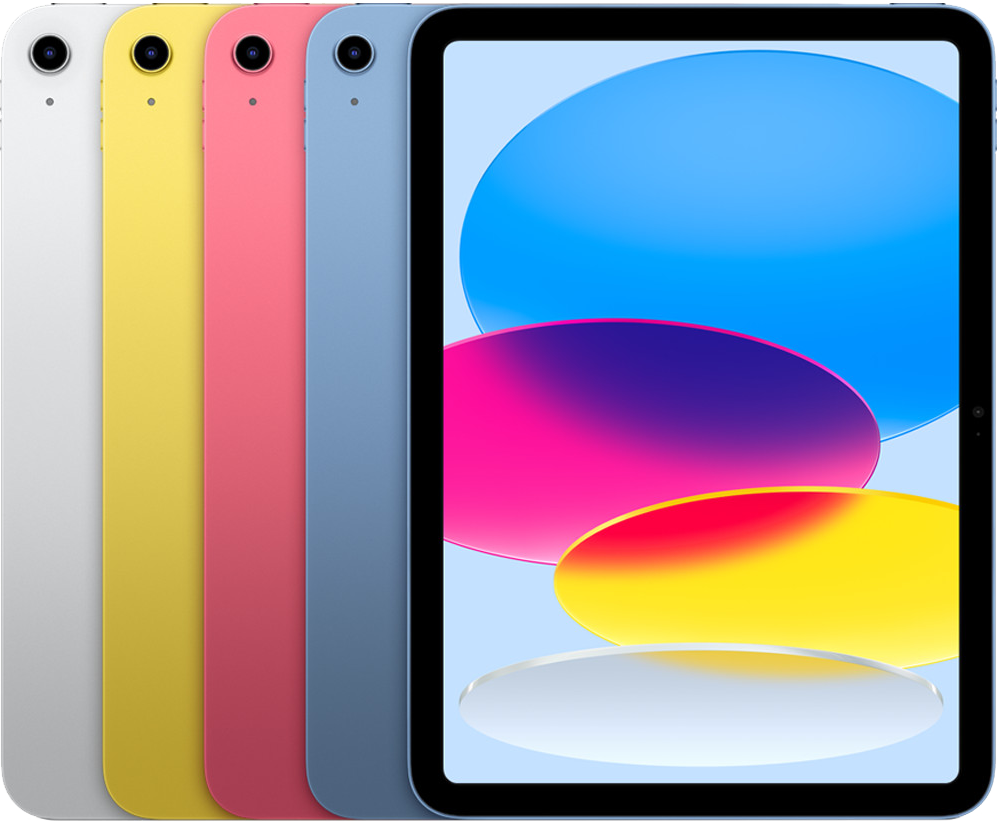
Year: 2022
Capacity: 64 GB, 256 GB
Model numbers (on the back cover):
A2696 on iPad (10th generation)
A2757 on iPad (10th generation) Wi-Fi + Cellular
A2777 on iPad (10th generation) Wi-Fi + Cellular (China mainland only)
A3162 on iPad (10th generation) Wi-Fi + Cellular (China mainland only)
Black front bezel
The nano-SIM tray is on the right side on iPad (10th generation) Wi-Fi + Cellular
Cameras:
Front: Ultra Wide on landscape edge
Back: Wide
Touch ID sensor in top button
See the tech specs for iPad (10th generation).
iPad (9th generation)
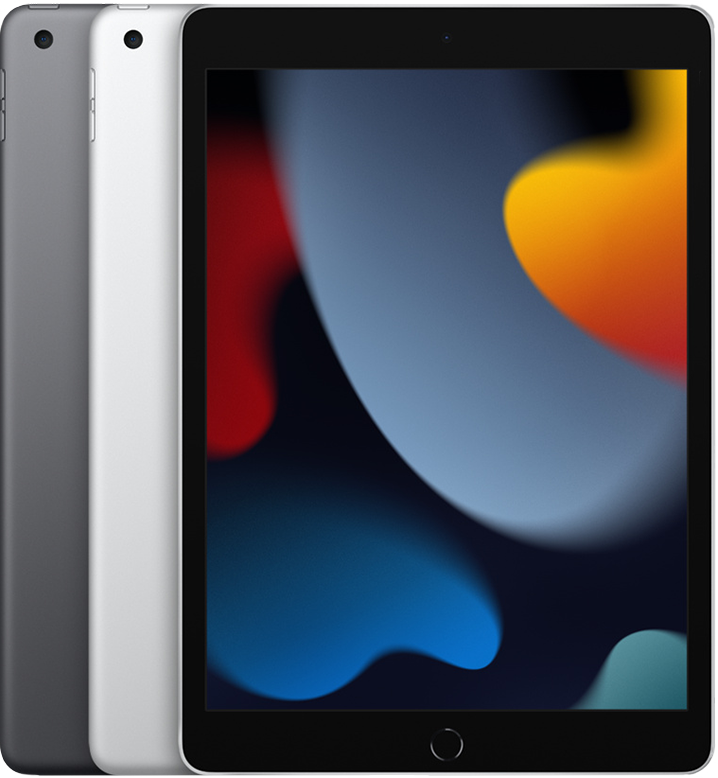
Year: 2021
Capacity: 64 GB, 256 GB
Model numbers (on the back cover):
A2602 on iPad (9th generation)
A2604 on iPad (9th generation) Wi-Fi + Cellular
A2603 on iPad (9th generation) Wi-Fi + Cellular (North America only)
A2605 on iPad (9th generation) Wi-Fi + Cellular (China mainland only)
Black front bezel
The nano-SIM tray is on the right side on iPad (9th generation) Wi-Fi + Cellular
Front Ultra Wide camera
Back wide camera
Touch ID sensor in Home button
See the tech specs for iPad (9th generation).
iPad (8th generation)
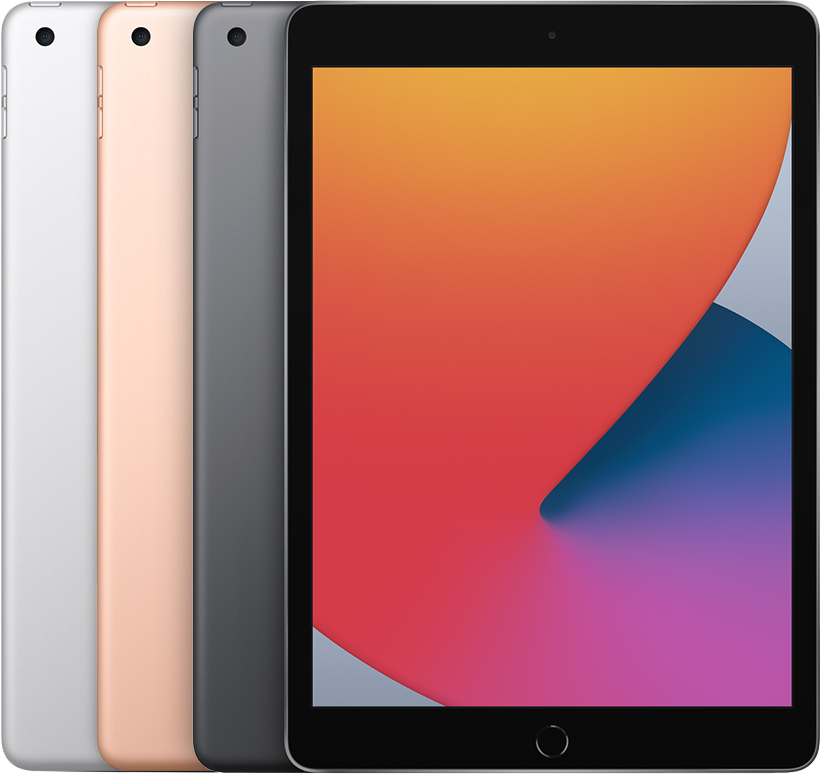
Year: 2020
Capacity: 32 GB, 128 GB
Model numbers (on the back cover):
A2270 on iPad (8th generation)
A2428, A2429, A2430 on iPad (8th generation) Wi-Fi + Cellular
White or black front bezel
The nano-SIM tray is on the right side on iPad (8th generation) Wi-Fi + Cellular
FaceTime HD and back camera
Touch ID sensor in Home button
See the tech specs for iPad (8th generation).
iPad (7th generation)
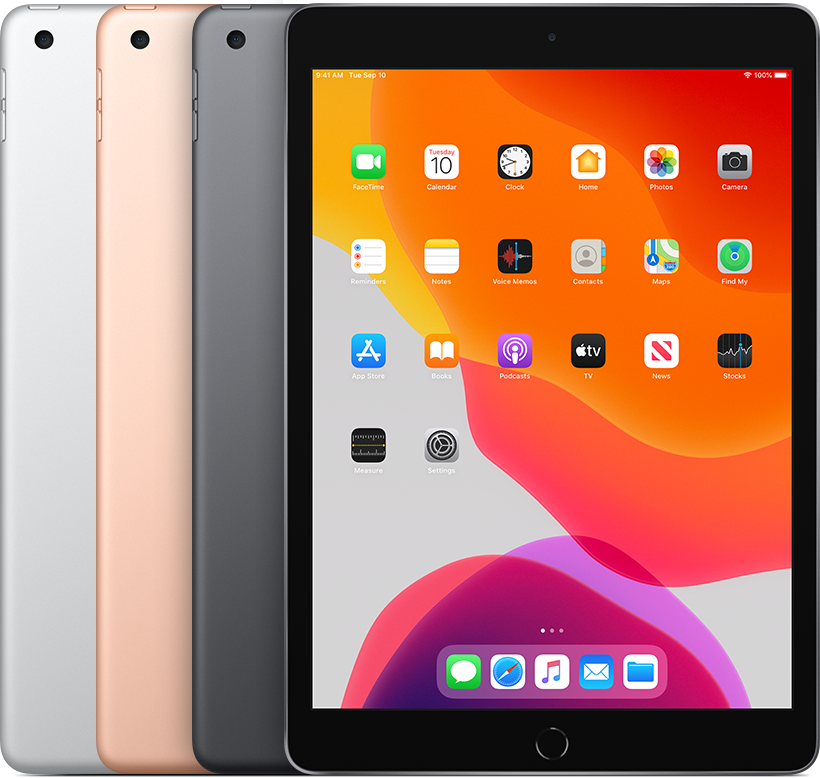
Year: 2019
Capacity: 32 GB, 128 GB
Model number (on the back cover):
A2197 on the iPad (7th generation) Wi-Fi
A2200, A2198 on the iPad (7th generation) Wi-Fi + Cellular
White or black front bezel
The nano-SIM tray is on the right side on iPad (7th generation) Wi-Fi + Cellular
FaceTime HD and back camera*
Touch ID sensor in Home button
See the tech specs for iPad (7th generation).
iPad (6th generation)
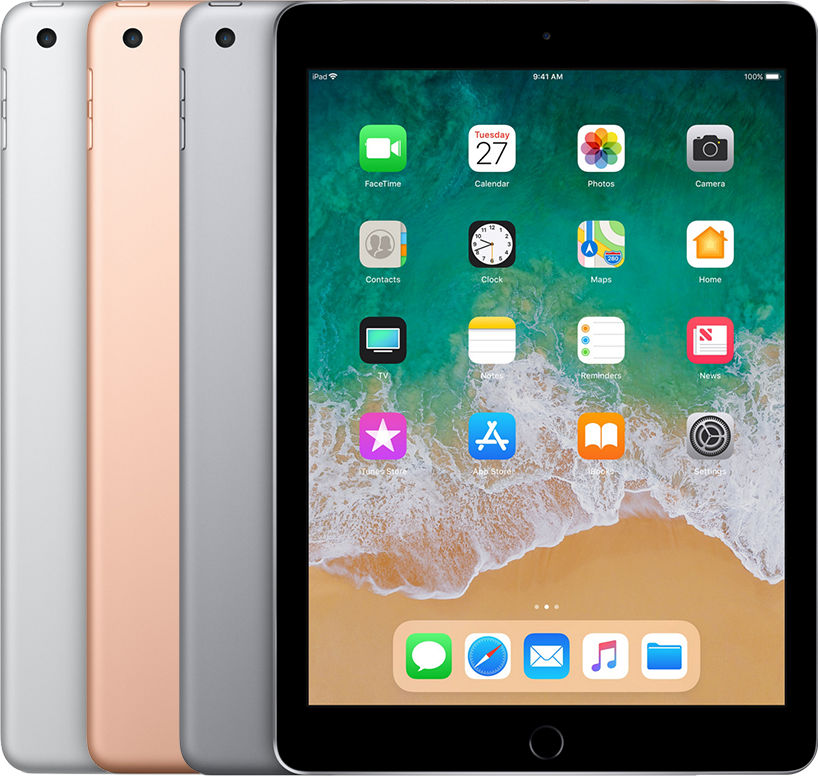
Year: 2018
Capacity: 32 GB, 128 GB
Model number (on the back cover):
A1893 on the iPad (6th generation) Wi-Fi
A1954 on the iPad (6th generation) Wi-Fi + Cellular
White or black front bezel
The nano-SIM tray is on the right side on iPad (6th generation) Wi-Fi + Cellular
FaceTime HD and back camera*
Touch ID sensor in Home button
See the tech specs for iPad (6th generation).
iPad (5th generation)
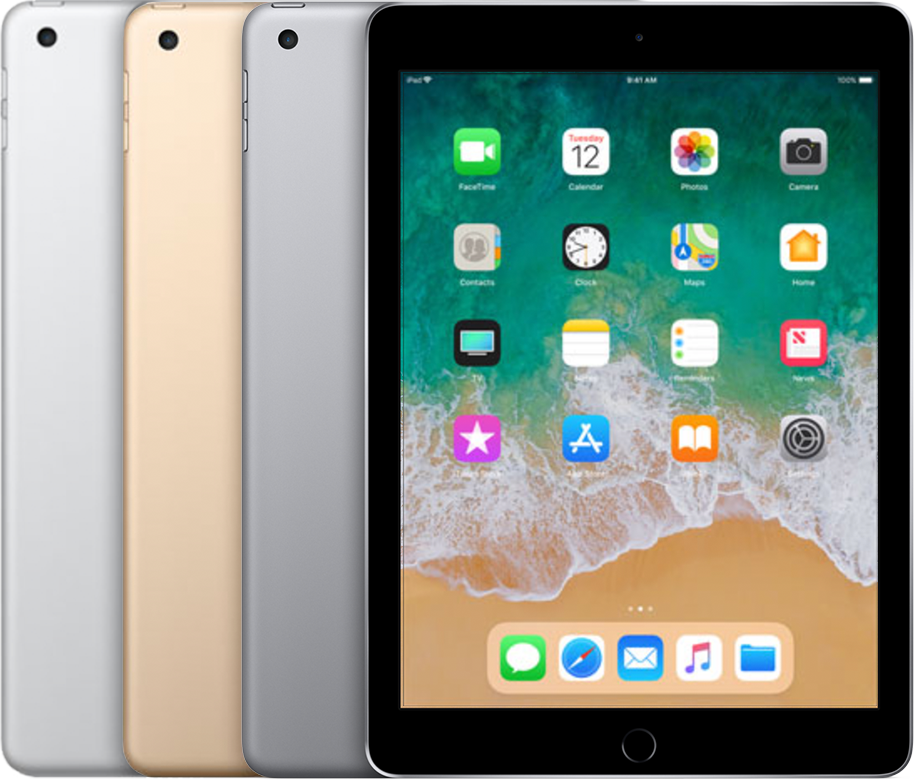
Year: 2017
Capacity: 32 GB, 128 GB
Model number (on the back cover):
A1822 on the iPad (5th generation) Wi-Fi
A1823 on the iPad (5th generation) Wi-Fi + Cellular
White or black front bezel
The nano-SIM tray is on the right side on iPad (5th generation) Wi-Fi + Cellular
FaceTime HD and back camera*
Touch ID sensor in Home button
See the tech specs for iPad (5th generation).
iPad (4th generation)
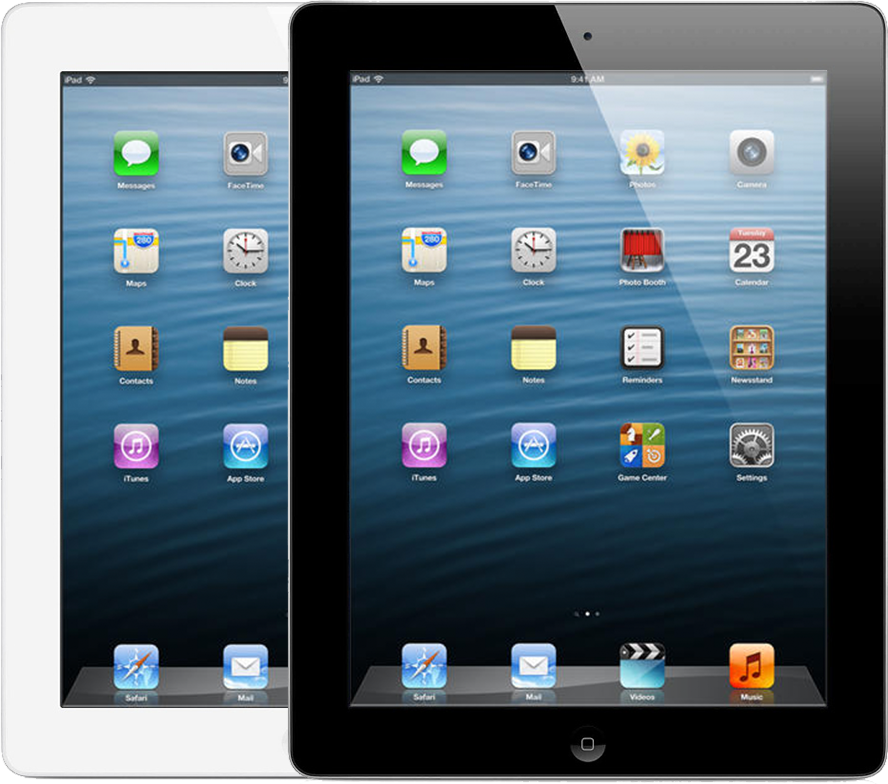
Year: Late 2012
Capacity: 16 GB, 32 GB, 64 GB, 128 GB
Model number (on the back cover):
A1458 on the iPad (4th generation) Wi-Fi
A1459 on the iPad (4th generation) Wi-Fi + Cellular
A1460 on the iPad (4th generation) Wi-Fi + Cellular (MM)
White or black front bezel
The micro-SIM tray is on the right side on iPad (4th generation) Wi-Fi + Cellular
FaceTime HD and iSight cameras*
See the tech specs for iPad (4th generation).
iPad (3rd generation)
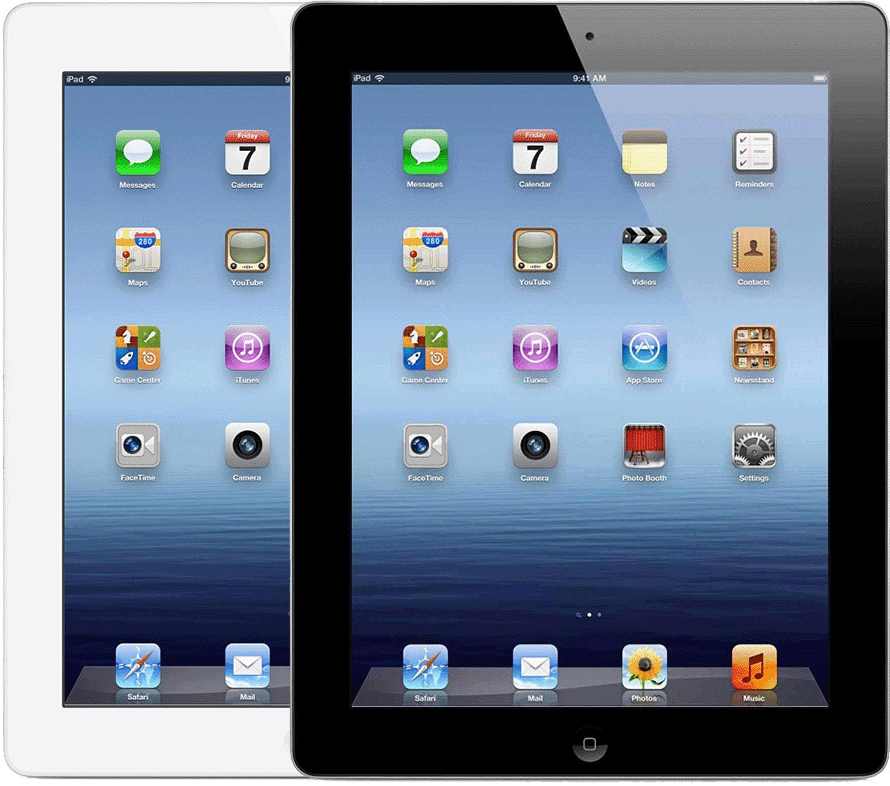
Year: Early 2012
Capacity: 16 GB, 32 GB, 64 GB
Model number (on the back cover):
A1416 on the iPad (3rd generation) Wi-Fi
A1430 on the iPad (3rd generation) Wi-Fi + Cellular
A1403 on the iPad (3rd generation) Wi-Fi + Cellular (VZ)
White or black front bezel
The micro-SIM tray is on the right side on iPad (3rd generation) Wi-Fi + Cellular
FaceTime and iSight cameras*
See the tech specs for iPad (3rd generation).
iPad 2
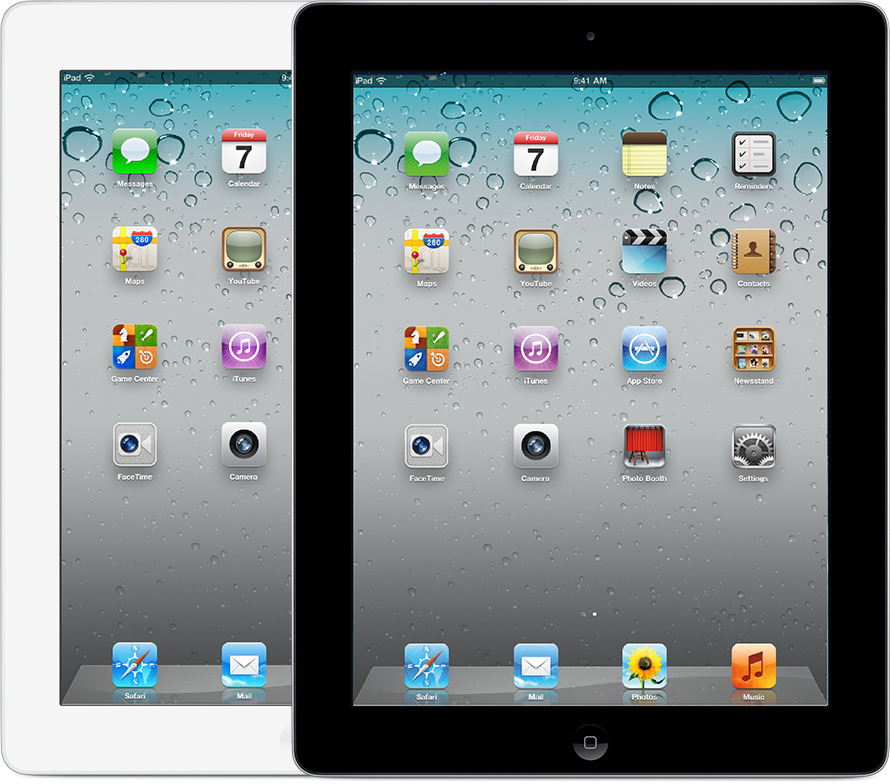
Year: 2011
Capacity: 16 GB, 32 GB, 64 GB
Model number (on the back cover):
A1395 on the iPad 2 (Wi-Fi)
A1396 on the iPad 2 (GSM model)
A1397 on the iPad 2 (CDMA model)
White or black front bezel
The micro-SIM tray is on the right side on iPad (GSM model only)
FaceTime and rear cameras*
See the tech specs for iPad 2.
iPad
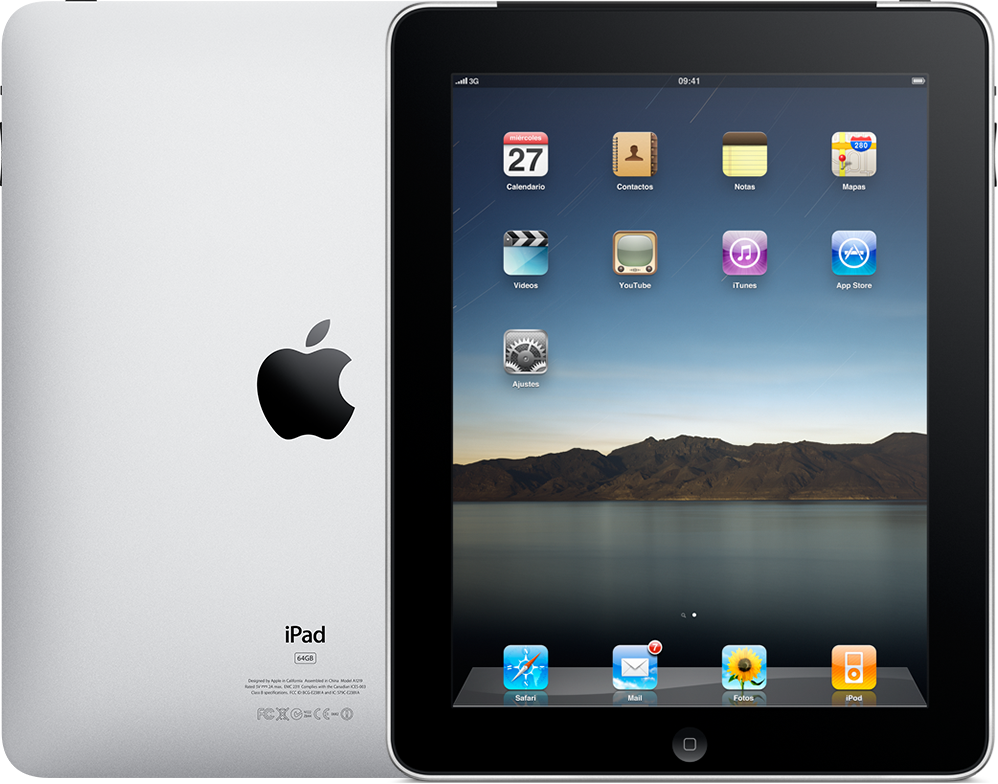
Year: 2010
Capacity: 16 GB, 32 GB, 64 GB
Model number (on the back cover):
A1219 on the iPad (Wi-Fi)
A1337 on the iPad (Wi-Fi + 3G)
Black front bezel
Standard SIM tray on the iPad (Wi-Fi + 3G)
See the tech specs for iPad.
* FaceTime is not available in all countries or regions.
