Use Apple Configurator to connect to an Apple TV with USB
Use Apple Configurator to install a configuration profile on your Apple TV (2nd, 3rd, or 4th generation) over USB. Use configuration profiles to use your Apple TV on a protected WiFi network, or to manage your Apple TV with Mobile Device Management (MDM).
This article is intended for enterprise and education system administrators. If you're trying to manage an Apple TV that isn't owned by a business or school, learn more restrictions you can set.
In tvOS 10.2 or later, you can also use Apple School Manager or the Device Enrollment Program to supervise your Apple TV (4th generation) and enroll it in MDM. For instructions, see the iOS Deployment Reference.
In tvOS 11 or later, you can also use Apple Configurator to connect to your Apple TV 4K or Apple TV (4th generation) over a network.
Before you begin
Make sure you have:
The latest version of Apple Configurator on your Mac
An Apple TV (2nd, 3rd, or 4th generation) with the latest version of tvOS.
A USB-C cable for Apple TV (4th generation) or a Micro-USB cable for Apple TV (2nd or 3rd generation).
A configuration profile you want to put on your Apple TV. Learn which settings you can manage on Apple TV.
Connect to your Apple TV
If you have all of these items, use these steps to put a configuration profile on your Apple TV:
Get Started
Unplug the HDMI cable and power cord from your Apple TV.
Plug your USB-C or Micro-USB cable into your Apple TV
Make sure you use the correct cable for your model, and never plug a Lightning to USB cable into your Apple TV.
Apple TV (4th generation): plug in a USB-C cable to the back of your Apple TV.
Apple TV (2nd or 3rd generation): plug in a Micro-USB cable to the back of your Apple TV.
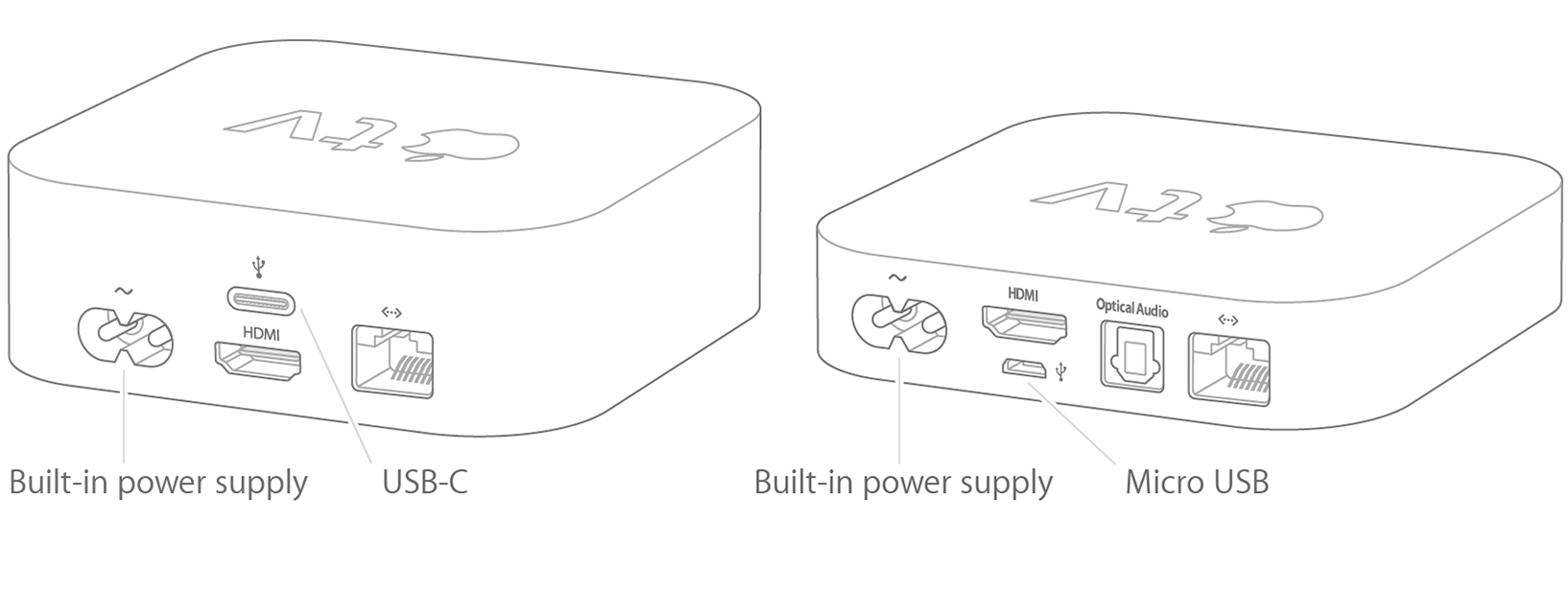
Connect to your computer
Plug the other end of your USB-C or Micro-USB cable into a USB port on your computer.
Apple TV (3rd or 4th generation): plug in the power cord.
Apple TV (2nd generation): leave it unplugged.
Open Apple Configurator on your Mac
Select your Apple TV in the device window.
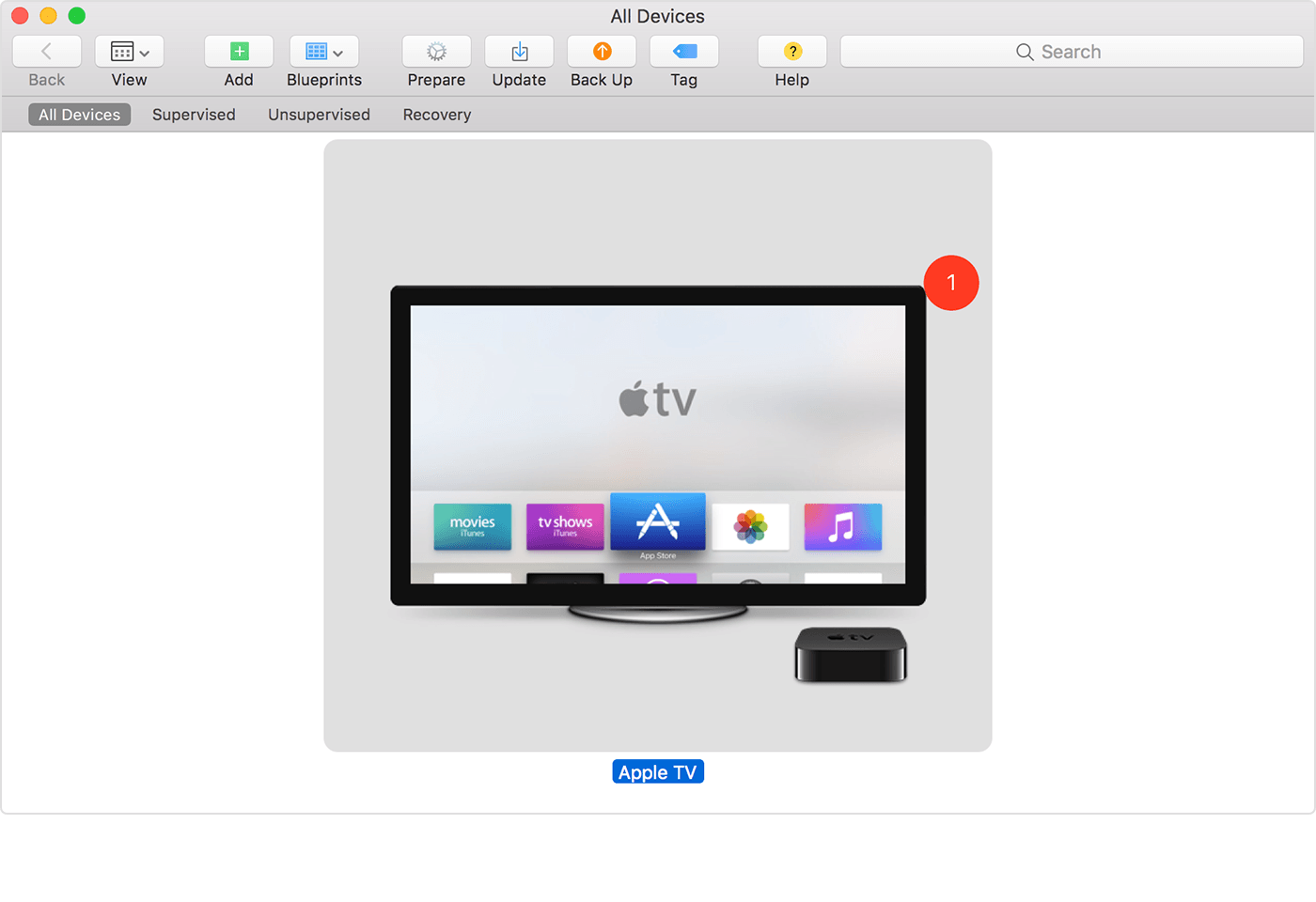
Finish Up
If this is your first time using Apple Configurator with this Apple TV, click Prepare. Follow the onscreen instructions.
If you want to add a profile to an Apple TV that you've previously set up, click Add, then select Profiles. You can also drag a Profile from a Finder window and drop it onto the icon of your Apple TV.1
1To use this method to install an MDM enrollment profile, you must either Supervise the Apple TV or make sure your MDM server has a publicly-trusted SSL certificate.
