Adapters for the Thunderbolt 4, Thunderbolt 3, or USB-C port on your Mac
Learn about different adapters for the Thunderbolt 4, Thunderbolt 3, or USB-C port on your Mac.
The adapters and cables in this article work with Mac computers with Thunderbolt 4 ports, Thunderbolt 3 ports, or a USB-C port. If your Mac only has one port, it doesn't support Thunderbolt connections.
If you're using a USB-C or Thunderbolt adapter to connect a display, the adapter must be compliant with DisplayPort Alt Mode, Thunderbolt 3, or Thunderbolt 4.
To find the right cable or adapter for your Mac, check the connector on the end of the cable meant to plug into your computer.
Thunderbolt 3 or Thunderbolt 4
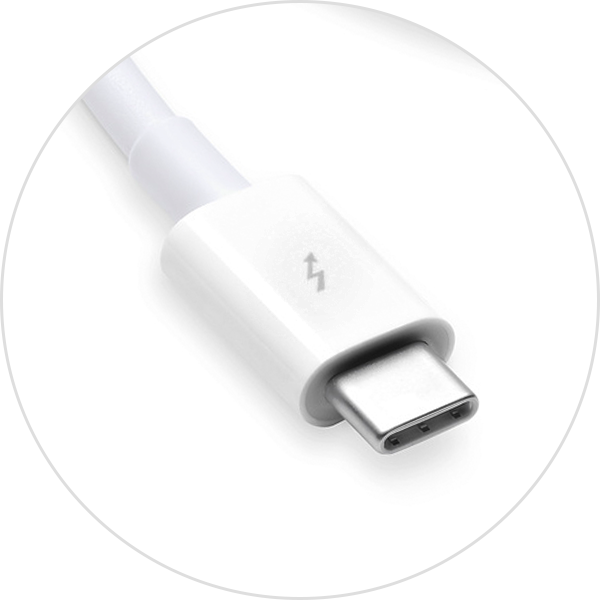
If you're using a Thunderbolt 3 or Thunderbolt 4 cable, such as the Apple Thunderbolt 4 Pro Cable with your display or other device, it will connect to your Mac without an adapter.
The Apple Studio Display and Apple Pro Display XDR use Thunderbolt 3.
USB-C

If you're using a USB-C cable, such as the 60W USB-C Charge Cable with your device, it will connect to your Mac without an adapter.
USB-A

If you're using a USB-A cable with your device, use a USB-C to USB-A adapter like the Apple USB-C to USB Adapter, the Apple USB-C Digital AV Multiport Adapter, or the Apple USB-C VGA Multiport Adapter to connect your device to your Mac.
To charge an iPhone or iPad from a Thunderbolt 3 or USB-C port without one of these adapters, you can use the Apple USB-C to Lightning Cable instead.
Ethernet

If you're using an Ethernet cable with your device, use a USB-C to Ethernet adapter, such as the Belkin USB-C to Gigabit Ethernet Adapter. If your Mac has an Ethernet port, you can connect your Ethernet cable without an adapter.
Thunderbolt or Thunderbolt 2

If you're using a Thunderbolt or Thunderbolt 2 cable with your Apple Thunderbolt Display or other device, use the Apple Thunderbolt 3 to Thunderbolt 2 Adapter.
Thunderbolt and Thunderbolt 2 are not the same as Mini DisplayPort . They have the same shape, but use different symbols on the cable and port.
Mini DisplayPort
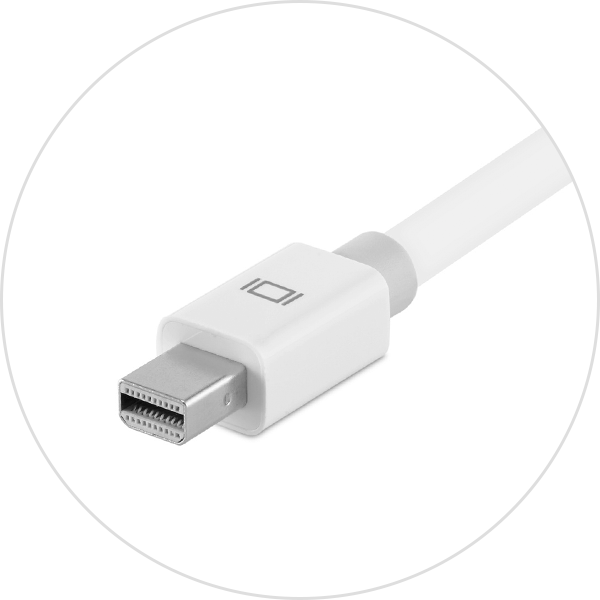
If you're using a Mini DisplayPort cable with your display, use a USB-C to Mini DisplayPort cable. Check with its manufacturer for compatibility with your Mac and display model.
Mini DisplayPort is not the same as Thunderbolt or Thunderbolt 2. They have the same shape, but use different symbols on the cable and port.
HDMI
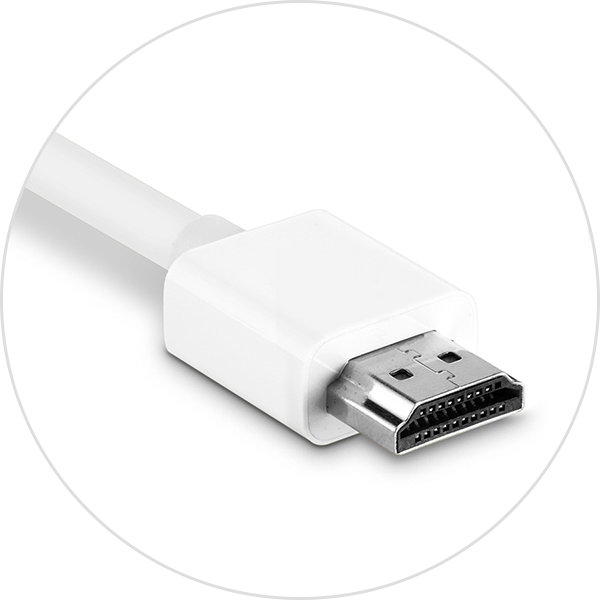
If you're using an HDMI cable with your display, use the Apple USB-C Digital AV Multiport Adapter or other USB-C to HDMI adapter or cable. If your Mac has an HDMI port, you can connect your display to your Mac without an adapter.
DisplayPort

If you're using a DisplayPort cable with your display, use a USB-C to DisplayPort adapter or cable.
VGA

If you're using a VGA cable with your display, use a USB-C to VGA adapter, such as the Apple USB-C VGA Multiport Adapter or Belkin USB-C to VGA Adapter.
DVI

If you're using a DVI cable with your display, use a USB-C to DVI adapter or cable. Check with its manufacturer for compatibility with your Mac and display model.
Learn more
Learn how to connect a display to your Mac.
Information about products not manufactured by Apple, or independent websites not controlled or tested by Apple, is provided without recommendation or endorsement. Apple assumes no responsibility with regard to the selection, performance, or use of third-party websites or products. Apple makes no representations regarding third-party website accuracy or reliability. Contact the vendor for additional information.
