Read and organize your books in the Apple Books app
With Apple Books on iPhone, iPad, and Mac, you can purchase and download books, audiobooks, and documents to read and listen to. You can also organize and sort your library and create custom collections to make your stuff easier to find.
Find your books, audiobooks, and PDFs
Find your books, audiobooks, and PDFs
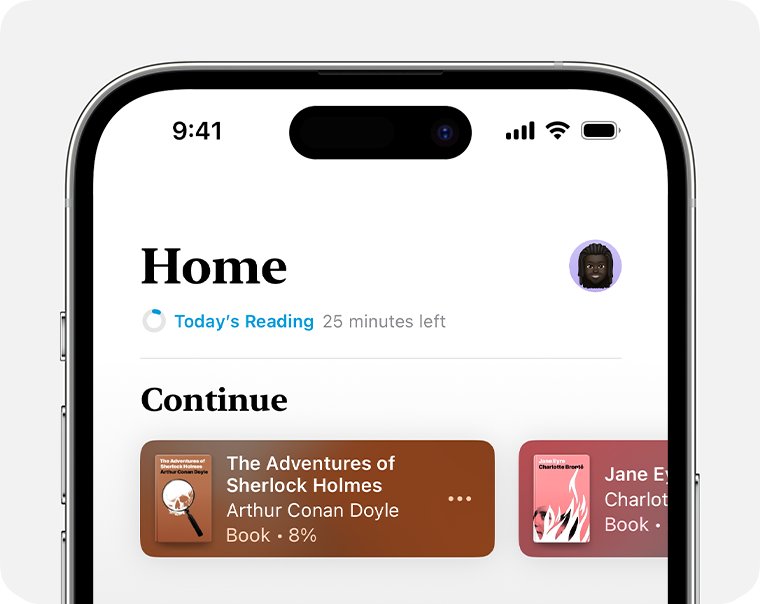
To quickly find the books and audiobooks that you're currently reading or listening to:
On your iPhone, open the Books app and tap Home.
On your iPad or Mac, open the Books app and select Read Now.
You'll also find personalized suggestions for your next read, the books that you’ve marked as "Want to Read," current bestsellers, and more.
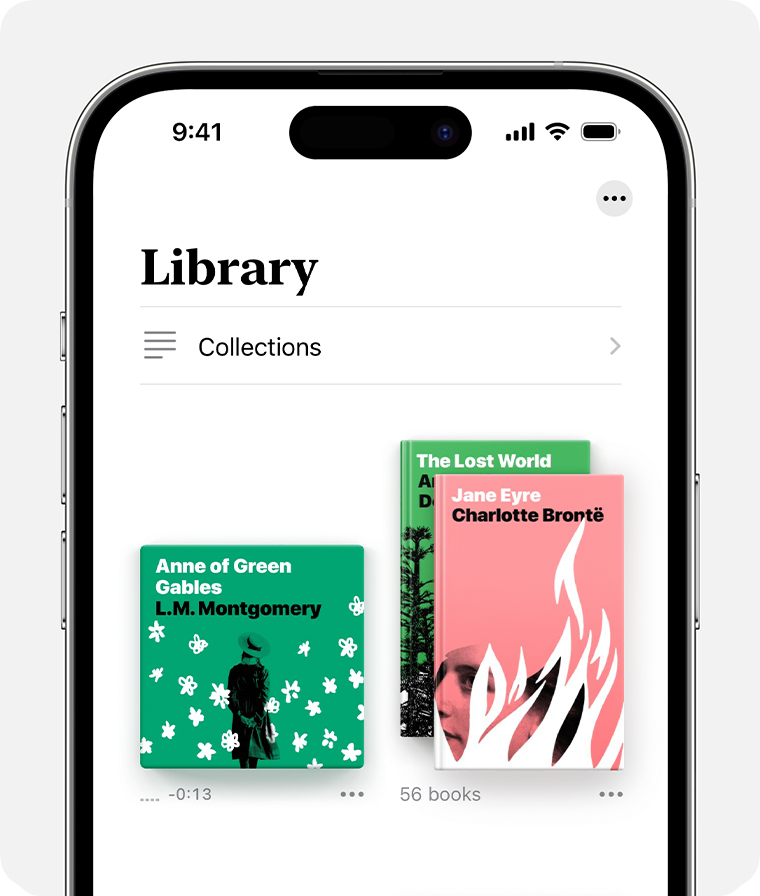
To find all of the books, audiobooks, samples, and PDFs, that you either got from the Book Store or manually added to the Books app:
On your iPhone, tap Library.
On your iPad or Mac, tap or click All under Library.
From here, you can also select Collections to see your library sorted into categories like Want to Read, Finished, Books, PDFs, or custom collections you created.
Organize your library
In the Books app, you can find all of the books, audiobooks, and PDFs that you purchased from the app, or that you manually added to your device (for example, a PDF that you created and manually added to the app from a webpage). You can also do things like sort your books, create collections, and more.
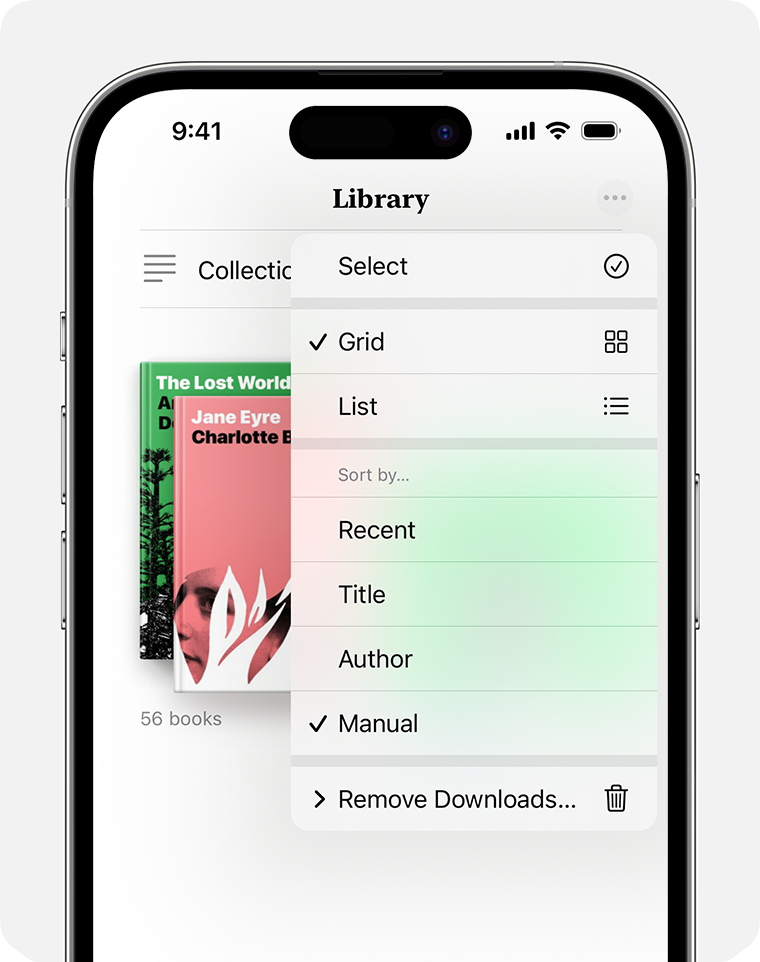
Sort the order by title, author, or manually added documents
Open the Books app.
On your iPhone, tap Library. On your iPad or Mac, tap or click All under Library.
Tap or click the More button
 , then select how you'd like to sort your Library. From here, you can also choose to see your library in a grid or list.
Create collections to personalize your library
Open the Books app.
On an iPhone, tap Library, tap Collections, then tap New Collection. On an iPad or Mac, tap or click New Collection under My Collections
Name the collection, for example, Beach Reads or Book Club.
Set reading goals
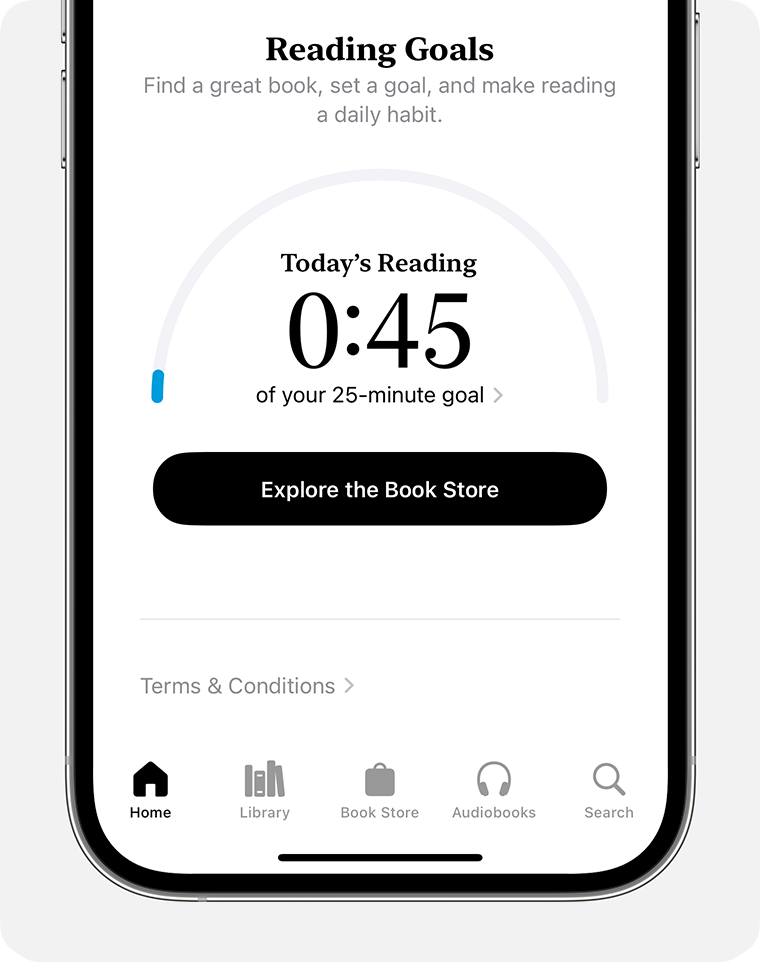
You can keep track of how many minutes you read every day, and how many books and audiobooks you finish each year. You can customize your goals to spend more time reading, set new reading streaks, and share your achievements with others.
On an iPhone
Open the Books app, then tap Home.
Scroll down until you find Reading Goals.
Tap the area that says Today's Reading. Then tap Adjust Goal.
On an iPad or Mac
Open the Books app, then tap or click Read Now.
Scroll down until you find Reading Goals. On an iPad, tap the area that says Today's Reading and adjust your goal. On a Mac, click the Adjust Goal button
 , then adjust your goal.
More ways to use the Books app
Information about products not manufactured by Apple, or independent websites not controlled or tested by Apple, is provided without recommendation or endorsement. Apple assumes no responsibility with regard to the selection, performance, or use of third-party websites or products. Apple makes no representations regarding third-party website accuracy or reliability. Contact the vendor for additional information.


